NOVUS AUTOMATION www.fieldlogger.net 63/104
Report generation
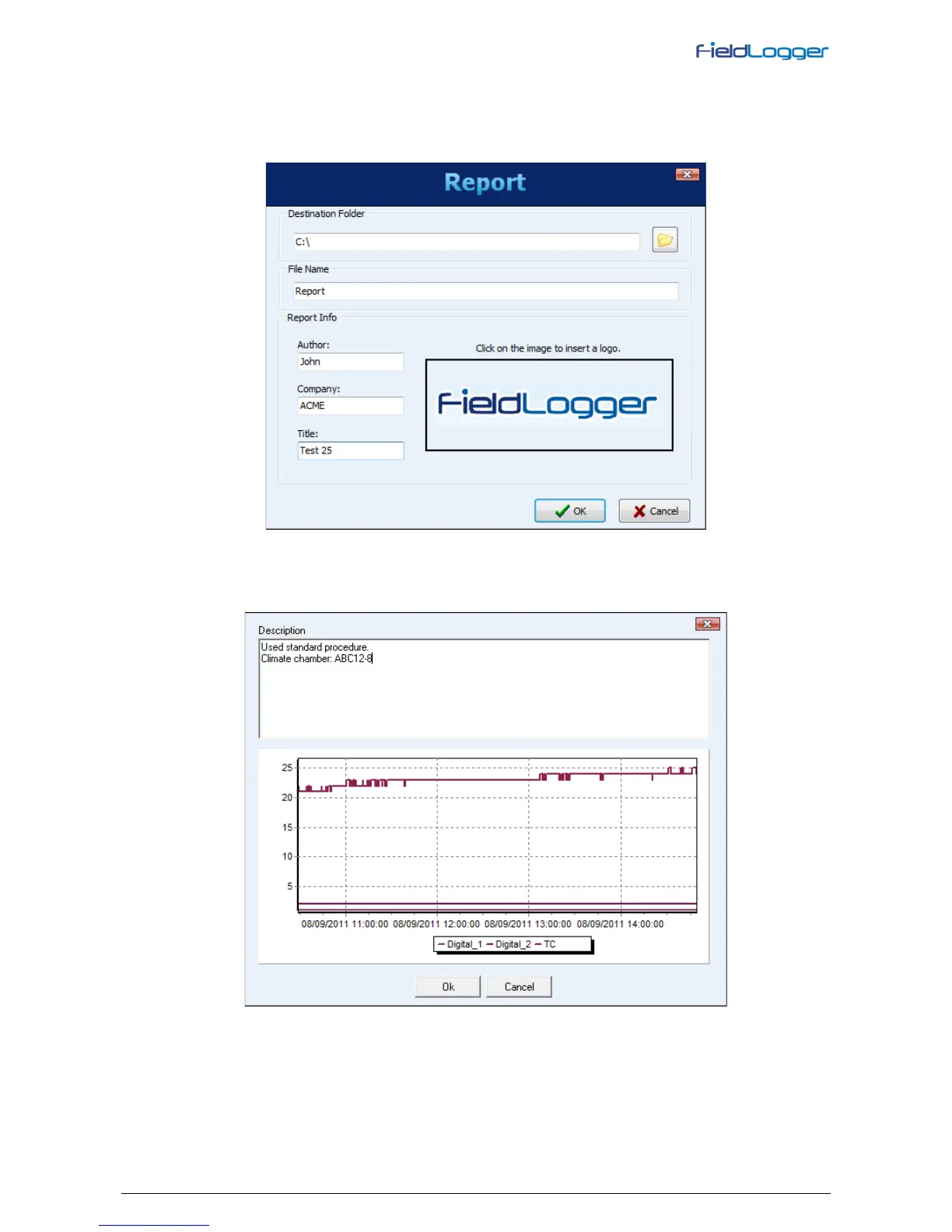
The file name and destination folder must be entered. Additionally some fields that will be used in the report must be
filled, like report author name, company name and report title. An image can also be selected to be presented in the
report.
When clicking on the “OK” button, data is processed (a progress bar is showed at the bottom part of the screen) and,
when ready, the chart with data from the desired period is viewed. On this moment, some comment lines can be
added to be part of the final report.


 To Next Page