NV-DVR1104/CD, NV-DVR1108/CD and NV-DVR1116/CD ver. 1.1 - user's manual
All rights reserved © NOVUS Security Sp. z o.o.
23
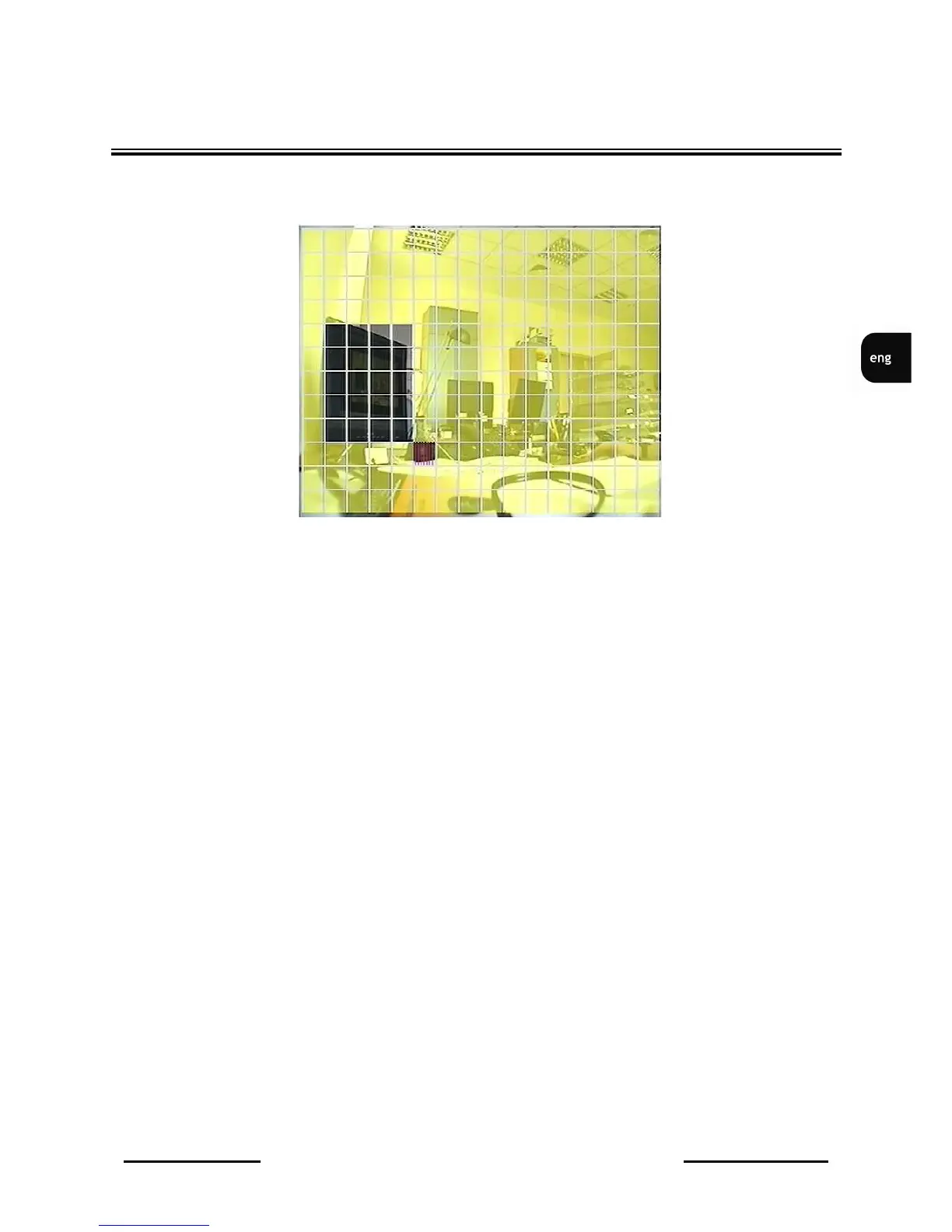
(5) AREA SETUP when this position is selected and ENTER button is pressed , the
motion detection zone screen (16x12) is displayed.
Zones, where motion detection is active are marked with yellow color. Black color means that the zone
is inactive. Please use cursor buttons to move within the motion detection zone. in order to activate/
deactivate single zone ENTER button should be pressed. In order to activate/deactivate all line SEL
button should be pressed.
When the motion, in camera image, is detected, multiplexer switches to alarm recording mode
automatically. Parameters of alarm recording are set in RECORDING menu in Alarm Recording
position. Camera title will be displayed in yellow color. Camera image can be displayed in full screen
mode and sound signal can appear. Notice on motion detection will be also added to the Event List.
Motion detection operates even if recording mode is inactive. in this situation alarm recording will not
be activated but all described actions will be run (depending on settings).
DEVICE MENU



 To Next Page