NV-DVR1104/CD, NV-DVR1108/CD and NV-DVR1116/CD ver. 1.1 - user's manual
All rights reserved © NOVUS Security Sp. z o.o.
52
Uwaga: W przypadku
problemów z ładowaniem
się appletu należy sprawdzić
czy w Opcjach
internetowych przeglądarki
w zakładce Ogólne, w
pozycji Tymczasowe pliki
internetowe / Ustawienia
wybrana jest opcja
automatycznego
sprawdzania nowszych
wersji przechowywanych
stron.
12.2 Initiating connection
For network connections Microsoft Internet Explorer browser should be used.
Multiplexer IP address, which was set previously in network settings, should be input in the browser
address bar. If selected communication port is different than 80, after address space, colon and port
number must be typed. For example:
http://192.168.2.128 :100
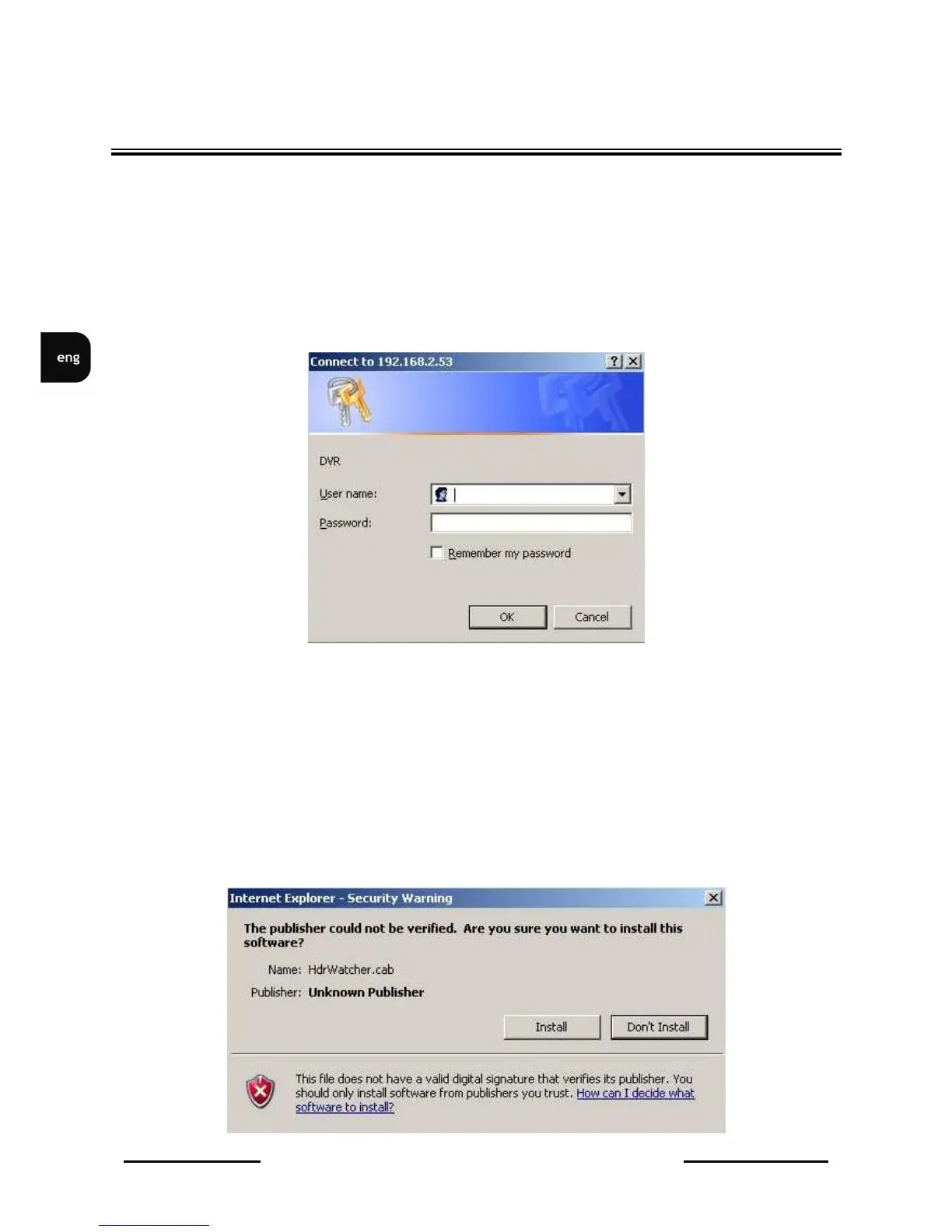
If typed address is correct and target device is available, following window will be displayed
Default user name: admin, default password: admin. Because of security reasons it is strongly
recommended to change default values and memorized new ones.
During connection applet is downloaded from the device. This applet provides all Multiplexer network
functions.
Network interface should appear after a while.
Depending on Windows security settings it might be necessary to accept unknown for system Active X
format (click Install) or change IE security settings.
NETWORK CONNECTION FEATURE



 To Next Page