NV-DVR1104/CD, NV-DVR1108/CD and NV-DVR1116/CD ver. 1.1 - user's manual
All rights reserved © NOVUS Security Sp. z o.o.
15
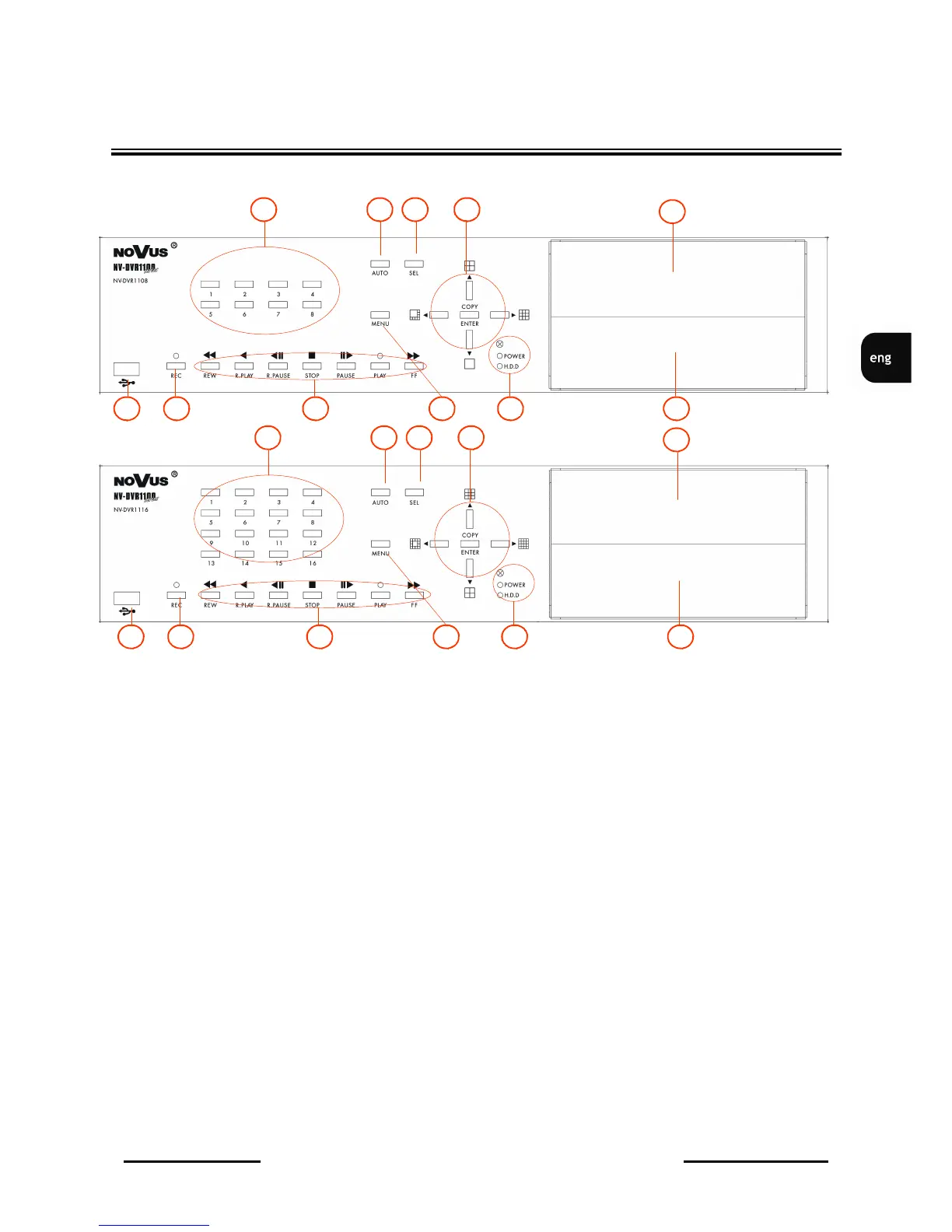
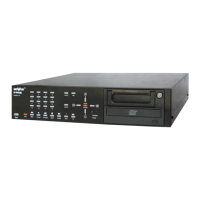
FRONT PANEL DESCRIPTION
1. Displayed channel selection;
2. AUTO pressing AUTO button activates sequential display mode on Main monitor;
3. SEL Channel selection; each additional press of this button toggles between various,
available display formats ;
4. Toggles between different display formats;
In setting mode these buttons are used as a cursor buttons;
In PTZ mode these buttons are used to control the camera;
ENTER in setting mode is used to enter submenu and edition bars ;
COPY in playback mode activates backup procedure on flash memory;
5. HDD swappable bay;
6. CD-RW recorder;
7. IR receiver; LED's;
8. MENU On Screen Display menu activating;
9. Playback control buttons;
in PTZ mode some buttons are used for camera control;
10. REC manual recording activating/ deactivating (inactive in schedule recording mode);
11. USB port for flash memory card connection;
3. Front Panel Description
1
6
5
9 10
4
8
2 3
11
NV-DVR1108/CD
NV-DVR1116/CD
7
1
6
5
9 10
4
8
2 3
11 7


 To Next Page