NV-DVR1104/CD, NV-DVR1108/CD and NV-DVR1116/CD ver. 1.1 - user's manual
All rights reserved © NOVUS Security Sp. z o.o.
63
BACKUP PLAYBACK
13.2 Flash memory backup playback
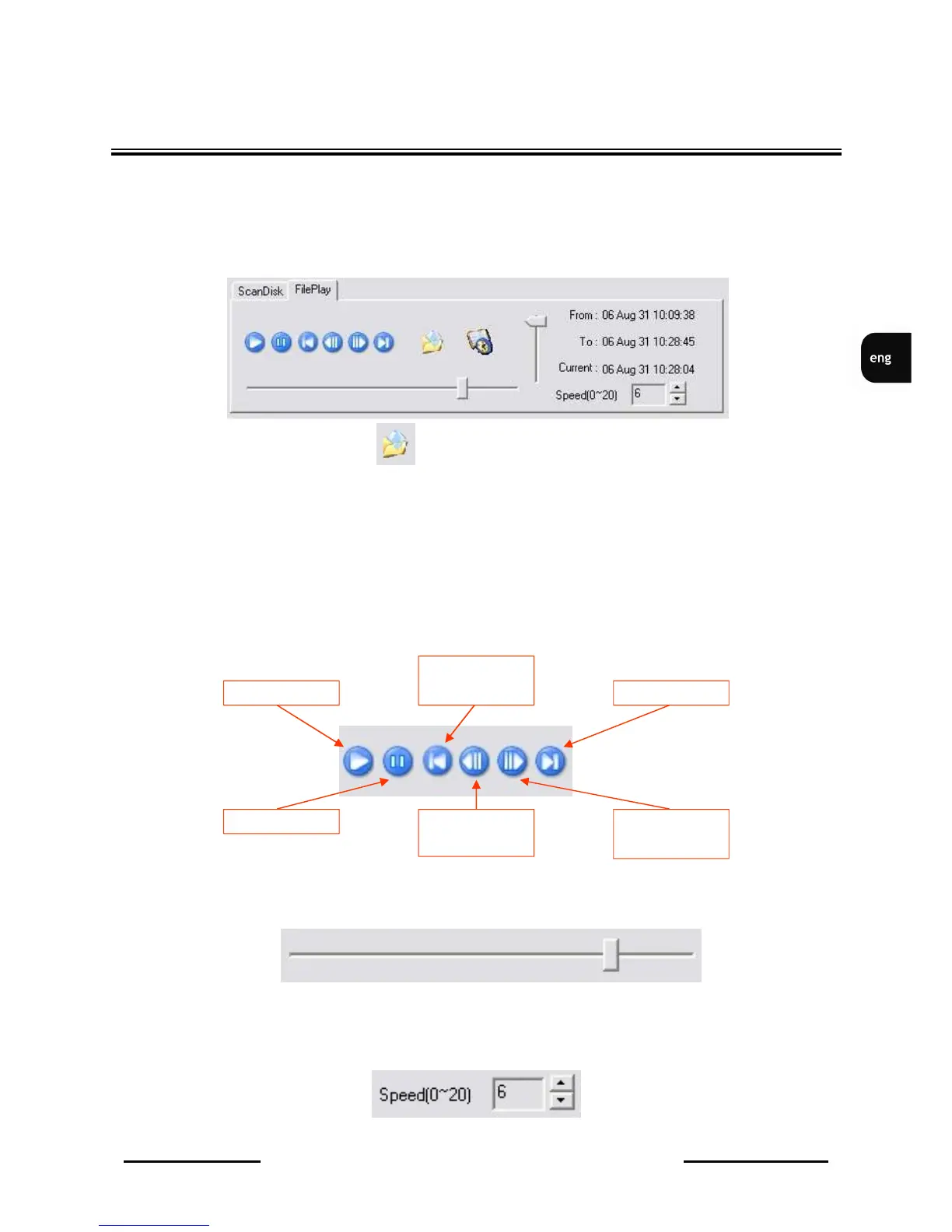
When USB flash memory is connected to PC port, please verify if it has been properly detected .
FilePlay tab should be selected.
Opening file icon should be clicked.
Search for flash memory and select required copy file.
After a while required file will be analyzed and ready for playback.
Vertical status bar informs on file analyze progress.
When file is loaded (status bar disappears) playback can be activated.
Interface elements functions are described below:
▪ Control icons
▪ Playback status bar
▪ Playback speed adjustment; 0-20 range
Pause
Playback
Backward „step
by step”
Move to
the beginning
Move to the end
Forward „step by
step”



 To Next Page