NV-DVR1104/CD, NV-DVR1108/CD and NV-DVR1116/CD ver. 1.1 - user's manual
All rights reserved © NOVUS Security Sp. z o.o.
55
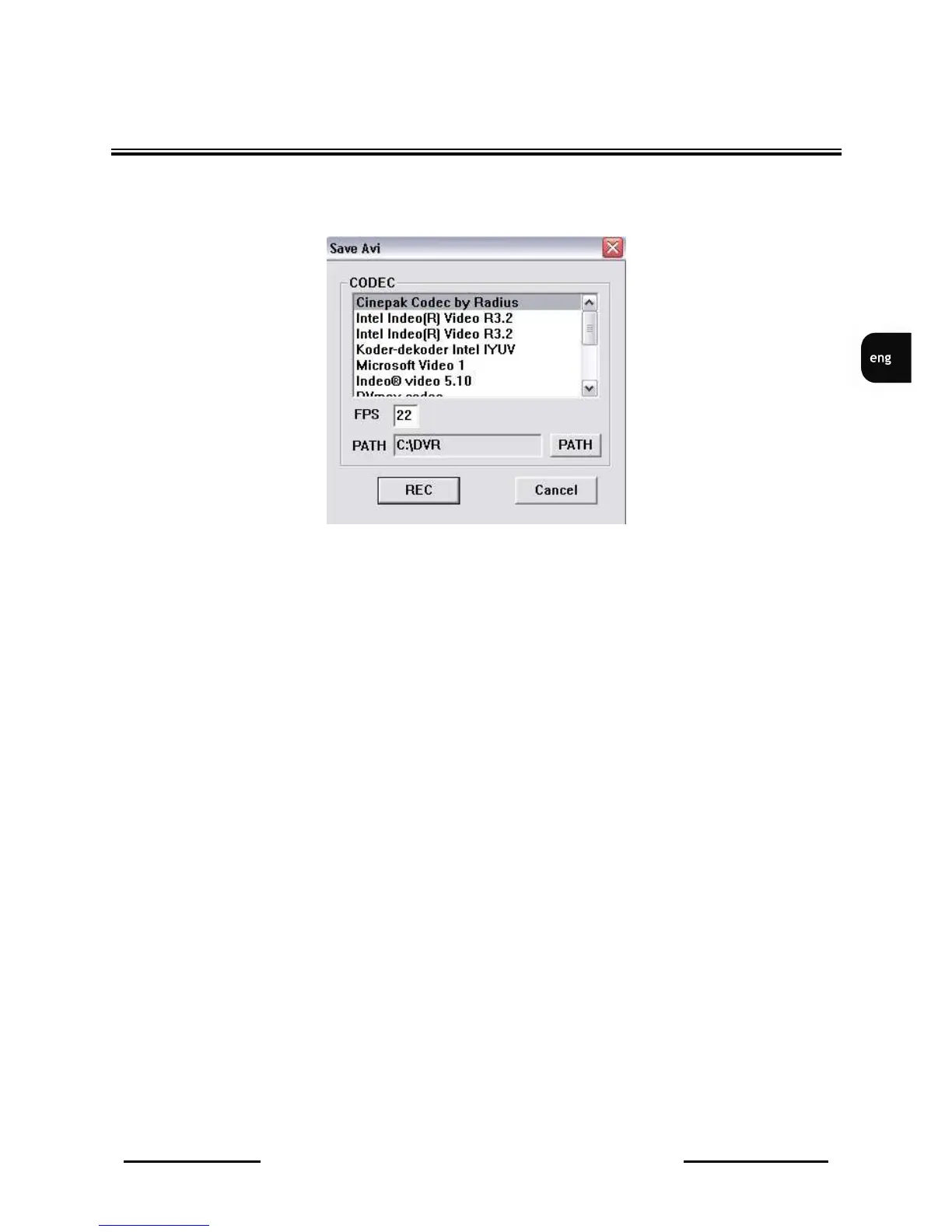
In order to save camera image as a video sequence, right mouse button should be clicked on required
camera image and Rec to AVI option, from displayed menu, should be selected. Following menu will
be displayed on the screen:
In CODEC position one of available video codecs should be selected. According to codec type and
settings, various size and quality of AVI file will be received.
In FPS bar, please input frames per second quantity of saved file. In order to avoid excessive file size
FPS should be suitable for current playback speed.
In PATH bar AVI file access path should be selected.
When all settings are set, REC button should be pressed to initiate recording of current camera image.
Recorded camera title will be displayed in red color. In order to cancel recording right mouse button
should be pressed on the camera image and Stop Rec option, from displayed menu, should be
selected.
In order to playback saved AVI file, video players like e.g. Windows Media Player, can be used. When
playback will be run using another PC it is possible that video codec installation, which was used
during recording, might be required.
File title includes recorded video channel information and date and time, when file was recorded, e.g.
CH-02-2006_Sep_05_20_42_55.avi
It means that file was recorded from 2 channel, on 5th of September 2006, at 20:42:55.
NETWORK CONNECTION FEATURE



 To Next Page