26
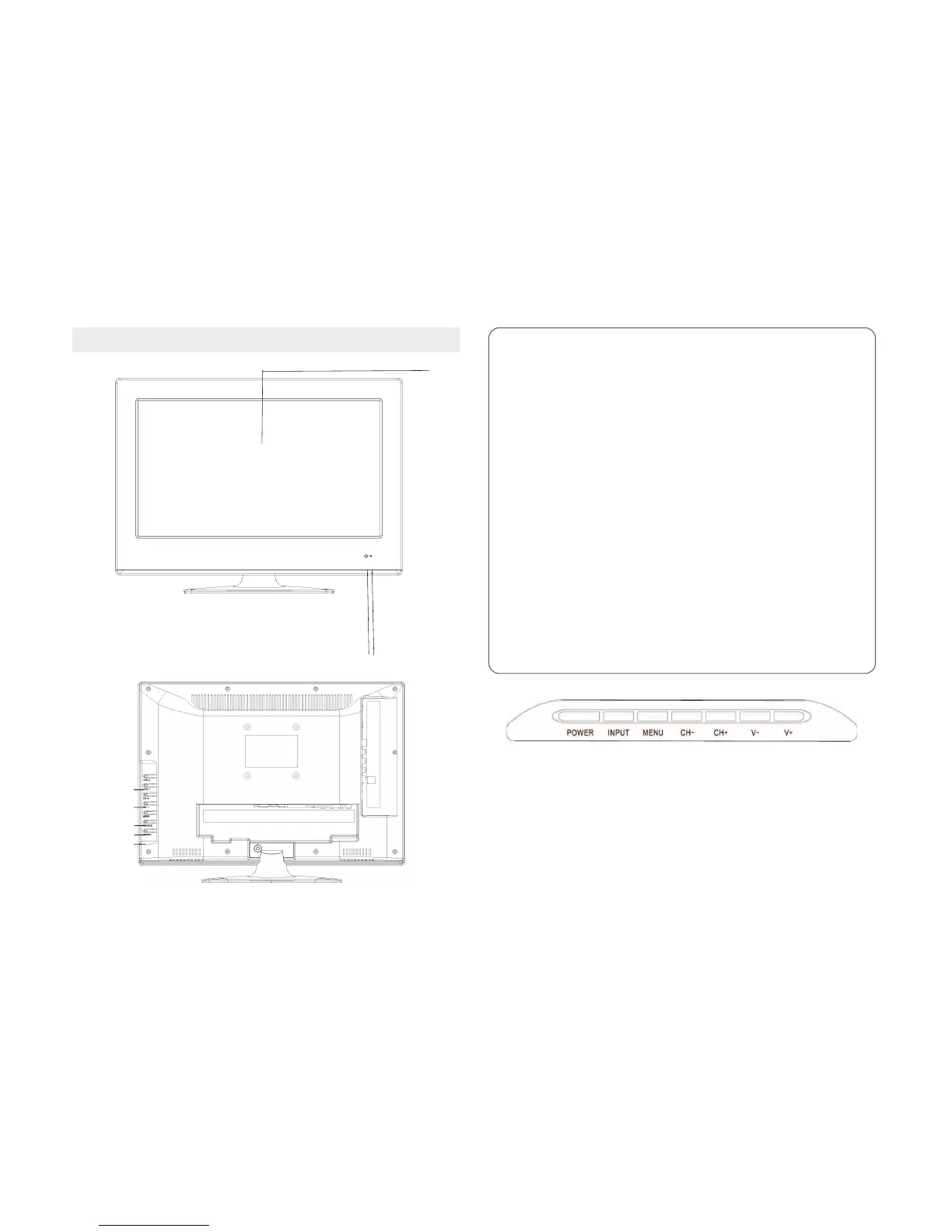
3. CONTROLS & CONNECTIONS
2
3
1
4
5
6
7
8
1.LCD Panel
2. IR: infrared sensor for the remote control
3. LED ON / OFF:
The GREEN LED indicates that the power is on
The RED LED indicates that the power is OFF (standby)
4. VOL + / - BUTTONS
Press this buon to raise or lower the volume. This buon also funcons
the direconal buons ▼/ ▲in the setup menu.
5. CH + / - BUTTONS
Press these buons in DTV mode to scroll up or down through the channels.
These buons also make the funcons of the direconal buons ▼/ ▲in
the setup menu.
6.. MENU BUTTON
Press the buon to enter or exit the setup menu.
7.INPUTSOURCE
Press to access the font selecon menu, press the direcon buons▼/ ▲
to select the desired source and the ENTER buon to enter the selected
source.
This buon also has the Enter funcon in the setup menu.
8. POWER Buon
Press this buon to switch on or switch off (leave or enter standby mode).
POWER: Power buon on the TV.
INPUT: source selecon buon.
MENU: main menu buon.
CH + / CH-: Channel up / down buons
V + / V-: Press to increase / decrease the volume.



 To Next Page