33
6. PROGRAM GUIDE (In DTV Mode)
Press the LIST buon to display the Channel List.
Press ▼/ ▲buon to select a channel.
Press
◄ / ► buon to page up or down the Channel List.
Press the LIST buon to exit.
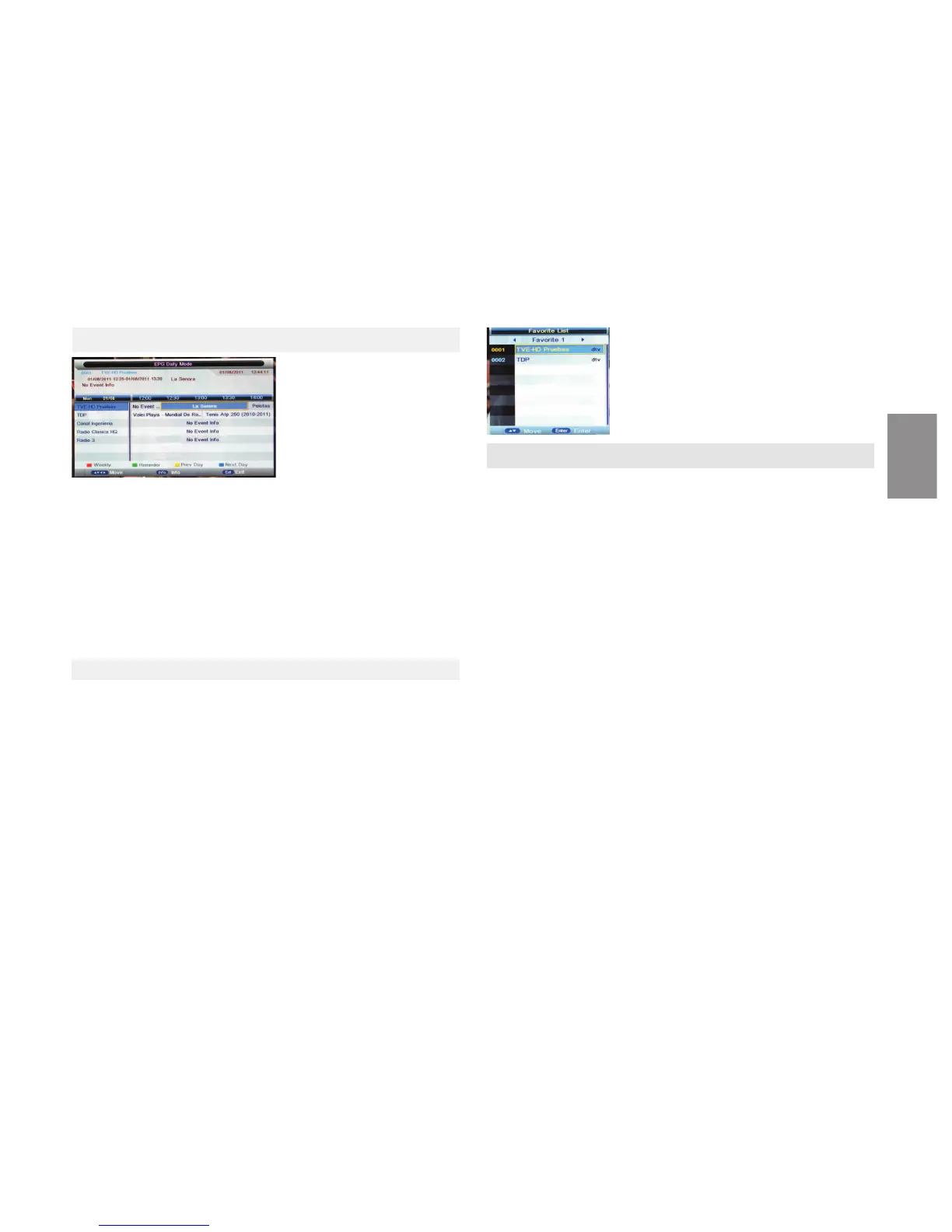
Favorite List
Press buon to display Favorite List.
Press ▼/ ▲to select a channel.
Press
◄ / ► buon to page up or down the Favorite List.
Press buon to exit.
6.1 CHANNEL LIST
Press EPG buon to display the PROGRAM GUIDE Menu.With this funcon you
could know the detailed informaon of channels and the me of programs
playing.
It is also possible to check program informaon for the next eight days,if the
informaon is available from the broadcasters).
Record: Press the Green buon to start recording of current program.
INFO: Press the INFO buon to see the detailed informaon of the current chan-
nel.
Prev Day: Press the Yellow buon for program informaon of previous day
Next Day: Press the Blue buon for program informaon of next day
Move: Use the arrow buons to choose channel or me.
7. PVR
●PVR
Record File Format: Select a recording format
Choose the paron on the USB disk
Timer: Set up a recording schedule
Record List: Display the recorded files
Record Start: Start recording
TimeShi Start: Start meshi
PVR (In DTV mode)
PVR allows you to record a desired program for future viewing.
Press CH+/CH- buon to select the channel you want to record in DTV
mode,then press ● buon on remote control to start recording, and a prompt
‘00:00:00’ shows on the screen indicang that ming has begun. Press STOP
buon, and a window will pop up, select Ok to stop recording.
●Main Operang Interface
●Basic operaon
1. ►Play/Pause
Start playing the selected file of a folder or pause
2. ■STOP
Stop playing
3. ◄◄/ ►►Fast Reverse/Fast Forward
You can press / to achieve fast reverse or forward.
4. / Previous/Next
You can select the desired files manually in normal condion
5. Red buon
Select a file you want to delete,press the red buon to call out the correspon-
ding menu,then press the ENTER buon to delete it.
ENGLISH


 To Next Page
 Loading...