29
5.2 SOUND MENU
NOTE:
●When an item in MENU is displayed gray,it means that the item is not avai-
lable or cannot be adjusted.
●Buon on the TV have the same funcon as corresponding buon on the
remote control.lf your remote control is lost or couldn′t work,you may use
the buon on the TV to select menus.This manual focuses on operaon of
the remote control.
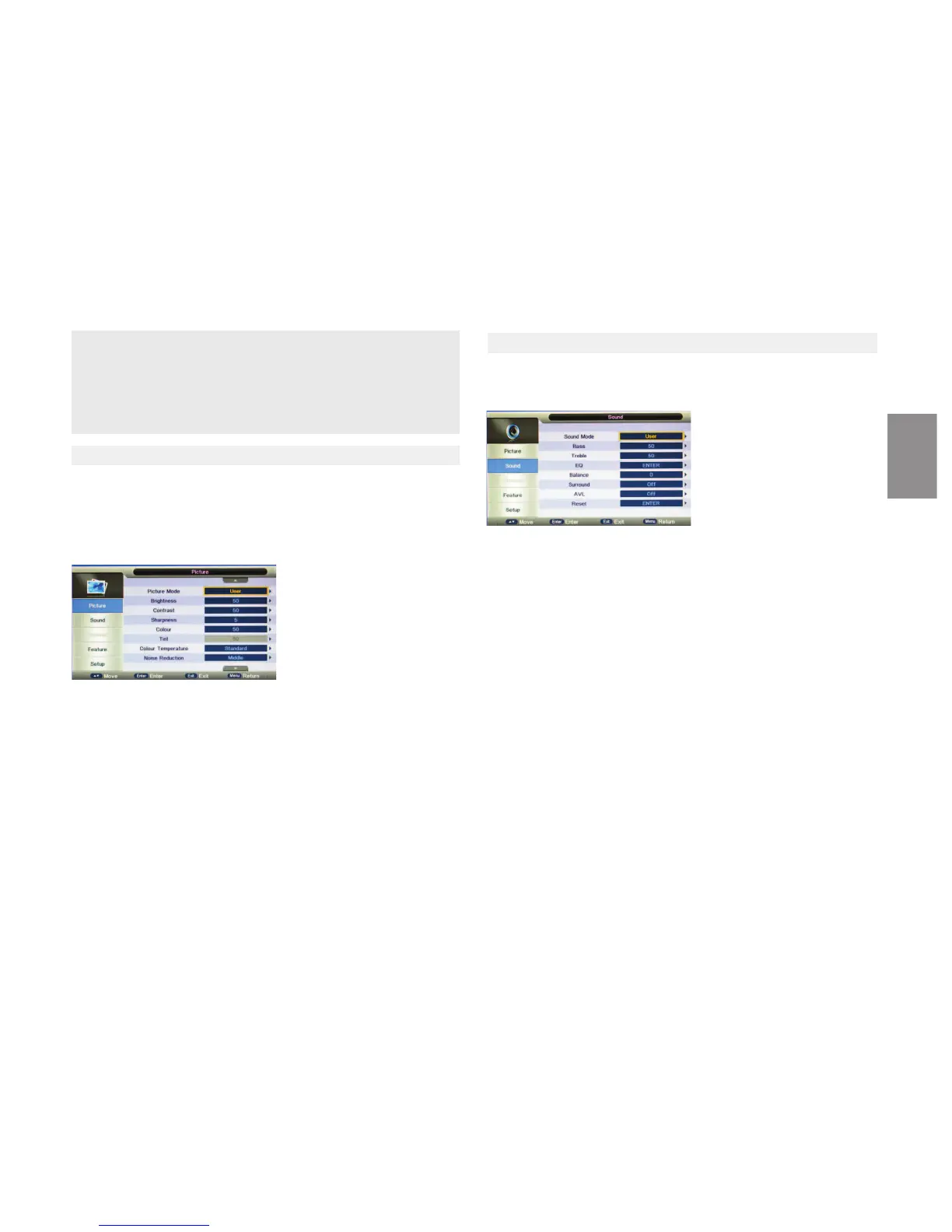
5.1 PICTURE MENU
Picture Menu
●Picture Mode
Picture Mode provides five pre-defined image sengs: Standard,
Opmal,Vivid,Mild and User
Contrast, Brightness, Sharpness and Tint (NTSC) can be adjusted when the
Picture Mode is set to User
●Sound Mode
You can choose from five modes: Standard, Speech,Movie, Music and User
When the Mode is set to User, you can customize your own sound sengs
●Bass
Use Bass to calibrate low-pitched sounds
●Treble
Use Treble to calibrate high-pitched sounds
●EQ
Use EQ to set the equalizer
●Balance
Use Balance to adjust the sound balance between the L/R speakers
●Surround
Two opons are available : On/Off
●AVL (Auto Volume Level)
Because each broadcasng staon has its own signal condions,volume adjus-
tment may be needed every me when the channel is changed.This feature
allows you to enjoy stable volume levels by making automac adjustments for
each program.
●Reset
Use Reset to restore all audio-related seng to factory default.
●Brightness
Use Brightness to adjust the luminance level
●Contrast
Use Contrast to adjust the brightness to darkness rao
●Sharphness
Use Sharpness to adjust the sharpness or soness of the display
●Tint
Use Tint to adjust the color mix of the picture
●Color Temperature
Use Color Temperature to adjust the level of white balance on the display from
Warm, standard and Cool.
●Noise Reducon
Four sengs are available: Off, Low, Medium and High
●Reset
Use Reset to restore display-related sengs to factory default
.
ENGLISH


 To Next Page
 Loading...