If you want to purchase Android apps and content on Google Play, make sure
that you've associated Google Wallet with the same Google Account.
36
Tip:When using the onscreen keyboard, when you finish entering your pass
Ethernet:
Change the status switch to "ON" in the Ethernet configuraon to automacally
connect to the network. Select DHCP to obtain an IP automacally from your
router or select Stac IP if your router does not have the DHCP service acve
and need to enter the data manually.
Tutorial Compleng
If your system has various launchers integrated (user desktops) the tutorial will
provide a dialog to select which one to use by default and if you want to use al-
ways or only once (in this case the system will always ask this choice whenever
have to run the desktop).
Tip: To delete your default choice should go to the advanced sengs of Smart
TV (sengs icon, system sengs, android sengs) Applicaons opon. Select
the applicaon that runs default and select "Clear Defaults".
11.1 Installing Applicaons
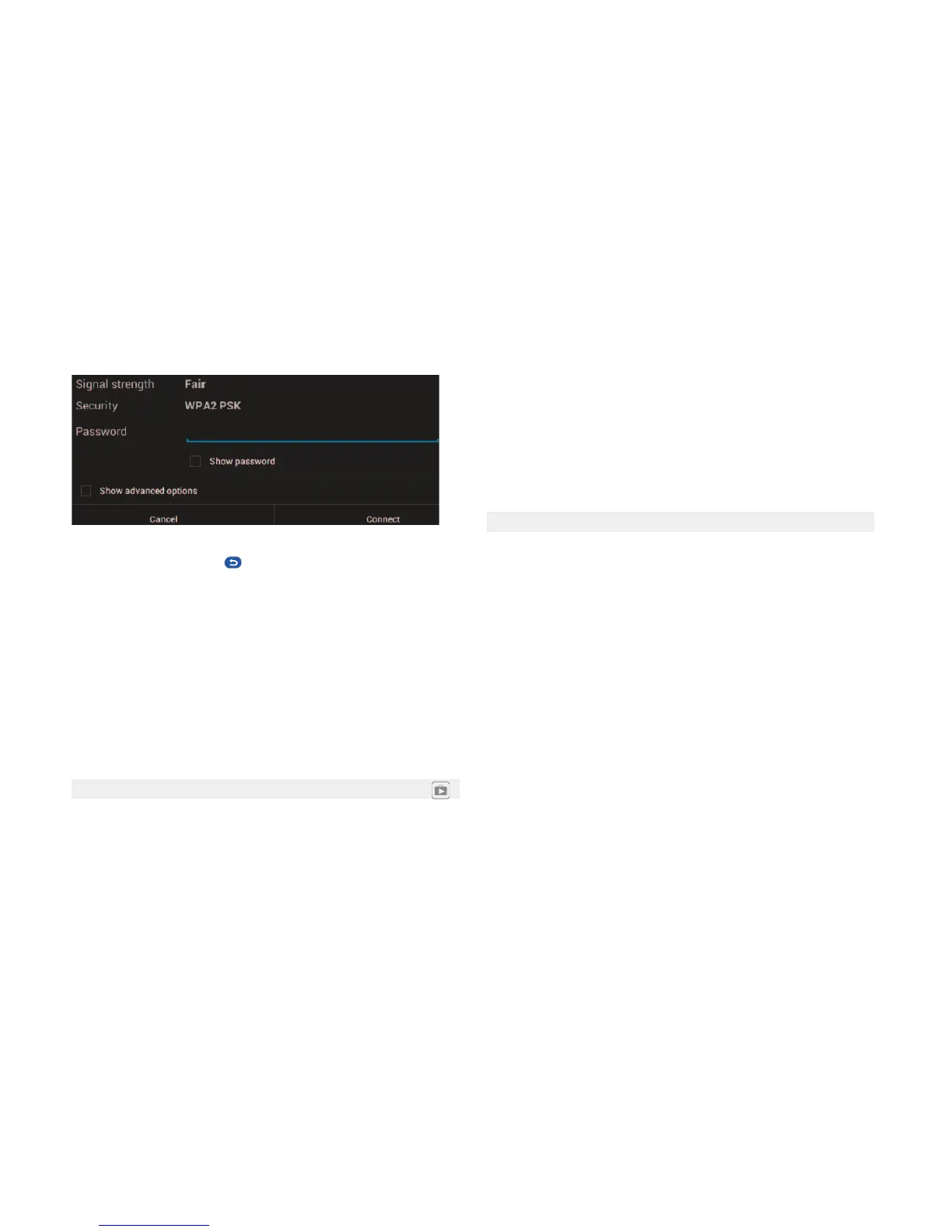
Wi-Fi: In the Wi-Fi sengs, press the status switch to scan WI-FI networks. For
internet connecon select the name of your Wi-Fi network, enter the password
below to access your network and press connect
Tip: You must acvate the opon "Unknown sources" in the advanced sengs
of the Smart TV (sengs icon, system sengs, android sengs) security op-
on.Install applicaons on your system from the icon Smart TV applicaons
market.
Tip: The applicaons available on the Play Store are not applicaons contro-
lled by NPG in any form there may be applicaons whose performance is not
totally correct or not compable with the the Smart TV.
To remove installed applicaons go to the advanced sengs of the Smart TV
(sengs icon, system sengs, android sengs) Applicaons opon. Select the
applicaon you want to delete and click on uninstall (Some applicaons can
not be uninstalled because they are system apps or come by default).
Seng up a Google account to use Google Play
To use Google Play on your Android device, you need a Google Account asso-
ciated with your device. Addionally, the account must be associated with a
Google email address (either Gmail or a Google-hosted domain). Follow these
steps to add an exisng Google Account to your device or create a new Google
Account to add to your device.
1.From your Home screen, press the Play Store app.
If you haven't added an email account to your device, you'll be asked to add a
Google Account.
oIf you've already added a Google Account to your device and want to add ano-
ther, press Sengs > Accounts > Add account > OK.
2.Choose whether to add an exisng account or create a new one.
3.Follow the instrucons on the device, which will walk you through signing in
to an exisng Google Account or creang a new Google Account.
11.2 Downloading Free and Paid Android Applicaons
word click the "back buon"
to hide the keyboard.
Install applicaons on your system Smart TV by pressing the Play Store icon.
To access the Play Store you must add or create a google account to be asso-
ciated with the device.
You can also install applicaons from an external USB drive (connected to the
USB1 or USB2), opening with a file browser and clicking on the applicaon to
install.


 To Next Page
 Loading...