37
Free Applicaons
1.Navigate to an app you want to install and tap to select it. The details screen
will appear where you can read about the app's features, customer reviews,
and informaon about the developer.
2.If you want to download the app, tap the Install buon.
3.Tap Accept & download to accept the permissions for the app (or press Back
if you don’t want to download) - your item will begin downloading immedia-
tely.
Paid Applicaons
1.Navigate to an app you want to install and press to select it. The details screen
will appear, where you can read about the app's features, customer reviews,
informaon about the developer, and find the price.
2.If you want to purchase and install the app, press the buon displaying the
price. At this me, you may be asked to sign in to your Google Wallet account
if it's your first me making a purchase on Google Play.
3.Use the drop-down menu to select a payment method or add a new card.
4.Press Accept & buy to accept the permissions for the app and complete your
purchase. If you've enabled a PIN code for purchases, you’ll be asked to enter
it at this me or you may be asked to sign into your Google account.
Your app will begin downloading on your device once payment is successfully
authorized.
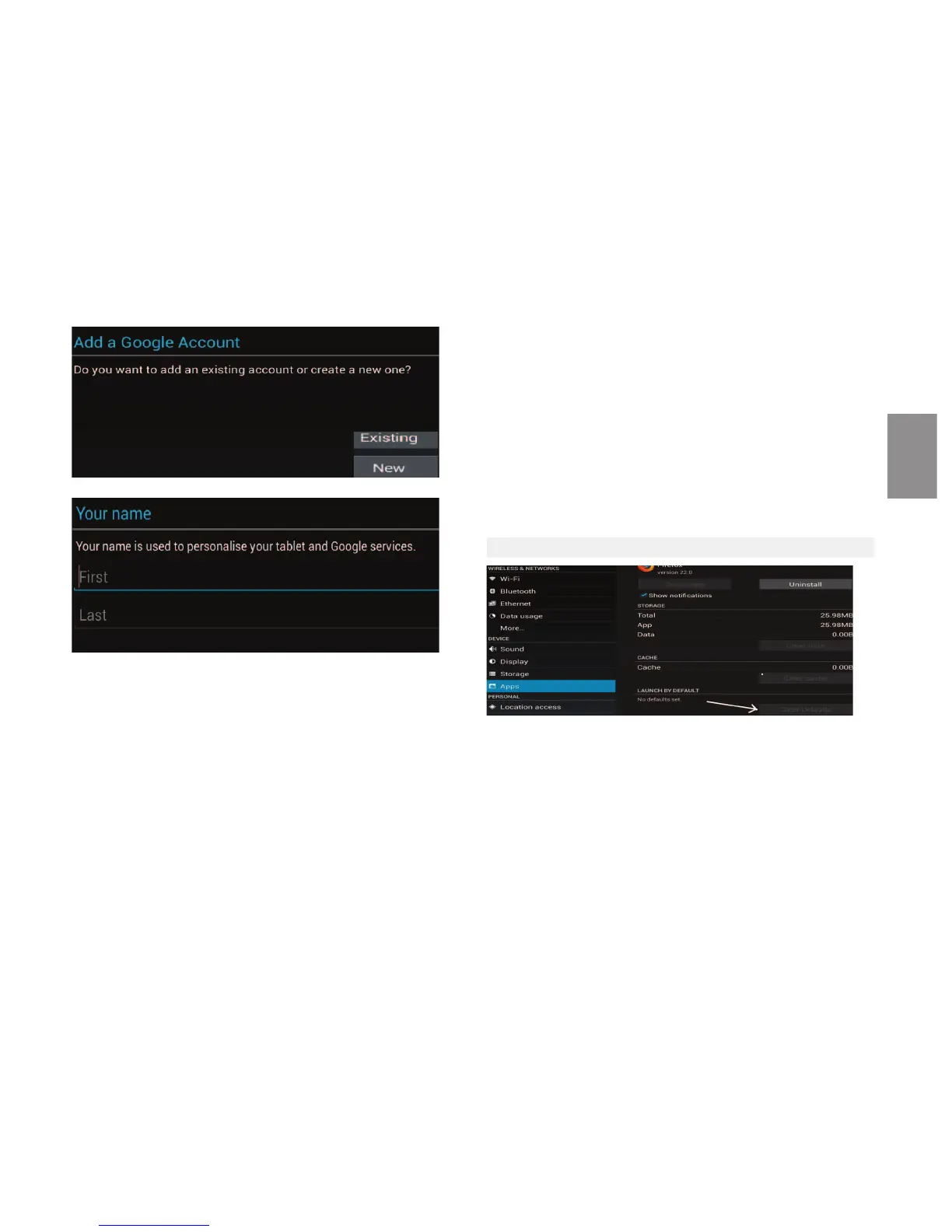
11.3 Clear defaults sengs of an applicaon
Somemes you may have on your Android device several applicaons to per-
form the same task, such as two browsers or two email clients, but if the default
applicaon is not the one you want, how to remove the default applicaon?
For this you should perform the following steps:
Press the Menu key on your Android and choose Sengs in the drop down op-
ons.Then select Applicaons and click on Manage Applicaons. Will appear 4
opons, 1 - Downloaded, 2 - Running, 3 - All, and 4 - SD card, select the opon
"All", then select the applicaon that is set as default and click the "Delete De-
faults".
ENGLISH


 To Next Page
 Loading...