21
7. If necessary: to return to the previous menu,
press the ‘Reset’ button once.
8. In the Parameter menu, use the Up (+) or Down
(-) buttons to proceed to Parameter 10 (‘P.10’),
and then press the ‘Info’ button to enter the
‘Heating MAX set point’ mode (default: 180°F).
9. Use the Up (+) or Down (-) buttons to set this
maximum heating set point to 149°F, and then
press the ‘Info’ button to conrm the value.
10. Press the Reset button to return to the Parame-
ter menu, and proceed as above to Parameter 7
(‘P.07’), and then press the ‘Info’ button to enter
the ‘Outdoor low temperature set point’ mode
(default: 14°F).
11. Use the Up (+) or Down (-) buttons to set this
eective low temperature set point to 36°F, and
then press the ‘Info’ button to conrm the value.
12. Press the ‘Reset’ button 3 times to exit back to
the main menu.
Once this adjustment is made, Standard vent pipe
materials may be used throughout. The following
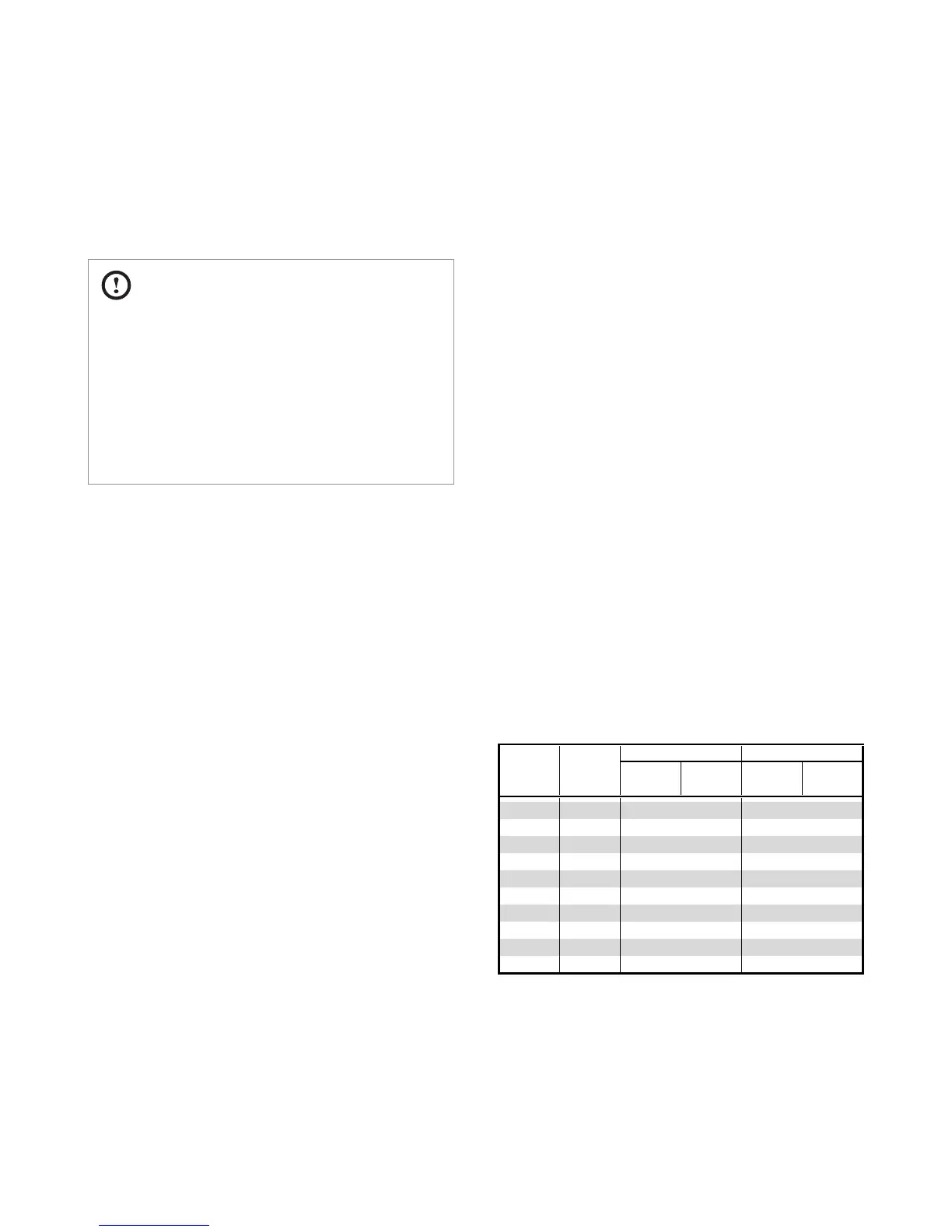
table shows the parameters of the heating prole
with and without high-temperature venting. Note
the setpoint in stages 8-10, as well as the reduced
heating output.
3.6 Venting the Appliance
For detailed instrustions on venting the
appliance, see relevant section in the water
heater installation manual (supplied).
CAUTION
●
This appliance uses temperature settings
above 150°F (66°C), which could result in
exhaust temperatures in excess of 149°F
(65°C). As a result, high-temperature vent
pipe materials may be required at the exhaust
outlet of the appliance as instructed in the
water heater installation manual.
To adjust the water heater settings to limit the
maximum space heating setpoint follow these
steps:
1. Remove the front cover from the appliance and
ensure the main power switch is OFF.
2. Disconnect the H
2
Air power supply connector
(right-most Molex plug; 2-position) from the Fan
Controller (#85566). Apply a jumper (supplied in
Kt Box) to this connector.
3. Connect the appliance to mains power and ip
the main power switch ON.
4. Using the soft-touch button on the Front Panel,
turn the water heater OFF.
5. Enter the ‘R&D information menu’ by pressing
the Up (+) button three (3) times, the Down (-)
button three (3) times, and then the Up (+) but-
ton four (4) more times.
6. In the ‘R&D information menu’, use the Up (+) or
Down (-) buttons to move to ‘2.PAR’, and then
press the ‘Info’ button (middle left) to enter the
‘Parameter’ menu.


 To Next Page