18
OK
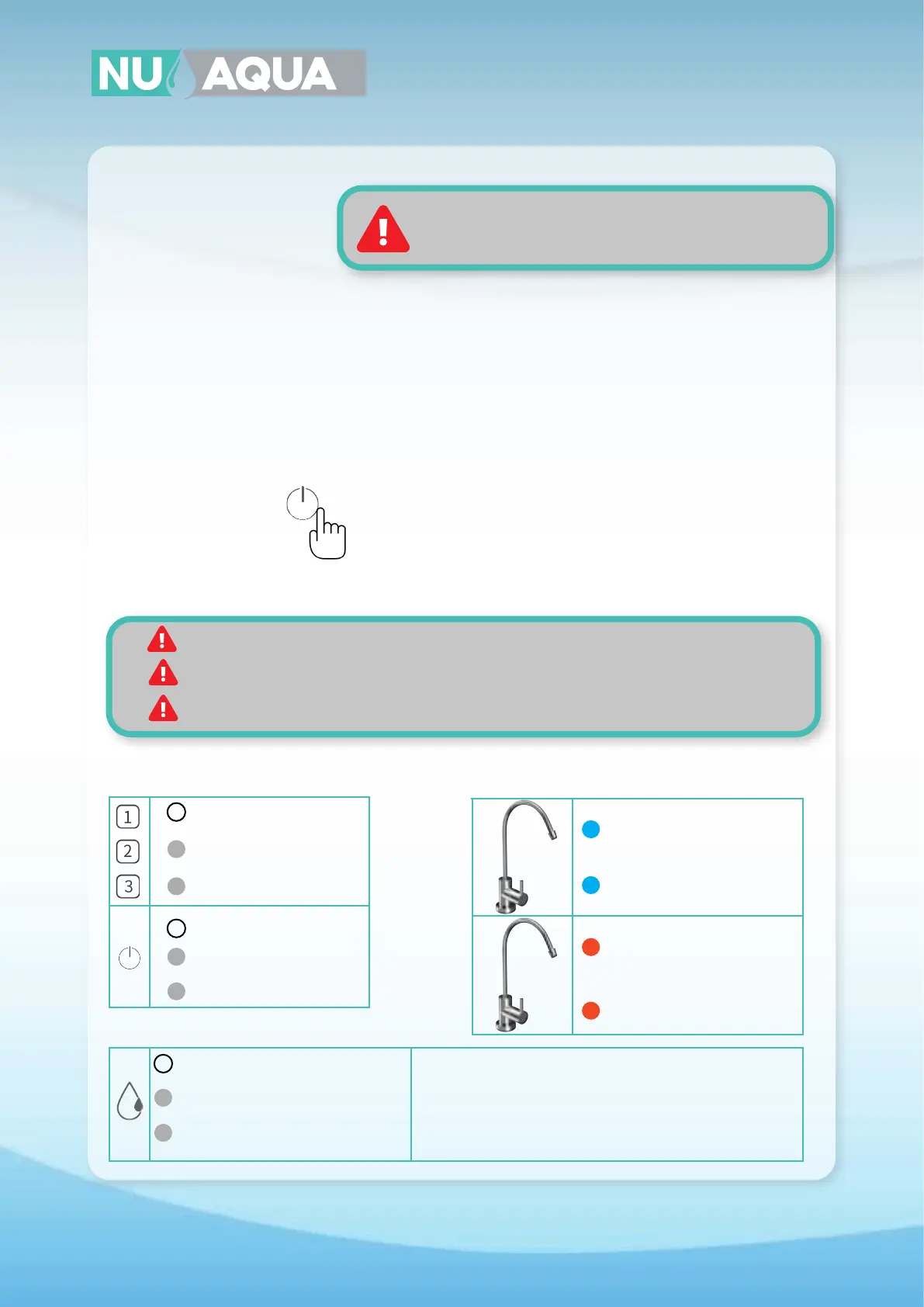
O - Filter Good
O - No Error
O - No Power
Solid White - On
Solid White - 2 Hour Continuous Protection Unplug power supply and reconnect to reset error indicator
Unplug power supply. Check feed water adapter is fully open and
water flows regularly from your kitchen faucet. Reconnect power
supply to reset error indicator.
Flashing White - Standy Mode
Flashing White - Water Shortage
Flashing White - Replace Soon
Solid White - Replace Now
Do not start system without checking each connection
is fully inserted into the quick connect fitting
IMPORTANT: Check for leaks daily during the first two weeks after installation.
NOTE: Your water may have a slightly milky or cloudy color during the first week of use.
This is caused by tiny air bubbles in the water and will go away with use.
NOTE: If your system has an alkaline filter your water’s TDS will register higher. For accurate
testing, testing water that has not been processed by the alkaline filter.
System Startup
System Functions
1. Physically check each connection is fully inserted into it’s fitting and has a retaining clip installed.
2. Slowly open the feed water valve. Wait 1 minute and check for leaks at every connection. If there are any
leaks, close the feed water adapter and open the reverse osmosis faucet to relieve pressure from the
system. Remove the leaking connection and reinsert the tubing. If this does not resolve the issue contact
customer service.
3. Connect the power supply to the power inlet on the back of the revese osmosis system then connect the
power supply to the wall outlet.
4. Hold down the power button on the front of the system until the light next to the icon turns solid.
5. Now we will begin to flush the system. Open the faucet and allow the water to run for 30 minutes. This will
flush the new filters of any loose filter media. It’s normal for your water to have a slight gray tint during this
process and will go away.
NOTE: DO NOT DRINK ANY WATER UNTIL COMPLETING THE FLUSHING PROCESS BELOW.
System Lights
Error Indicator Lights
Faucet Lights
Solid Blue - Filter Good
Flashing Blue - Rinsing In Progress
Flashing Orange - Replace Soon
Solid Orange - Replace Now


 To Next Page