11
1 1
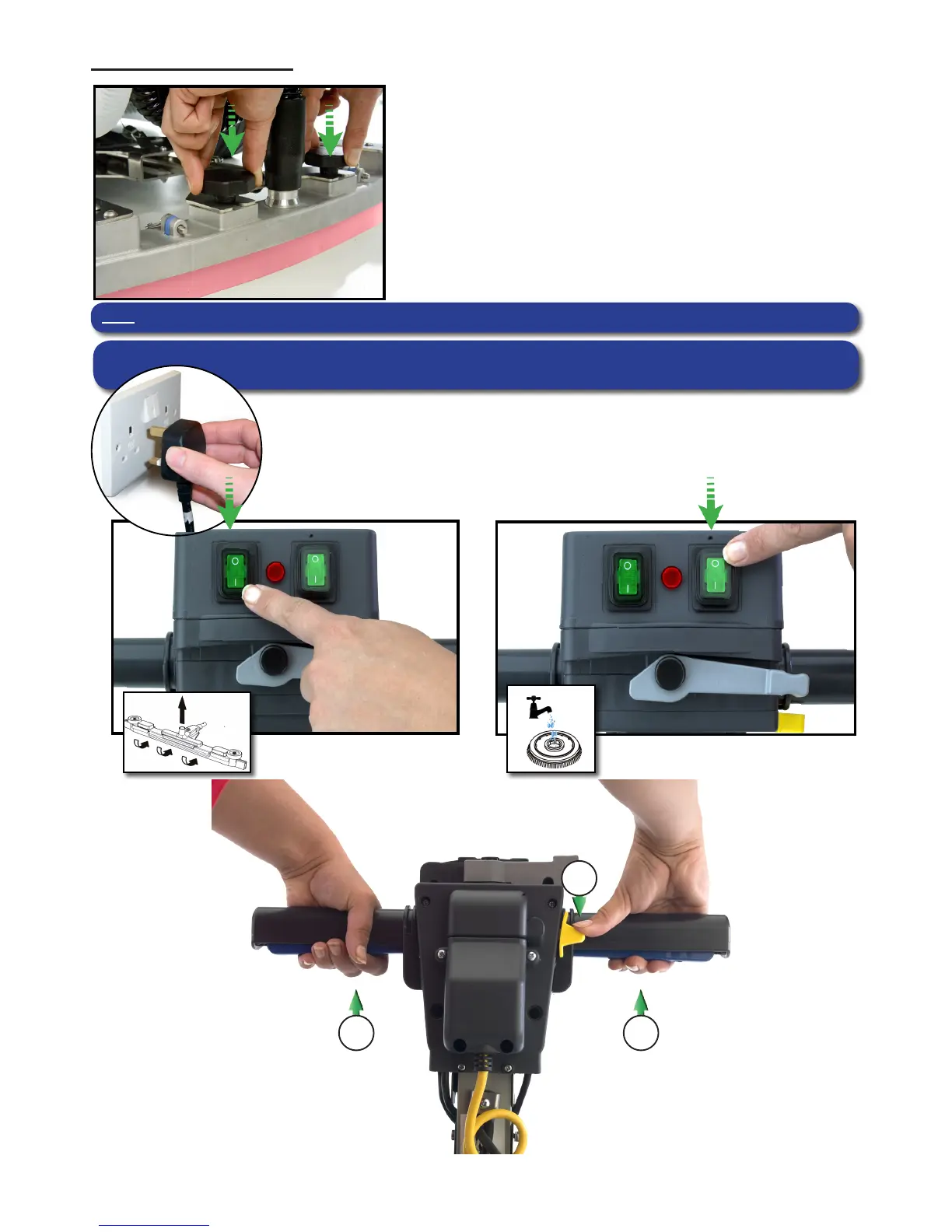
Setting the cleaning controls
To start: hold down either trigger and press the yellow start button once
2
Ensure your TT / ET machine has been plugged into a suitable power
supply.
Select the desired function using the ON / OFF switches tted to the
handle.
Breakaway oor-tool
Fig.18
The oor-tool design incorporates a breakaway feature.
Allowing it to safely disengage from its mounting should it
become caught on an obstruction, during forward machine
movement.
To re-attach the blade to its holder.
First loosen the retaining knobs on the oor-tool body and slide
onto the holding bracket.
Tighten retaining knobs to nger tight. (See g.18)
Note Care must be taken to reduce speed when cornering or when manoeuvring around obstacles.



 To Next Page