32
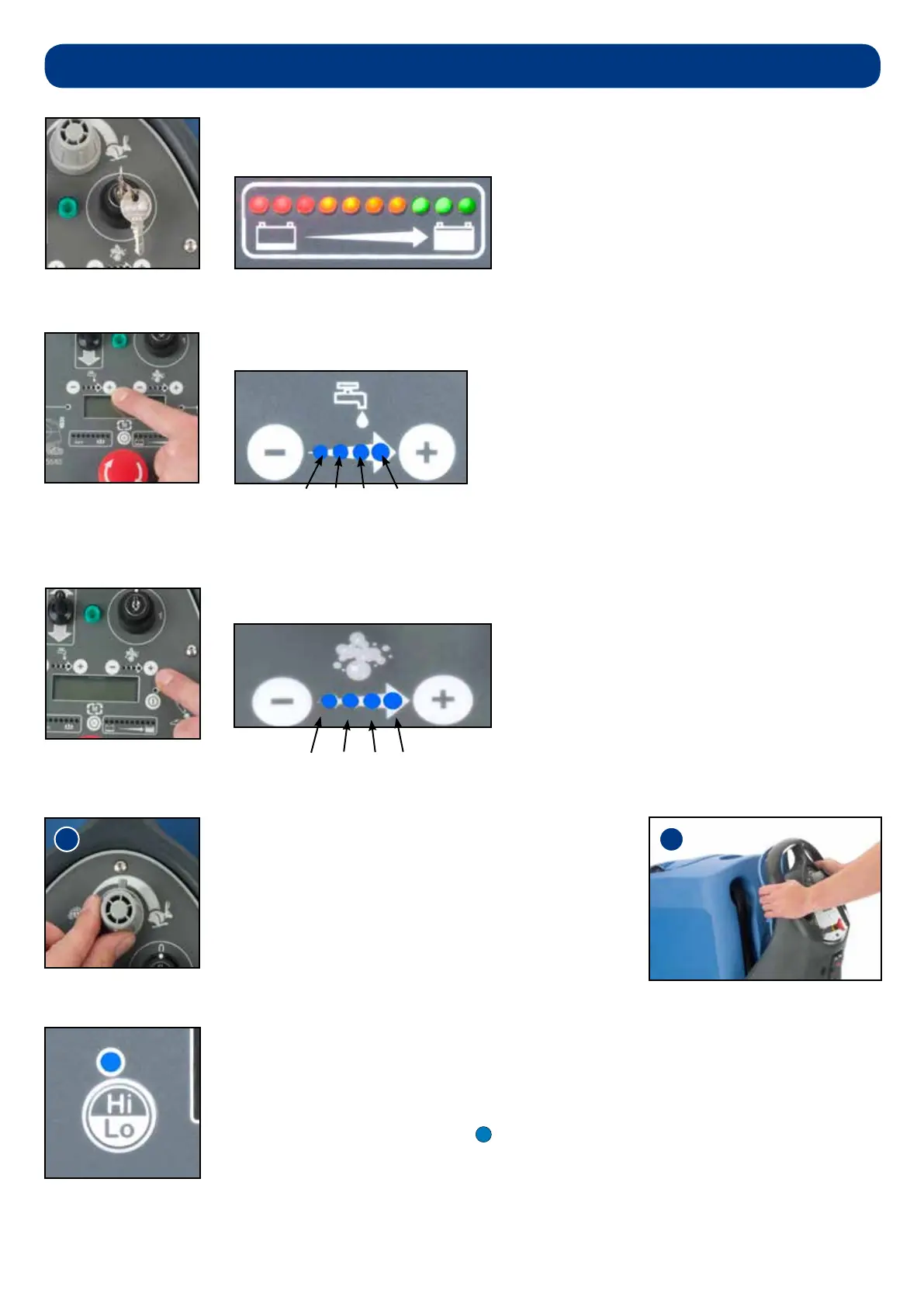
Set chemical dosing ratio as required, depending on oor type and level of soiling.
Set desired traction speed as required, depending on
oor type and level of soiling (g.29).
Middle speed is the optimum cleaning speed.
Once the max speed has been set using the knob on the
control panel, ne adjustments can be made using the
variable control speed trigger (g.30).
Set water ow rate as required, depending on oor type and level of soiling.
Insert the key, turn the main control on / off key to position ‘1’.
The battery charge-level indicator will illuminate for 5 seconds.
100:1, 75:1, 50:1, 25:1
The TTV 4555 has been tted with a Hi - Lo mode, this reduces the noise produced by the
vacuum motor.
To operate the Hi - Lo mode start the machine in the normal way.
When the machine is running normally the Hi - Lo light will be illuminated blue, this means the
Vacuum motor is running at 100%.
With the machine running press the Hi - Lo button once the Vacuum motor will reduce speed
to 75% of capacity and the Hi - Lo light will not illuminate.
Setting the cleaning controls
0.5L/Min, 1L/Min, 2L/Min, 3L/Min



 To Next Page