22
450mm
550mm
Machine Set-Up
ALWAYS ENSURE THAT THE MACHINE IS SWITCHED OFF
BEFORE MAKING ANY ADJUSTMENTS
! !
Fitting the Brushes
Featuring the NuLock Brush System;
The brushes simply push and rotate up onto the chucks making tting and removal a simple process.
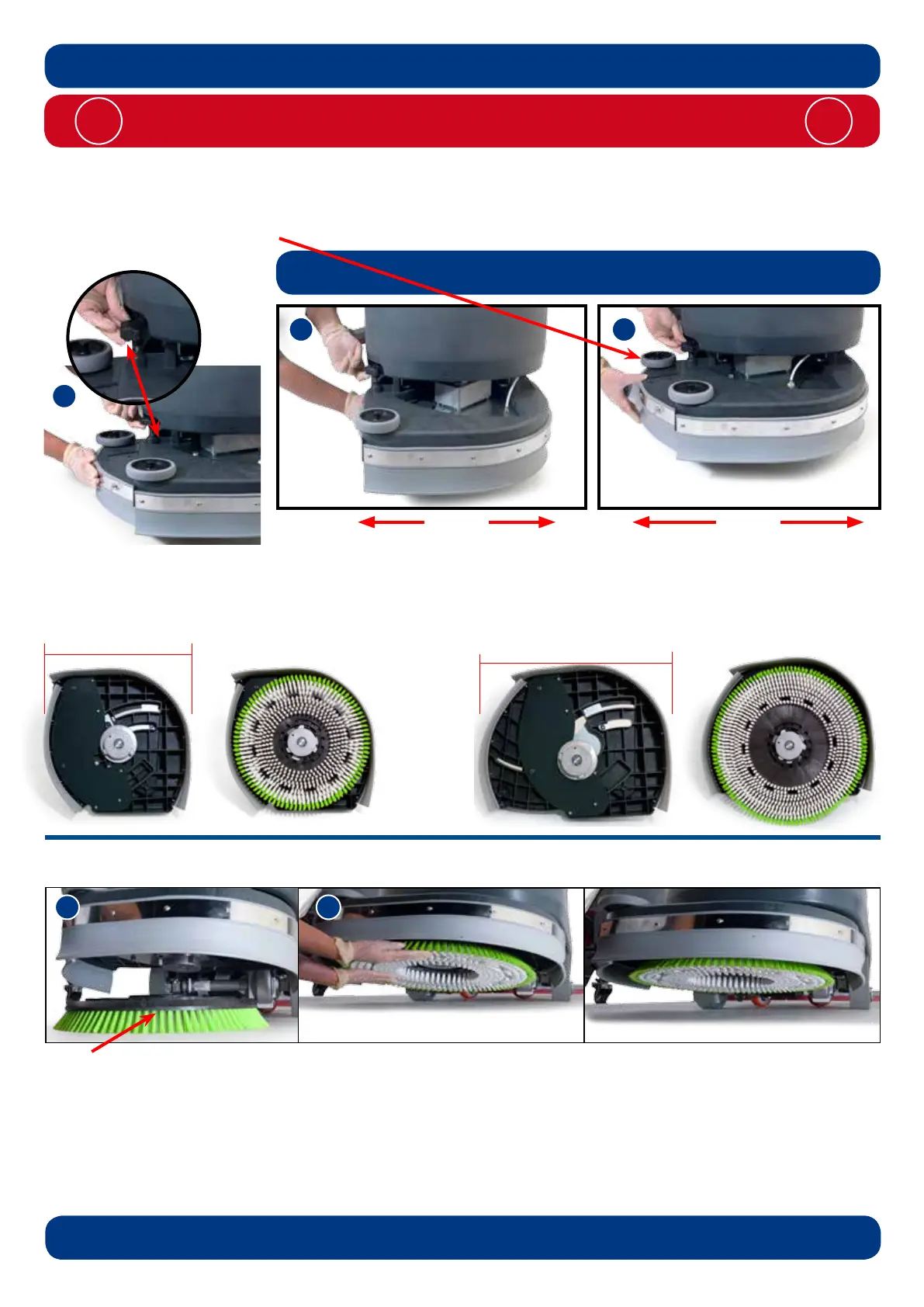
Ensure the Brush deck is set to the appropriate width for the brush being used (Fig.10 / 11).
Slide the brush under the brush deck (Fig.12).
Fit the brush onto the NuLock drive chuck (Fig.13).
Safety gloves are recommended for the changing of used brushes.
450mm Brush or a 400mm Pad for 450mm setting. 550mm Brush or a 500mm Pad for 550mm setting.
Note: Check the deck width setting is correct with the selected brushes before use.
Setting the width adjustment
Lift the Deck locking knob located at the front of the machine (Fig.9), then move the side pod to expand or contract the
deck to the desired width - 450mm (see Fig.10) or 550mm (see Fig.11).
The easiest way to move the deck is by pushing or pulling on the rear buffer wheel.
Note: Remove the brushes before adjusting width.
Adjustment of the Brush deck must take place with the deck in the raised position.
See (page 30) on lowering and raising the brush deck.
Note: Use 450mm Brush size for
450mm setting.
Note: Use 550mm Brush size for
550mm setting.
450mm
550mm



 To Next Page