34
Brush Pressure / Load Adjustment
Waste-water Tank Fill Level Warning Light
When the waste-water tank becomes full, a red warning light will illuminate on the
operator control panel (as illustrated).
The vacuum motor will stop automatically after 5 seconds.
The waste-water tank requires emptying (see page 40).
Emergency Stop
The TTV 4555 is equipped with an electronic braking system.
Simply release the hand operated start / stop trigger and the machine will stop.
In an emergency, strike the Emergency Stop button.
The machine will be disabled.
To reset, turn Emergency Stop button clockwise (see Fig.33).
After re-setting the Emergency Stop button, to restart the machine, turn the main
control on / off key to ‘0’ (OFF) and then position ‘1’ (ON).
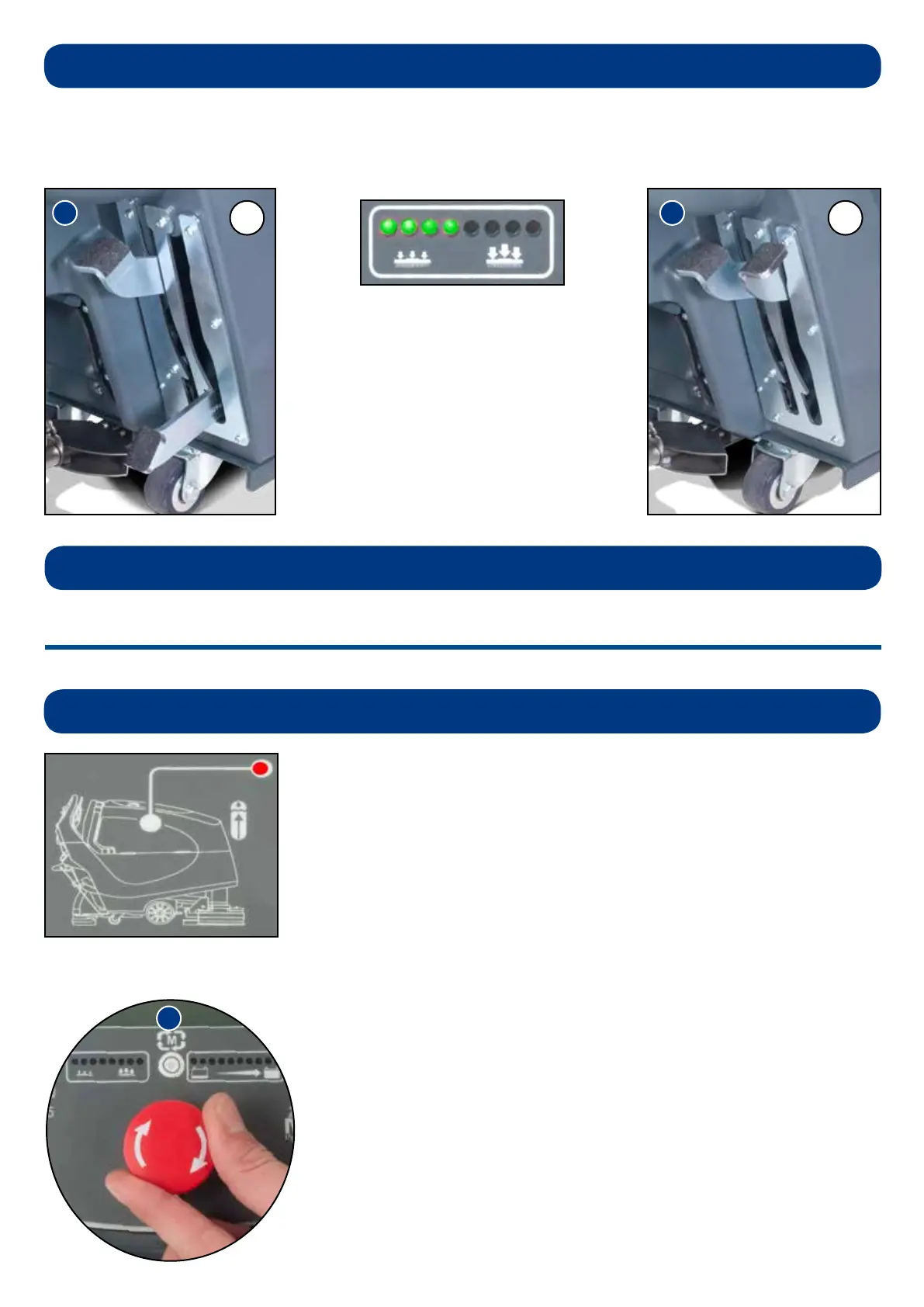
The brush load lever is located to the right hand side of the machine.
This option is for hard to clean patches, adding extra pressure to the brushes.
The brush load indicator on the control
display shows the pressure applied, when
the machine is being operated.
(A) Standard Duty
37.5 lbs Pressure
(Fig.31)
(B) Heavy Duty
66 lbs Pressure
(Fig.32)
B
Setting the cleaning controls
NOTE: It is recommended this option is NOT used all the time and is for spot cleaning only.
The run-time of the machine may decrease if the load on the brushes is increased.
Machine Operation
A



 To Next Page