Nuvoton Nu-Link Debug Adapter User Manual
Oct 24, 2019 - 20 - Revision V1.01
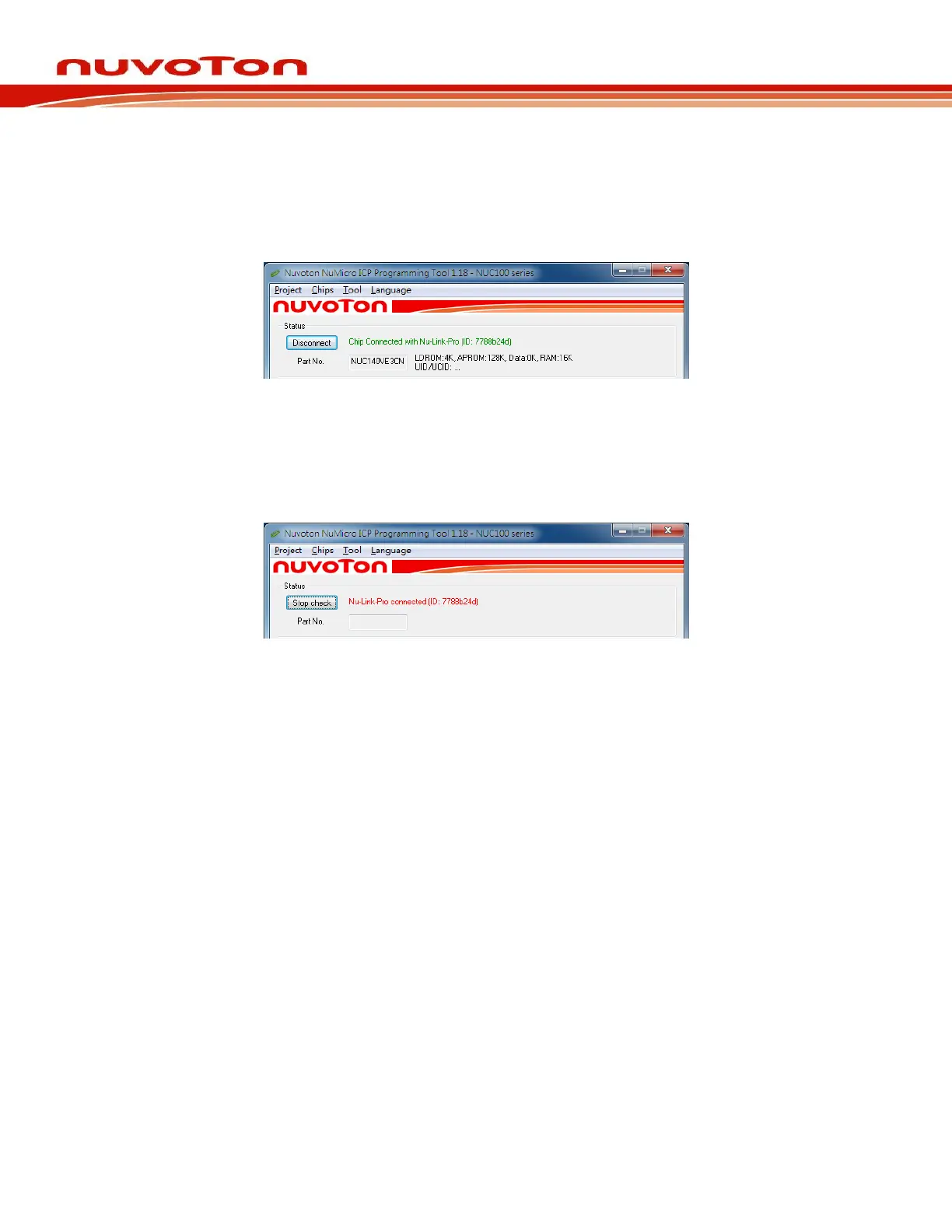
Step 6a: After the Connect button is clicked, the ICP Tool will be connected with the Nu-Link Adapter,
and a SWD port will be detected. Figure 4-7 shows that the ICP Tool has been connected
with the Nu-Link Adapter and a target chip is detected. At this time, the user can start
programming the target chip.
Figure 4-7 Nu-Link Adapter Connected with a Target Chip Detected
Step 6b: Figure 4-8 shows that the ICP Tool has been connected with the Nu-Link Adapter with no
target chip detected. The ICP tool will continue detecting the target chip until the Stop Check
button is clicked. At this time, the user cannot program any chip, but can use the offline
programming to save the offline programming information in the Nu-Link Adapter.
Figure 4-8 Nu-Link Adapter Connected with No Target Chip Detected
Step 7: Click the Disconnect button if programming is not needed (as shown in Figure 4-7). Or click
the Stop Check button to disconnect the ICP Tool with the Nu-Link Adapter and leave the
Nu-Link Adapter unused (as shown in Figure 4-8). As such, the Nu-Link Adapter can be
connected with another tool.



 To Next Page