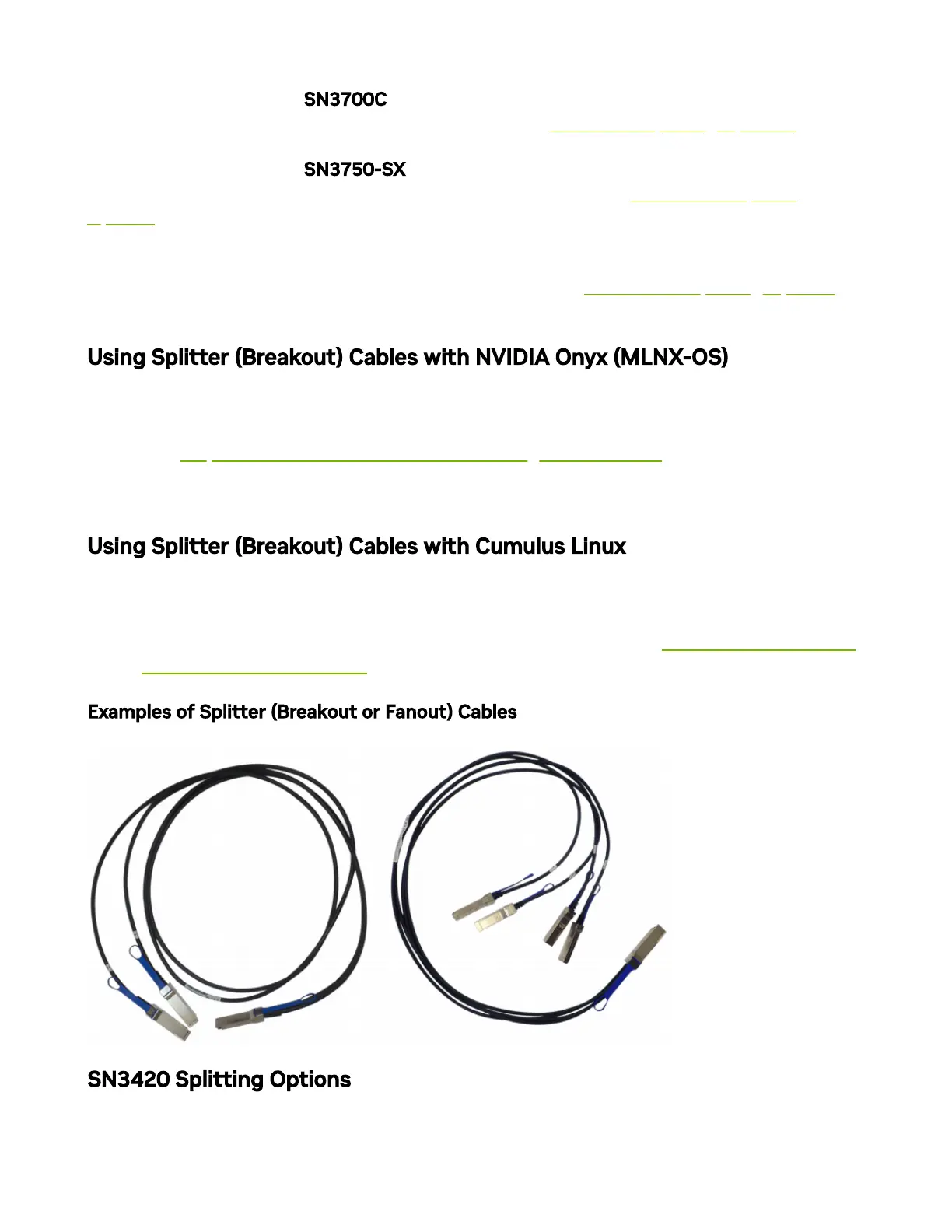
The 100GbE ports in the SN3700C systems can be split to two 50GbE ports, or to four (or
less) 25GbE ports, using an NVIDIA splitter cable. See "SN3700C Splitting Options” below.
The 100GbE ports in the SN3750-SX systems can be split to to two 100GbE ports, or to
four (or less) 50GbE ports, using an NVIDIA splitter cable . See "SN3750-SX Splitting
Options” below.
The 200GbE ports in the SN3750-SX systems can be split to two 100GbE ports, or to four
(or less) 50GbE ports, using an NVIDIA splitter cable. See "SN3750-SX Splitting Options”
below.
Using Splitter (Breakout) Cables with NVIDIA Onyx (MLNX-OS)
When using this feature, you should log into the NVIDIA Onyx (MLNX-OS) CLI and
congure the individual ports to be ‘split-2’ or ‘split-4’. For further information on NVIDIA’s
cable, visit https://www.nvidia.com/en-us/networking/interconnect/.
Using Splitter (Breakout) Cables with Cumulus Linux
If you are using 4x10G direct attach copper cables or active optical cables, edit the
/etc/cumulus/ports.conf to enable support for these cables, then restart the switchd service
using the sudo systemctl restart switchd command. For more details, see Switch Port Attributes
in the Cumulus Linux User Guide.
Examples of Splitter (Breakout or Fanout) Cables
SN3420 Splitting Options



 To Next Page