43
Installing for Windows
31. Follow the procedure to complete the installation.
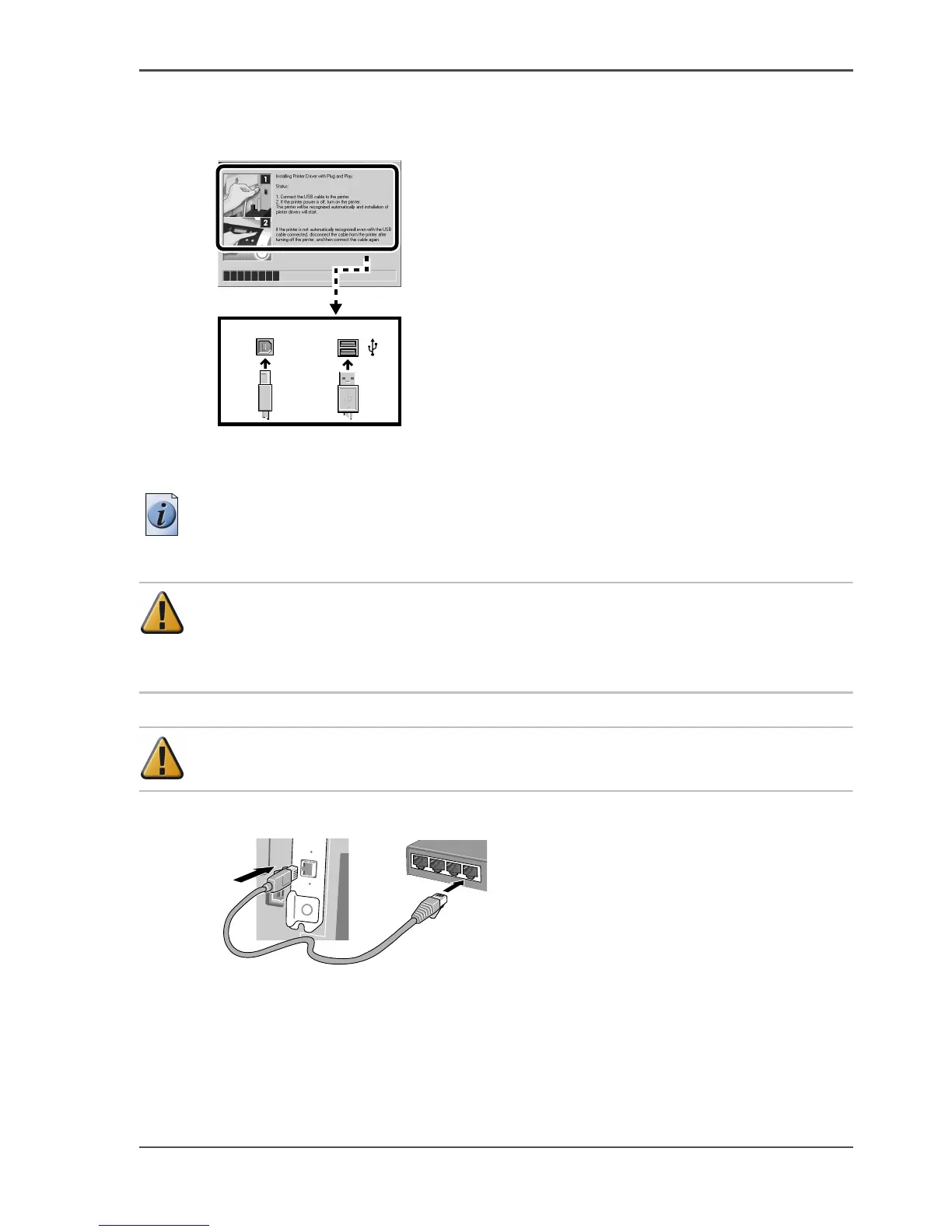
When the port connection screen appears, connect the USB cable to the printer and
the computer.
[119]
Connecting the LAN Cable
Note: The following operating systems support a TCP/IP network connection:
Windows Server 2003, Windows XP, Windows 2000, Windows Me, Windows 98, or
Windows NT 4.0 (Service Pack 6 or later).
Attention: When this printer is connected to and used on a network, switch the
printer on then check the LINK lamp to confirm that it lights and remains on.
This lamp lights green with a 100-Base-TX connection and lights yellow for a
10-BaseT connection.
Attention: Refer to the “Chapter 5 of the User’s Guide” if the connection does
not operate properly.
32. Connect the LAN port on the rear of the printer to the HUB port with a LAN cable.
[120]
USB Connection
USB
Printer back Computer



 To Next Page