RemarksActionStep
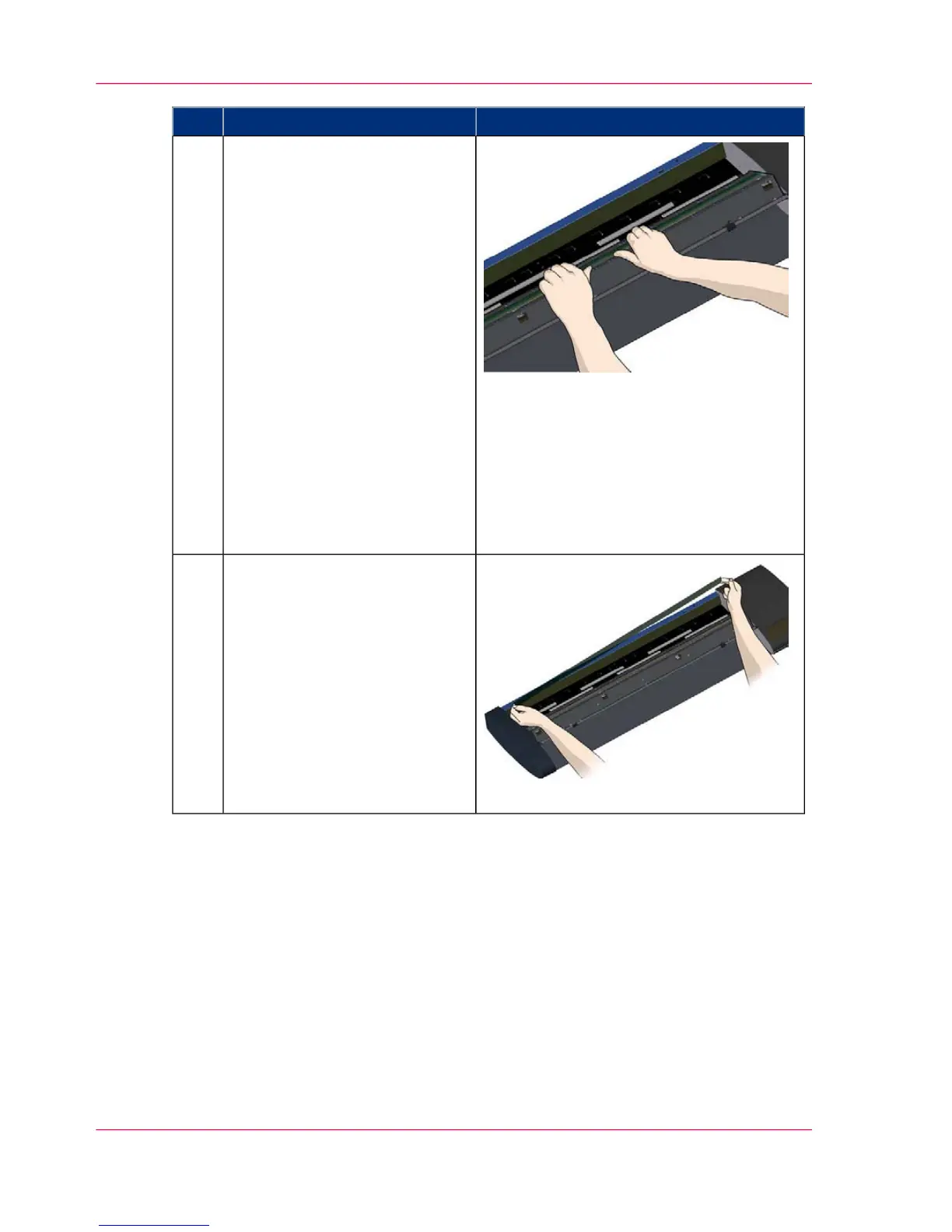
Detaching the glass plate (Tip
the glass plate edge upwards).
After releasing all the latches, the
glass plate is now free for re-
moval.
1. Stand at the front side of the
scanner.
2. Insert you thumbs under the
glass plate edge around the mid-
dle area as shown in the illustra-
tion on the right.
NOTE: If you can't get your
thumbs under the glass - use the
sharp, flat tool from step 5 to tip
the glass high enough to get a
thumb underneath.
3. Tip the glass back and up so
its two ends are free.
9
Detaching the glass plate ( Lift
the glass plate edge out of the
scanner).
1. Move your hands, one at a
time, to each end of the glass.
2. Apply light pressure with each
hand as you lift the glass out of
the scanner.
CAUTION: The glass plate is
long and thin and thus fragile.
Take care not to break it.
10
Chapter 7 - Maintenance56
Replacing the glass plate



 To Next Page