ODYS PDV 67003 DVB-T
30
EN
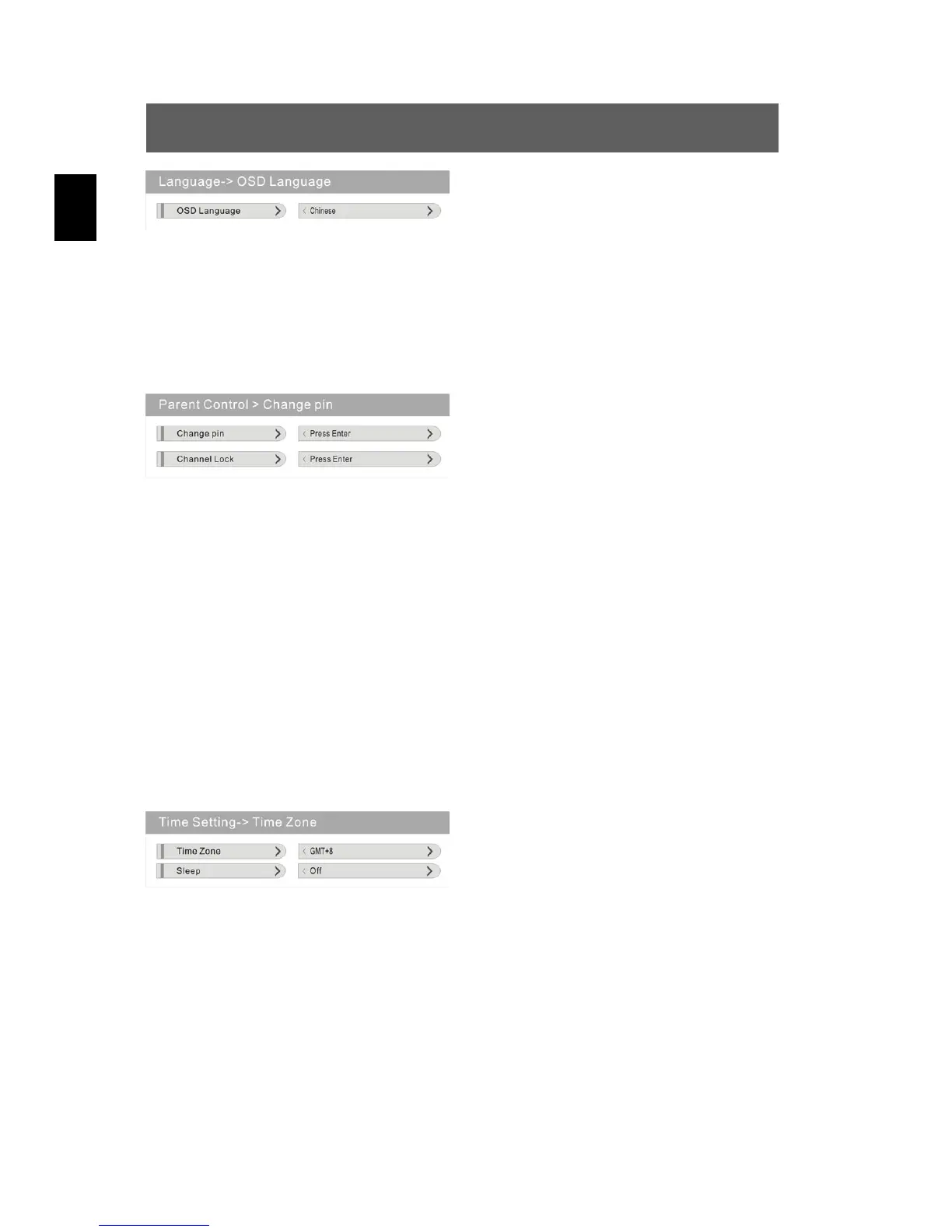
OSD Language (Screen)
Press ENT, select the language
appropriate for you from Chinese,
English, German, Spanish, French
etc. using and confirm using ENT.
Parent control
Press to select the “Parent control” option and confirm using ENT.
The following menu is displayed:
Navigate through this menu and
perform your desired settings for the
two options (see below).
Change PIN
Press to select the “Change PIN” option and confirm using ENT.
Enter the old or new PIN (password) and confirm with ENT.
(The Default PIN is: 0000)
Change lock
Press to select the “Change lock” option and confirm using ENT.
Enter the valid PIN (password) and confirm with ENT.
Time setting
Press to select the “Time setting” option and confirm using ENT.
The following menu is displayed:
Navigate through this menu and
perform your desired settings for the
two options (see below).
Time zone
Press to select the “Time Zone” option and confirm using ENT.
Using , select the desired time zone (GMT+ 0…10 or GMTí 0…10).
Automatic shutdown function (Sleep)
Press to select the “Shutdown function” option and confirm using
ENT. Using , select the setting appropriate for you from the Off,
10min, 20min, 30min, 40min, 50min, 60min, 90min and 120 min values
and confirm using ENT. Once this time expires, the device switches off.



 To Next Page