EasyManua.ls Logo

OHAUS EB6 - User Manual

OHAUS EB6
20 pages
Print Icon
To Next Page IconTo Next Page
Loading...
i
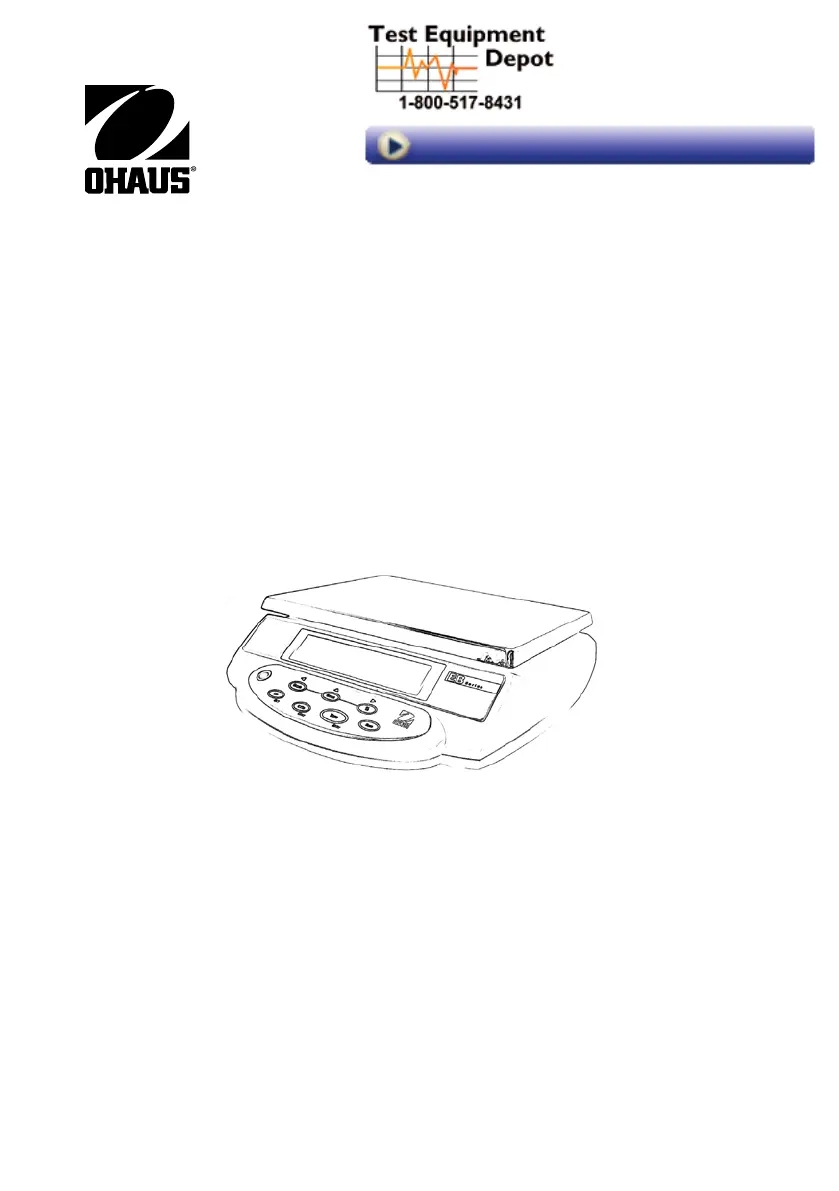
EB Series instruction Manual
99 Washington Street
Melrose, MA 02176
Phone 781-665-1400
Toll Free 1-800-517-8431
Visit us at www.TestEquipmentDepot.com

Other manuals for OHAUS EB6

Questions and Answers

  • V
    vjamesAug 18, 2025
    Why does my OHAUS EB6 Scales read incorrectly?
    • C
      Charles LopezAug 18, 2025
      If your OHAUS Scales reads incorrectly, it might need calibration, so perform a Service Calibration as described in Appendix A. Another potential cause is a damaged Load Cell, which you should test and replace if defective, referring to Section 3.3. Lastly, a defective Main PC Board could also be the reason; this should be tested and replaced as per Section 3.4.
  • R
    roberto40Aug 20, 2025
    What to do if OHAUS EB6 Scales will not turn on with AC adapter?
    • S
      Sabrina MannAug 21, 2025
      If your OHAUS Scales will not turn on with the AC adapter, the adapter might be defective. Check the AC adapter's voltage output as described in Section 3.1; if the voltage is low or nonexistent, replace the adapter. Another possibility is a defective Membrane Switch, which should be tested and replaced if necessary, according to Section 3.2. Finally, the Main PC Board could be defective and should be tested and replaced following the instructions in Section 3.4.
  • T
    toddhuntAug 23, 2025
    Why OHAUS EB6 Scales can be turned on but will not calibrate?
    • K
      Krystal GambleAug 23, 2025
      If your OHAUS Scales can be turned on but will not calibrate, verify that you are using the correct weights. A defective Load Cell assembly could also be the cause; test the Load Cell as described in Section 3.3 and replace it if necessary. Additionally, the Main PC Board might be defective and should be tested and replaced according to Section 3.4.
  • K
    Kayla WrightAug 26, 2025
    What to do if OHAUS EB6 display --OL--?
    • E
      Eric WagnerAug 26, 2025
      If your OHAUS Scales display '--OL--', it means the load on the pan exceeds the scale's capacity. To resolve this, reduce the weight on the pan.
  • T
    Tamara WagnerAug 27, 2025
    Why my OHAUS EB6 Scales do not display weight accurately?
    • S
      Shannon MannAug 28, 2025
      If your OHAUS Scales don't display weight accurately, it might be due to improper calibration. Calibrate the scale using the correct calibration weights to fix this issue.
  • C
    Cindy HaleyAug 30, 2025
    What to do if the weight reading does not stabilize on OHAUS EB6?
    • W
      Whitney GrayAug 30, 2025
      If the weight reading on your OHAUS Scales is unstable, it could be due to an unstable environment. Make sure the scale is placed in a stable location. Another cause might be interference under the pan. Ensure the weighing pan is unobstructed and free to move.
  • L
    Laura NashSep 1, 2025
    What to do if the display is not on OHAUS EB6 Scales?
    • H
      hamptonnicoleSep 1, 2025
      If the display on your OHAUS Scales is not on or shows partial characters, the Display PC Board or LCD might be defective, so replace the Display PC Board or LCD.
  • K
    Katrina WallaceSep 4, 2025
    What does E4 error code mean on OHAUS EB6?
    • H
      Howard ColemanSep 4, 2025
      If your OHAUS Scales display an E4 error code, it could be due to a sample weight that is too small for setting up Counting APW. Increase the weight on the pan until the resulting APW is greater than the minimum. It could also mean the value for setting up Percent weighing is not valid, in which case you should place a reference weight greater than 9d on the pan.
  • L
    Lisa WilsonSep 6, 2025
    What does E2 error code mean on OHAUS EB6?
    • D
      Darren ScottSep 6, 2025
      If your OHAUS Scales display an E2 error code, it indicates that the A/D count is not correct. To resolve this, have the load cell replaced.
  • E
    Edwin SloanSep 8, 2025
    What does E1 error code mean on OHAUS EB6 Scales?
    • S
      Steven SandersSep 8, 2025
      If your OHAUS Scales display an E1 error code, it means there has been an EPROM data loss. The suggested solution is to replace the scale.

Summary

1. INTRODUCTION

1.1 Product Description

Concise overview of the scale's purpose and design for industrial weighing applications.

1.2 General Features

Lists key specifications like capacity, resolution, display type, weighing units, and application modes.

1.3 Safety Precautions

Essential guidelines for safe and dependable operation, covering power, environment, and handling.

2. INSTALLATION

2.1 Unpacking

Instructions for checking included components and saving packaging material for protection.

2.2 Installing Components

Steps for attaching the weighing platform and removing/re-installing the shipping protection screw.

2.3 Selecting the Location

Guidance on choosing a suitable operating environment, avoiding adverse conditions like temperature changes or vibrations.

2.4 Leveling the Scale

Procedure to ensure the scale is level using the front panel indicator and leveling feet for accurate readings.

2.5 Connecting Power

Details on connecting AC adapter and information about battery charging, operation, and life.

2.6 Initial Calibration

Recommendation and requirement for calibration before first use to ensure accurate weighing results.

3. OVERVIEW OF CONTROLS AND FUNCTIONS

3.1 Display Symbols

Explanation of various icons and indicators shown on the scale's display.

3.2 Controls and Functions

Description of the scale's buttons and their primary functions like TARE, M+, UNITS, CHECK, COUNT, ZERO, %.

4. OPERATIONS

4.1 Switching the Unit On and Off

Instructions on how to power the scale on and off using the power switch located underneath.

4.2 Manual Tare

Step-by-step guide for performing a manual tare operation to remove container weight from measurements.

4.3 Zero Operation

How to re-zero the scale display using the ZERO button for accurate measurements.

4.4 Changing Weighing Units

Procedure for switching between different measurement units (kg, g, lb, oz) using the UNITS button.

4.5 Check-Weighing;Counting, Percent Check

Guide to using the scale for check-weighing, counting items, and percentage checks against Hi-Lo limits.

4.6 Sampling, Calculating Average Piece Weight (APW)

Steps for sampling and calculating the average weight of individual pieces for counting operations.

4.7 Displaying Count Data in Counting Mode

How to cycle through Piece Count, APW, and Total Weight displays in counting mode.

4.8 Accumulation: Weight and Quantity (Count)

Instructions for accumulating weight and count data into memory using the M+ button.

4.9 Percent Weighing

How to perform weighing operations based on a percentage of a reference weight using the % button.

5. SCALE SETTINGS

5.1 Scale Increment

Setting the displayed scale increment (readability or graduation) for measurement precision.

5.2 Backlight

Configuration options for the display backlight activation mode (Auto, On, Off).

5.3 Zero Tracking Range

Adjusting the range within which the zero reading is maintained automatically.

5.4 Filtering

Setting the stabilization level for accurate readings under varying environmental conditions.

6. CALIBRATION

7. TROUBLESHOOTING

8. TECHNICAL DATA

LIMITED WARRANTY

OHAUS EB6 Specifications

General IconGeneral
DisplayLCD
Capacity6 kg
Power Supply4 AA batteries
CalibrationExternal
Units of Measurementg, oz, lb
Power4 AA batteries
Unitsg, oz, lb

Related product manuals