EN-18 PR Series Balance
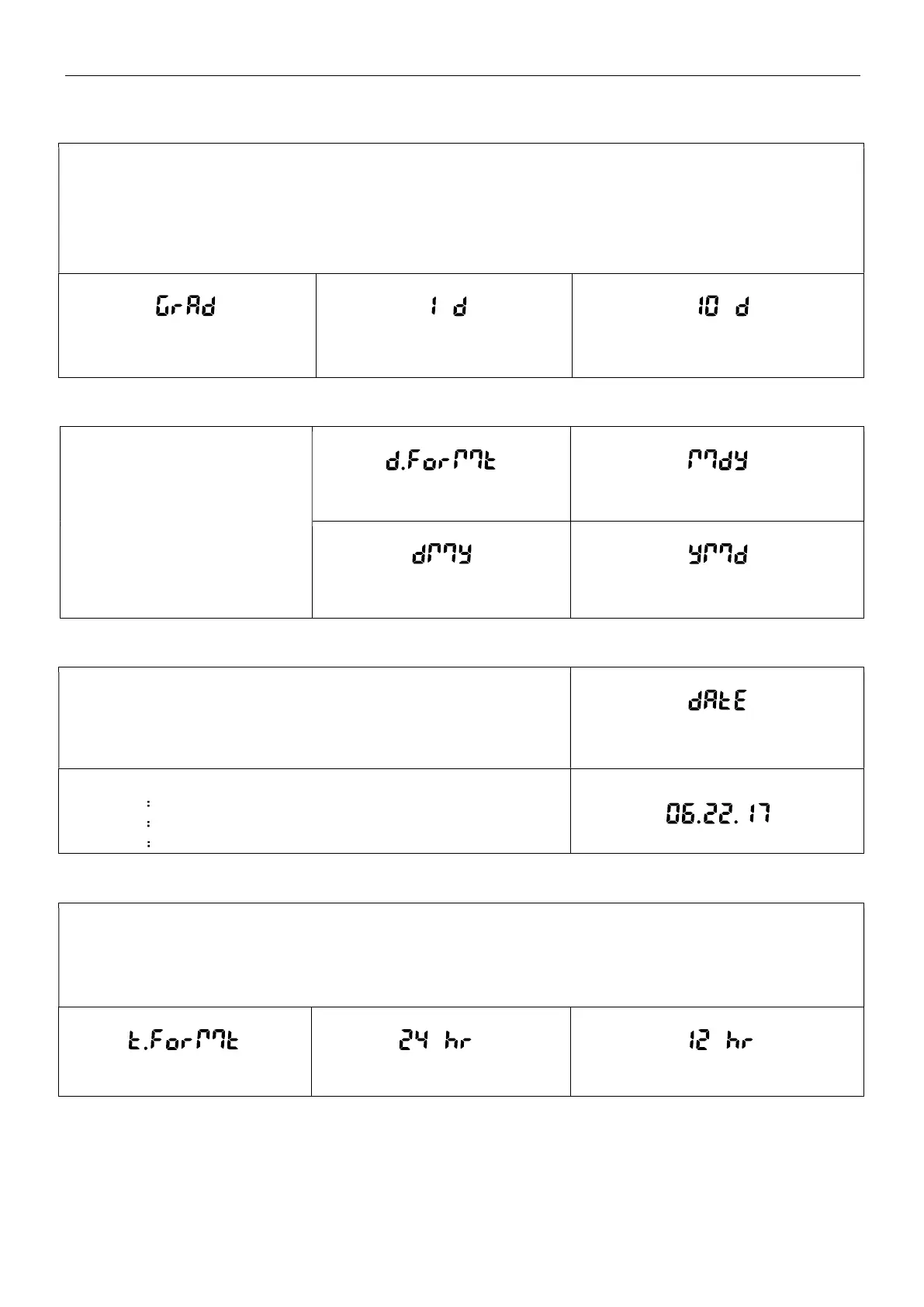
5.3.4 Graduations
Set the displayed readability of the balance.
1 Division = standard readability.
10 Divisions = readability is increased by a factor of 10.
For example, if the standard readability is 0.01 g, selecting 10 Divisions will result in a reading of 0.1 g.
Graduation
1 Division
10 Division
5.3.5 Date Format
Set the current date format.
Date Format:
YY/MM/DD
MM/DD/YY
DD/MM/YY
Date Format
MM/DD/YYYY
DD/MM/YYYY YYYY/MM/DD
5.3.6 Date Setup
Set the current date in the desired date format.
To set the current date, press No or Back to increase or decrease the
value.
Date
For example, if the current date is 22
nd
June, 2017,
MM/DD/YY 06.22.17
DD/MM/YY 22.06.17
YY/MM/DD 17.06.22
5.3.7 Time Format
Set the time format.
Time Format:
24hr
12hr
Time Format
24hr
12hr



 To Next Page