EasyManua.ls Logo

OHAUS PX125D - User Manual

OHAUS PX125D
56 pages
Print Icon
To Next Page IconTo Next Page
Loading...
P
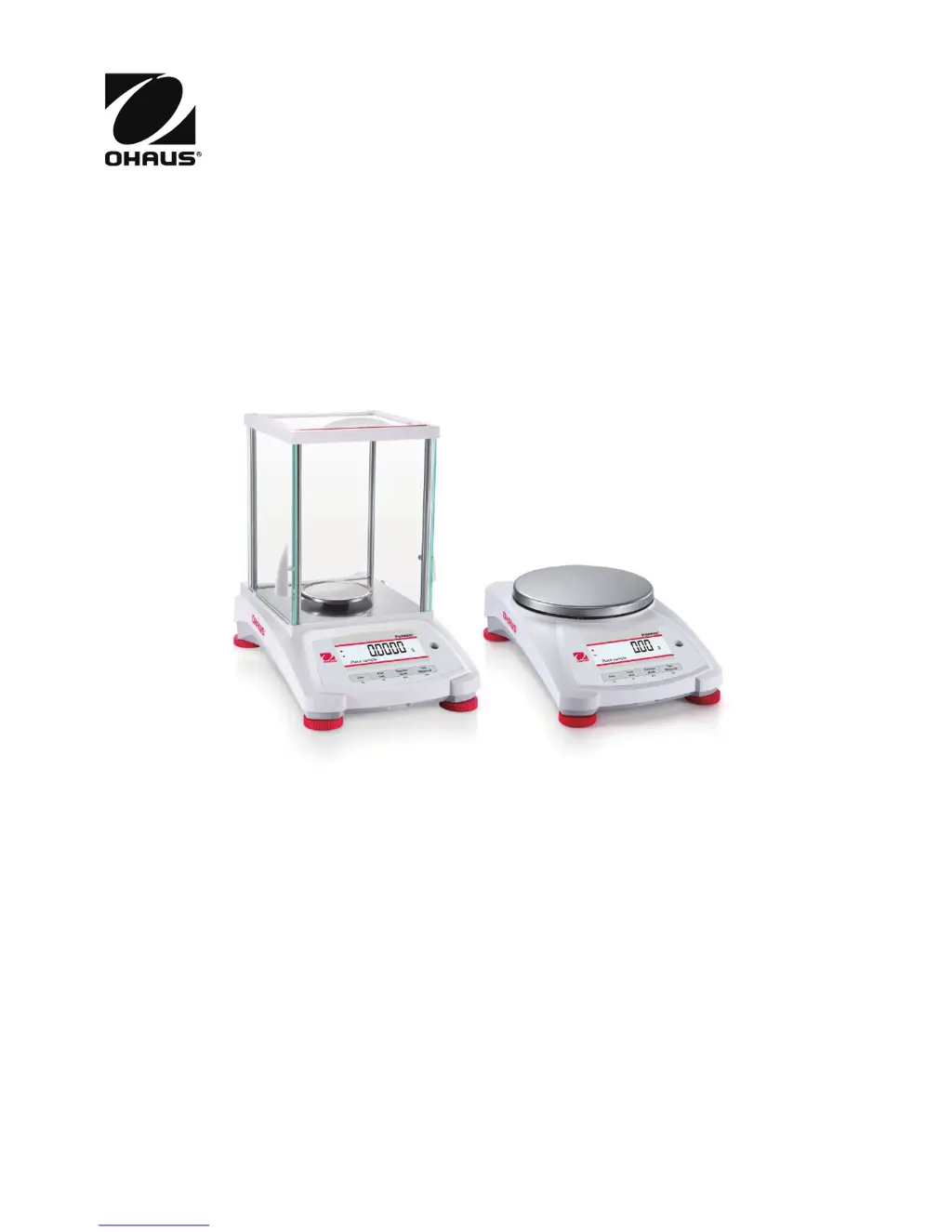
Pioneer
PX Series
Balances
Instruction Manual

Table of Contents

Questions and Answers

  • R
    Raven DiazAug 16, 2025
    Why can't I calibrate my OHAUS Scales?
    • A
      Amanda SmithAug 16, 2025
      If you cannot calibrate your OHAUS Scales, it could be due to several reasons: * The Calibration Menu might be locked, so turn the Calibration menu lock off. * Approved Mode might be on, so turn Approved Mode off. * The environment might be unstable, so move the balance to a more suitable location. * You might be using incorrect calibration masses, so use the correct calibration masses.
  • J
    John BentleyAug 19, 2025
    How to fix OHAUS PX125D Scales that will not turn on?
    • C
      Catherine WalkerAug 19, 2025
      If your OHAUS Scales will not turn on, it could be due to no power reaching the balance. Verify the connection and voltage.
  • R
    Ronald VasquezAug 22, 2025
    How to improve accuracy of OHAUS PX125D Scales?
    • A
      Alexander MilesAug 22, 2025
      If your OHAUS Scales are not accurate, it may be due to improper calibration. Perform a calibration. Also, an unstable environment can cause inaccuracy; move the balance to a more suitable location.
  • H
    hartmanmichaelAug 25, 2025
    What to do if OHAUS Scales display shows 'Err 8.3'?
    • A
      Alexandria ChapmanAug 26, 2025
      If the OHAUS Scales display shows 'Err 8.3', it means the weight reading exceeds the overload limit. Remove weight from the pan.
  • E
    Edward LopezAug 28, 2025
    What to do if OHAUS Scales display shows 'Err 8.4'?
    • J
      Julie CannonAug 28, 2025
      If the OHAUS Scales display shows 'Err 8.4', it indicates the weight reading is below the underload limit. Re-install the pan.
  • A
    Ashley RodriguezAug 31, 2025
    Why do OHAUS PX125D show 'Low Reference weight'?
    • S
      Susan WrightAug 31, 2025
      If your OHAUS Scales are showing a 'Low Reference weight' message, the reference weight might be too small. You should increase the sample size.
  • D
    Deborah KennedySep 3, 2025
    What does 'Invalid Piece Weight' mean on OHAUS PX125D?
    • E
      Elizabeth BrooksSep 3, 2025
      If your OHAUS Scales are displaying 'Invalid Piece Weight', it means the average piece weight is too small. Increase the average piece weight.
  • R
    Robert RubioSep 6, 2025
    What causes 'Operation Timeout' on OHAUS PX125D?
    • J
      Joseph BeckSep 6, 2025
      If you are experiencing an 'Operation Timeout' error on your OHAUS Scales, it means the weight reading is not stable. Move the balance to a more suitable location.
  • C
    Cory NguyenSep 9, 2025
    Why can't I change menu settings on OHAUS PX125D?
    • K
      Kristina YangSep 9, 2025
      If you cannot change the menu settings on your OHAUS Scales, it may be because a sub-menu is locked. Unlock the sub-menu. Alternatively, Approved Mode might be turned on; turn Approved Mode off.
  • R
    Ronald FischerSep 12, 2025
    What to do if OHAUS PX125D display 'Busy'?
    • K
      Kimberly MartinezSep 12, 2025
      If your OHAUS Scales are showing 'Busy' (tare, zero, printing, waiting for a stable weight), wait until completion.

Summary

1. Introduction to OHAUS Pioneer PX Series Balances

Understanding Signal Warnings and Symbols

Explains safety notes, signal words, and warning symbols to prevent injury or damage.

Essential Safety Precautions

Details critical safety warnings and guidelines for installing and operating the balance.

2. Installation Guide for PX Series Balances

Leveling the Balance

Procedure for ensuring the balance is level using the built-in level bubble and leveling feet.

Connecting Power and Acclimating the Balance

Steps for connecting the power adapter and recommended acclimation times for stable readings.

Initial Calibration Procedure

Explains the necessity and process of initial calibration for accurate weighing results.

3. Operation Basics and Controls

4. Applications of the PX Series Balance

Weighing Application

Instructions for using the balance to determine the weight of objects in various units.

4.5 Density Determination Methods

Sinking Solid Density Measurement Using Water

Step-by-step guide for measuring the density of a sinking solid in water.

Floating Solid Density Measurement Using Water

Procedure for determining the density of a floating solid in water.

Solid Density Measurement with Auxiliary Liquid

Method for measuring solid density using liquids other than water.

Liquid Density Measurement Using a Calibrated Sinker

Procedure to measure liquid density using a sinker of known volume.

Porous Material Density Measurement

Guide for determining the density of porous materials impregnated with oil.

5. Menu Settings and Configuration

Calibration Procedures

Details on Internal, Span, and Linearity calibration methods available for the balance.

Balance Setup Options

Covers settings like Language, Filter Level, Auto Tare, Date/Time, and Display options.

6. Legal for Trade (LFT) Compliance

7. Printing and Data Output

8. Maintenance and Troubleshooting

Calibration Verification and Recalibration

Guidance on periodically checking calibration and referring to calibration procedures.

Troubleshooting Common Issues

A table listing common symptoms, possible causes, and remedies for balance problems.

9.4 Communication and Control

OHAUS PX125D Specifications

General IconGeneral
BrandOHAUS
ModelPX125D
CategoryScales
LanguageEnglish

Related product manuals