EasyManua.ls Logo

OHAUS PX125D - 3. Operation Basics and Controls; Principal Functions and Main Menu Navigation

OHAUS PX125D
56 pages
Print Icon
To Next Page IconTo Next Page
To Previous Page IconTo Previous Page
Loading...
EN-6 PX Series Balance
3. OPERATION
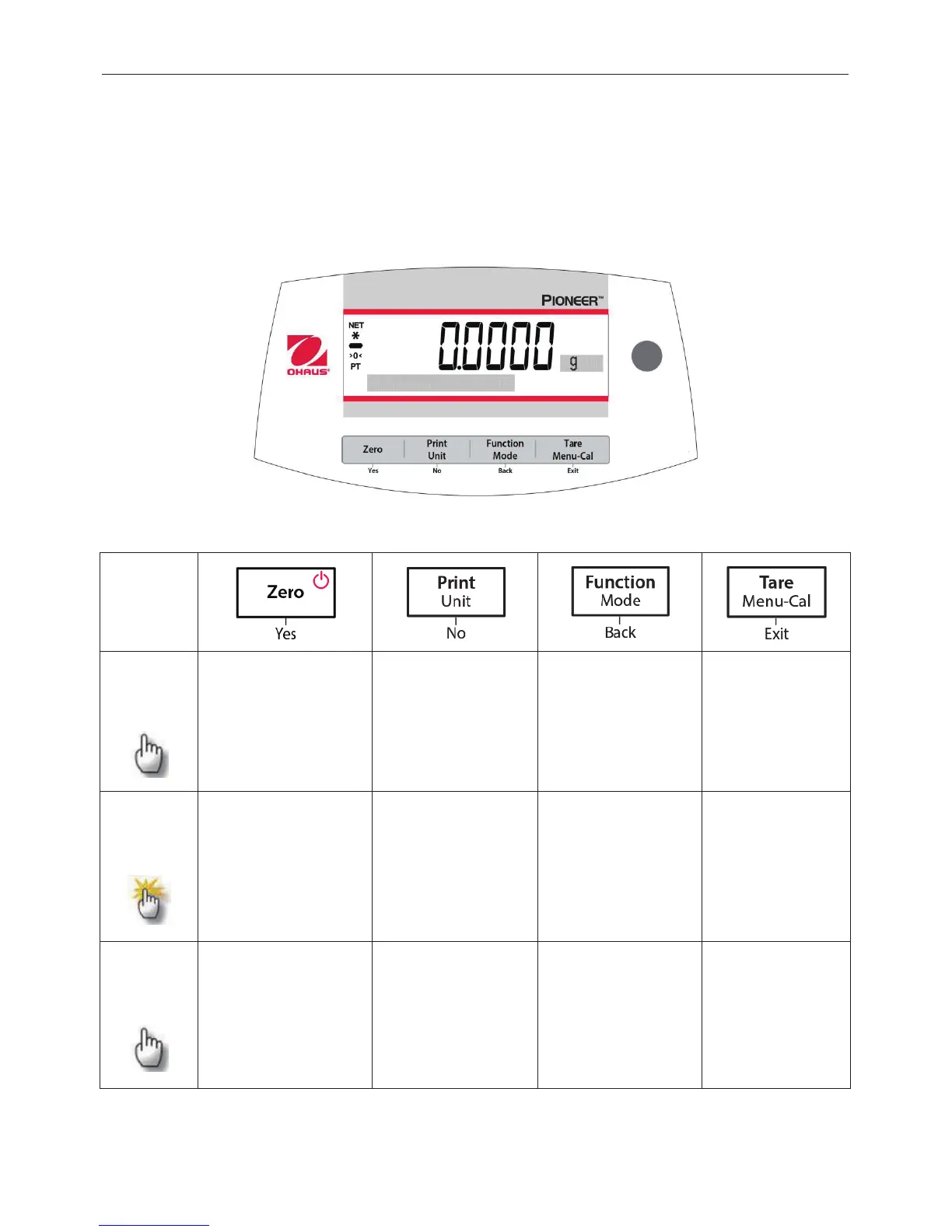
3.1 Overview of Display, Home Screen
The PX balance has a 2-line backlit display.
CONTROLS
CONTROL FUNCTIONS
Button
Primary
Function
(Short
Press)
On / Zero
x
If the Indicator is Off,
turns on the
Indicator.
x
If Indicator is On,
sets zero.
Print
x
Sends the current
displayed value to
the serial interface.
Function
x
Operation is
dependent on the
application mode.
Tare
x
Performs tare
operation.
Secondary
Function
(Press
and
Hold)
Off
x
Zeroing current
value.
Unit
x
Changes weighing
units.
Mode
x
Changes
application mode.
Menu-Cal
x
Enters the main
menu.
Calibration is the
first sub-
menu.
x
Views the preset
Tare value.
Menu
Function
(Short
Press)
Yes
x
Accepts the current
(blinking) setting on
the display.
No
x
Rejects the current
(blinking) setting on
the display.
x
Increments a value
being entered.
Back
x
Reverts back to
previous menu
item.
x
Decrements a value
being entered.
Exit
x
Immediately exits
the sub-
menu.
x
Aborts a
calibration in
progress.

Table of Contents

Related product manuals