EasyManua.ls Logo

OHAUS PX125D - Balance Setup; Language; Filter Level; AZT (Auto Zero Tracking)

OHAUS PX125D
56 pages
Print Icon
To Next Page IconTo Next Page
To Previous Page IconTo Previous Page
Loading...
EN-28 PX Series Balance
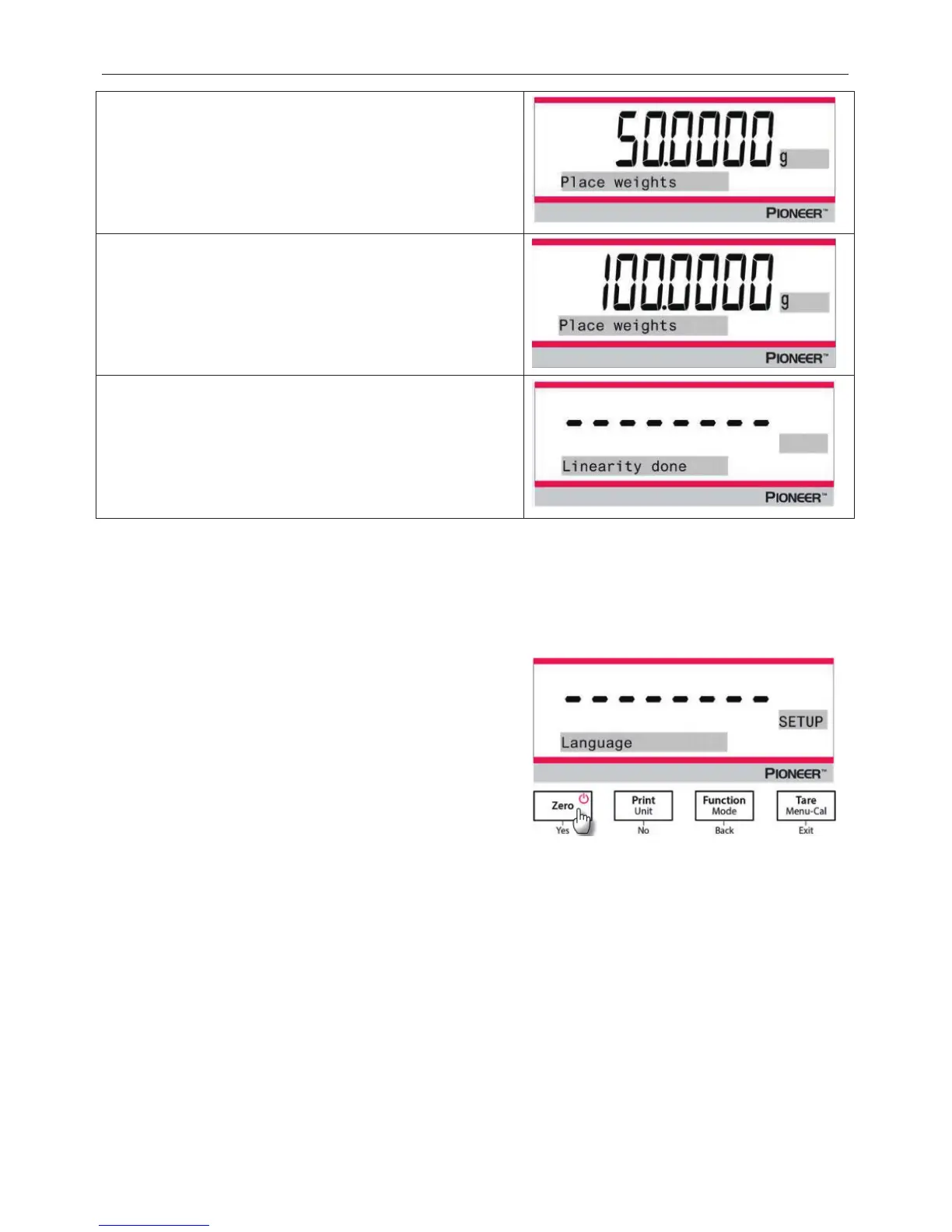
4. Calibration masses value will be shown in the screen.
After the display shows "Place weights" and "50.0000
g",
place weight(s) of 50 g on the pan for calibration.
5. Remove the weight(s) of 50 g from the pan. After a while,
"100.0000 g" will be displayed on the screen.
Please
place weight(s) of 100 g on the pan for calibration.
6. Once the linearity calibration is completed successfully,
"Linearity done" will display.
Press any button to return to the previous screen.
5.3 Balance Setup
Enter this sub-menu to customize balance functionality.
Note: The factory default settings are shown below in bold.
5.3.1 Language
5.3.2 Filter Level
Set the amount of signal filtering.
Low = faster stabilization time with less stability.
Medium = normal stabilization time with normal stability.
High = slower stabilization time with more stability.
5.3.3 AZT (Auto Zero Tracking)
Set the automatic zero tracking functionality.
Off = disabled.
0.5 d = display maintains zero up to a drift of 0.5 graduation per second.
1 d = display maintains zero up to a drift of 1 graduation per second.
3 d = display maintains zero up to a drift of 3 graduations per second.
Set the language displayed for menus and displayed
messages.
Engli
sh
Chinese
Japanese
Korean

Table of Contents