EasyManua.ls Logo

OHAUS SJX1502N/E - Operation of OHAUS Scout SJX Balances; Controls Overview

OHAUS SJX1502N/E
124 pages
Print Icon
To Next Page IconTo Next Page
To Previous Page IconTo Previous Page
Loading...
EN-4 SCOUT
TM
SJX SERIES BALANCES
3. OPERATION
3.1 Controls
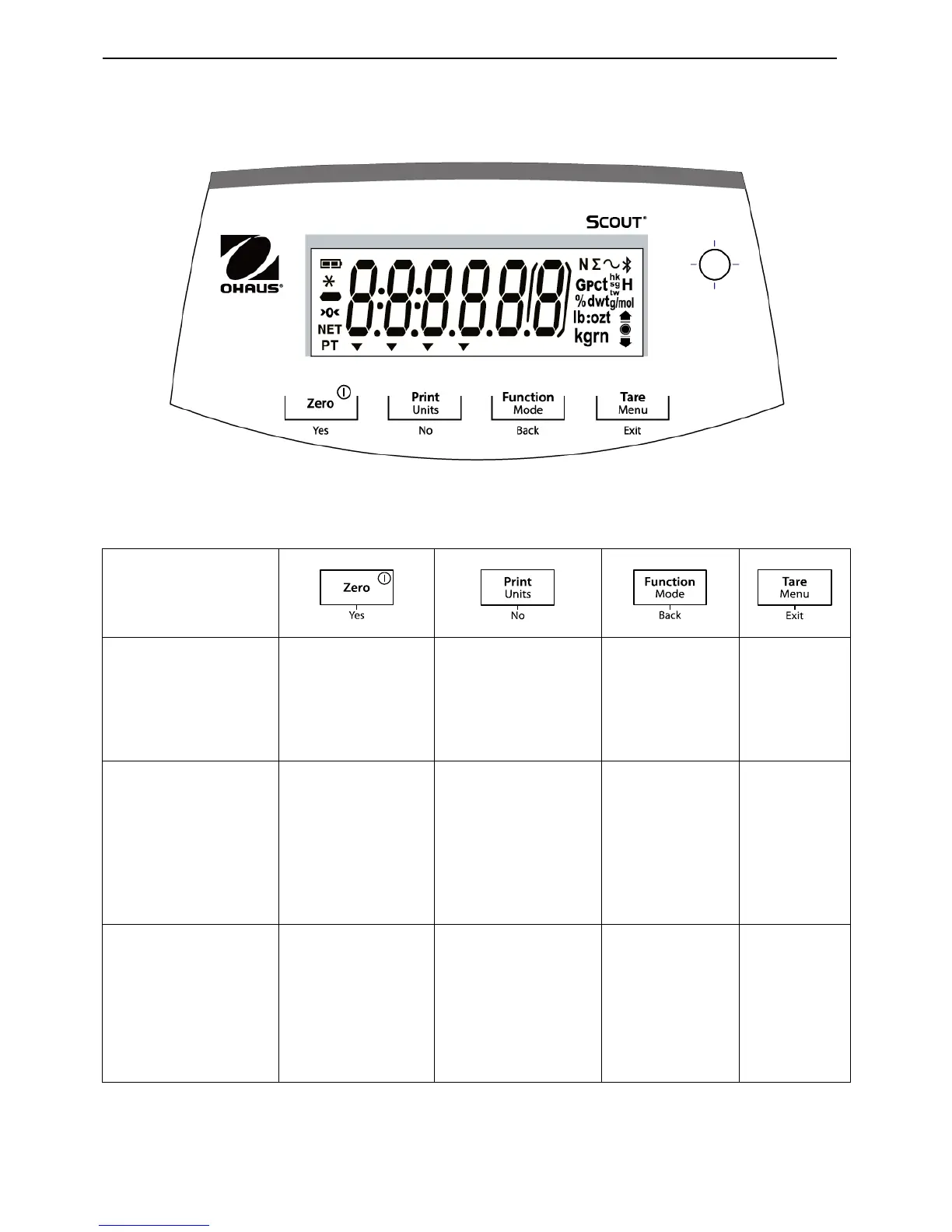
Figure 3-1. Scout Control Panel
TABLE 3-1. Button Functions
Button
Primary Function
(Short Press)
Zero/On
Turns the balance
on
If balance is On,
sets Zero
Print
Sends the current
value to the selected
COM ports if
AUTOPRINT is set
to Off.
Function
Initiates an
application
mode.
Tare
Enter/clear a
tare value.
Secondary Function
(Long Press)
(Extended Press)
Zero/Off
Turns the balance
Off.
None
Units
Changes the
weighing unit.
None
Mode
Allows changing
the application
mode.
None
Menu
Enter the
User menu.
View the
preset Tare
value
Menu Function
(Short Press)
Yes
Accepts the current
setting on the
display.
No
Advances to the next
menu or menu item.
Rejects the current
setting on the
display and
advances to the next
available setting.
Back
Moves Back to
previous menu
item.
Exit
Exits the
User menu.
Aborts the
calibration in
progress.
Notes:
1
Short Press: Press less than 1 second.
2
Long Press: Press and hold for more than 2 seconds.
3
Extended Press: Press and hold for more than 5 seconds.

Table of Contents

Related product manuals