CHAPTER 1 GETTING STARTED
Valor™ 2000 Series Service Manual 1-5 Ohaus Corporation www.ohaus.com
1.5.2 Power ON
With power applied, press On/ >O/T< /Off. All segments will appear briefly followed by Ohaus,
a software revision number, and then * 0.00 g.
The scale can operate on either AC Power, with the included AC adapter, or on the internal
rechargeable battery. The scale automatically switches to battery operation if it is on and AC
power fails.
The battery must be fully charged for up to 12 hours before operation. Charge level is indicated
during charging. (See Table 1-3.) The scale can be operated during charging. The battery is
protected against over charging and the scale can remain connected to the AC power line.
TABLE 1-3. BATTERY CHARGE STATUS
Charge Status Indication Light
Allow 20 minutes warm-up time. The scale should be calibrated before use.
Note: If Auto-Off is set to ON, it must be set to OFF to allow 20 minutes warm-up time.
(See Menu Setup, next page.)
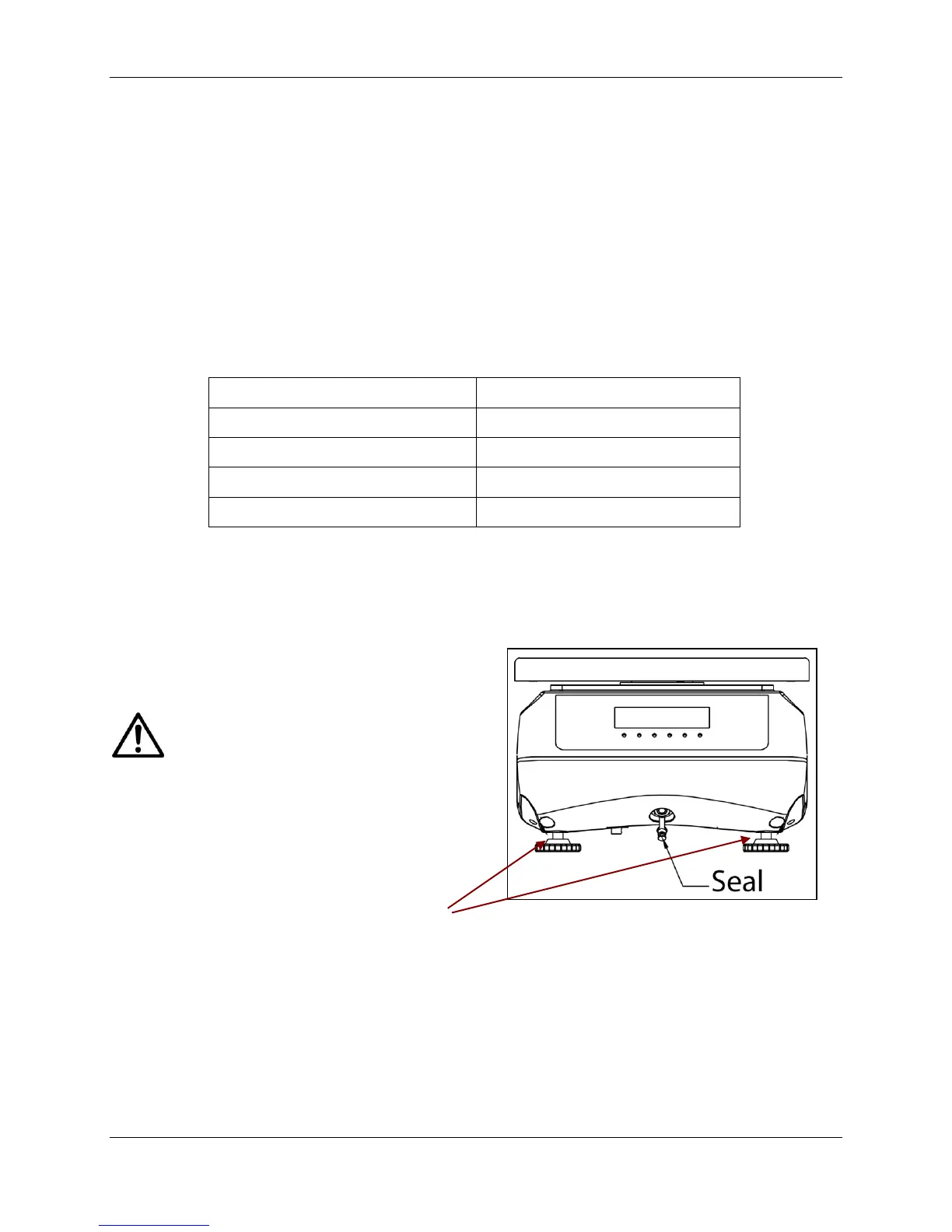
Note: To prevent water ingress during
use, insert rubber Seal into the input
jack recess.
Also note that prior to use the rear adjustable
feet should be opened at least a half turn.
There are tiny air vents on the inside of these
feet which allow the scale to “breathe,” since it
is designed to be water-tight.
Figure 1-2. Waterproof seal on power
input jack.
1.5.3 Power OFF
To turn the scale OFF, press and hold ON/>O/T</Off until OFF appears, then release.
Rear Adjustable
Feet should be
opened at least
a half turn.





 To Next Page