CHAPTER 1 GETTING STARTED
Valor™ 2000 Series Service Manual 1-7 Ohaus Corporation www.ohaus.com
1.6 LEGAL FOR TRADE
When LFT is set to ON, the following menu settings cannot be accessed/changed: Calibration,
Resolution, Unit, AZT, LFT.
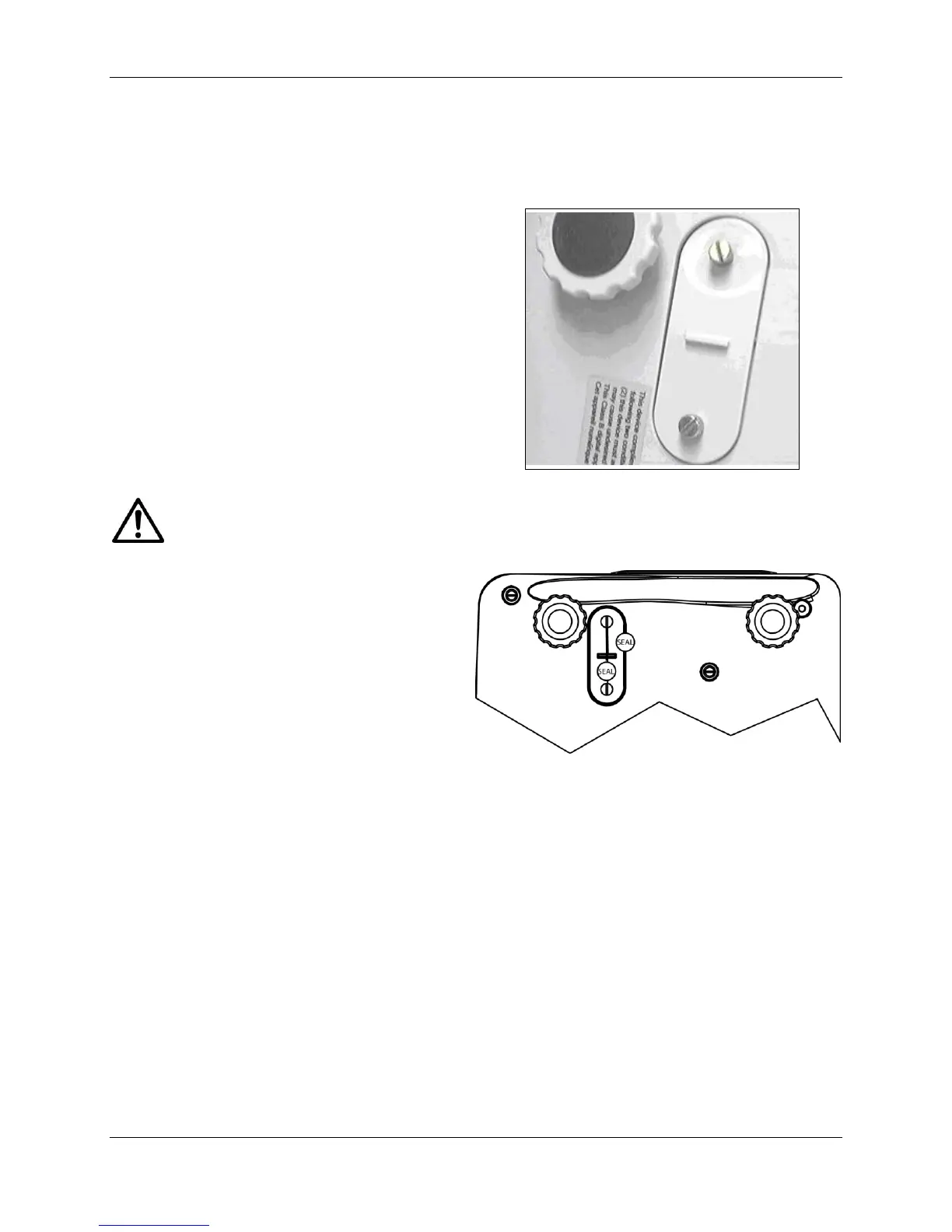
To regain access to the locked menu settings,
remove the small cover on the bottom of the
scale. Then during power up press and hold
the recessed lock switch momentarily until
zero is displayed.
Figure 1-3. LFT Lock Switch.
When accessing the bottom of the scale, avoid placing the scale upside down on the
pan or sub-platform. Place the scale on its side.
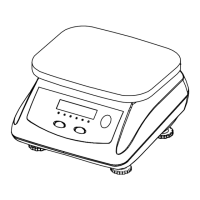
After the LFT Lock Switch has been
removed, the scale must be inspected in
accordance with local weights and measures
regulations before it can be used in LFT
mode again. Local authorities may apply a
seal as shown in Figure 1-4.
Figure 1-4. LFT Lock Seal.





 To Next Page