
 Need help?
Do you have a question about the OHD Quantifit2 and is the answer not in the manual?
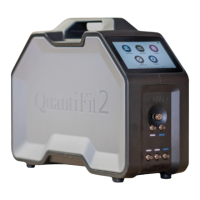
Provides a brief overview of the QuantiFit2's capabilities.
Outlines critical safety information and environmental operating conditions.
Addresses concerns and protocols regarding potential cross-contamination.
Explains the calculation and meaning of the fit factor metric.
Lists the components included with the QuantiFit2 Respirator Fit Tester.
Details front/back connections and tube assembly for instrument setup.
Explains the use, charging, and hazards associated with the optional battery pack.
Enables choosing the testing regulation (e.g., OSHA, CSA) for the instrument.
Describes how to add, edit, or manage operator profiles for testing.
Explains the mandatory daily procedure to ensure instrument functionality.
Details methods for searching and filtering test subjects in the database.
Covers managing company divisions and adding/editing test subjects.
Provides general instructions for guiding a test subject through the fit test process.
Explains how to start a fit test and details the test steps and results.
Configures operational parameters like Auto Start, Volume, and Brightness.
Manages respirator lists, sizes, and test parameters.
Accesses sensitive settings, operator roles, and system reset options.
Guides installation of the OHD Logic software and its initial setup wizard.
Introduces the main interface of the OHD Logic software and its available modules.
Helps interpret traceline patterns on test graphs to diagnose issues.
Provides solutions for common reasons why fit tests might fail.
Addresses potential errors during the daily verification procedure.
Details requirements for annual calibration and ongoing maintenance for accuracy.
Provides contact details for technical support and service inquiries.
Explains the warranty coverage, limitations, and support procedures.
Outlines the legal terms governing the use of the OHD Logic Software.
Lists the technical specifications of the QuantiFit2 instrument.
Provides a template for importing personnel data into the QuantiFit2.
Defines key terms and illustrates the CNP system.
Details fit testing regulations and describes fit test adapters.
 General
| Brand | OHD |
|---|---|
| Model | Quantifit2 |
| Category | Safety Equipment |
| Language | English |

 To Next Page