33
Chapter 9
| Settings | Setup Respirators
9
Settings
o Turn off the message about the inhalation valve if this particular respirator does not have
an inhalation valve that interferes with the test
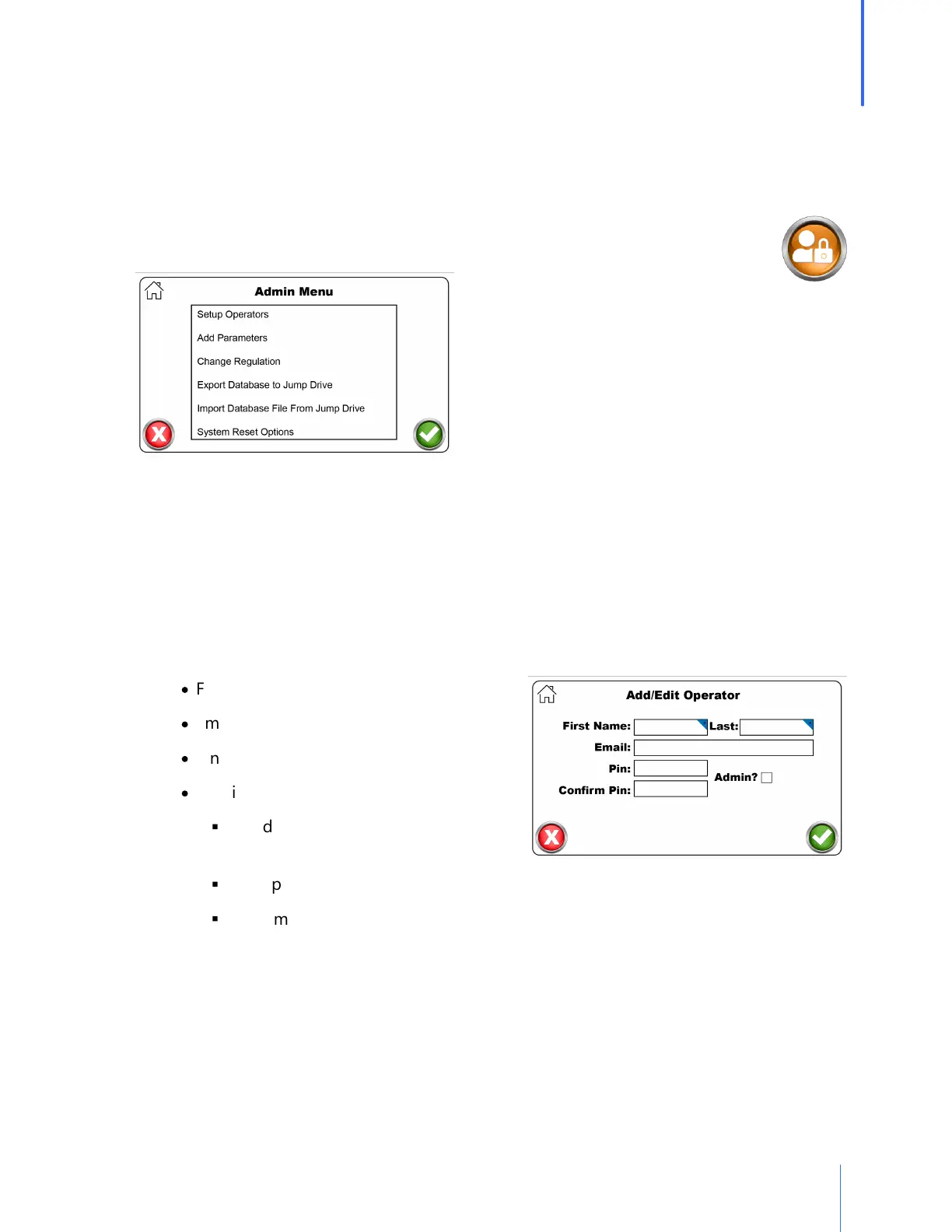
Admin Menu
The Admin Menu is a directory for settings that could potentially cause unwanted
changes to the QuantiFit2. These settings should be changed only by a person who
has been trained and understands the purpose of each setting.
Setup Operators
o Operator setup is necessary to record those people who will be running the tests.
o If security is turned on, the operators entered into the database either will be an
Administrator or Operator.
o The Operator will have limited access to the system as determined by an Administrator.
o To record an Operator, there are key fields required:
·
First and Last Name
·
Email
·
Pin
·
Admin or not
§
An Administrator can access any part
of the QuantiFit2.
§
The Operator is limited to specific areas that are defined by the Administrator.
§
There may be more than one Administrator.
Add Parameter
The Add Parameter function will allow an operator to customize options for a particular
respirator if the desire is to test outside of the approved testing parameters.
o Parameter Name: Create a name that will relate to the parameter


 To Next Page