51
Chapter 18
| Settings | Options
18
Settings
o Default Auto Start Each time a test starts, it will always default to using the auto start
feature unless this option is not turned on. If the features is not
turned on, it will remember the last used setting.
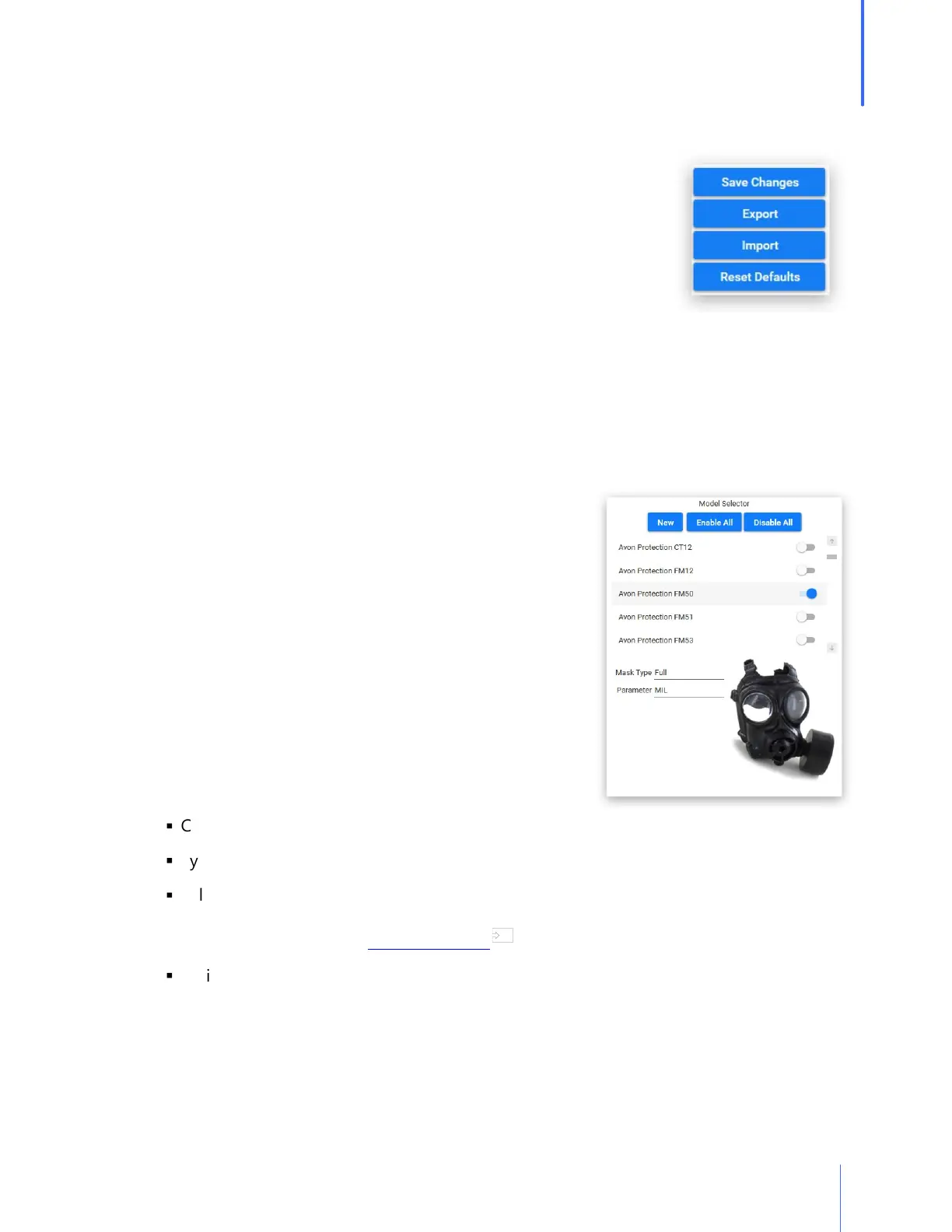
o Save Changes to make sure that any changes will take effect.
o Export will allow the Administrator to export these default
settings and Import them into another database on another PC.
o Restore Defaults will change the above settings to the way that
they were upon the initial install of OHD Logic.
Respirators
Respirator List
OHD Logic Software comes with a pre-populated list of respirators. Every effort is made to keep
this respirator list up to date, but if a respirator that is being used does not appear on the list, it
may be added. OHD would like to be notified if a respirator is not listed
(techsupport@ohdglobal.com) so that we may update our
list, which will be distributed to our customers as updates
are completed.
o Find the respirator manufacturer and model that will be
used for testing, and turn that selection on with the
toggle switch.
o When a respirator is turned on, it will become part of
the selectable respirator list when performing a fit test.
o When respirators are no longer being used, the
respirator may be "turned off." This will in no way affect
previous tests that have used this respirator.
o To create a new respirator:
§
Click on the New button.
§
Type in the Manufacturer and Model Name.
§
Select Type of respirator (APR-Half, APR-Full, PAPR, Gas respirator, and SCBA). Each
respirator will have different testing parameters according to which regulation has been
selected for your testing. See Appendix E for more information.
§
An image may be uploaded so that the respirator can be seen when selected. The image
target size ideally should be 240 X 370 pixels, or it will be sized when importing.
71


 To Next Page