41
Chapter 14
| Home Screen |
14
Home Screen
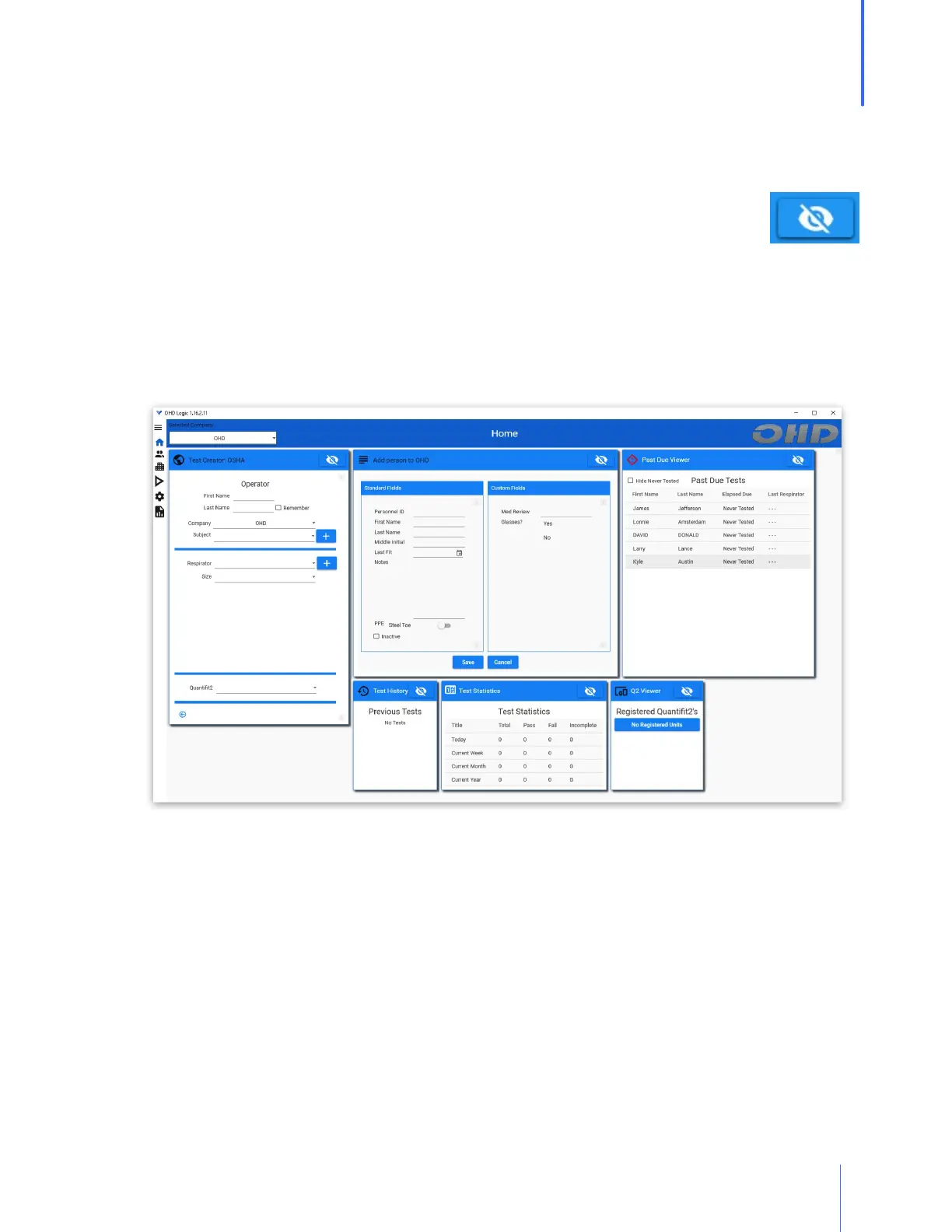
After initial setup, most people can do any task required directly from the Home Screen. This
includes running tests, adding people, adding respirators, viewing test statistics, and identifying
those people who are due for testing.
Each of the modules seen on the Home Page can be collapsed by clicking on the
no-view icon. When doing this, the module will become a button that goes to the
right-most edge of the viewing screen. These modules will still be in operation, but
they won't clutter the screen if they are not used regularly.
The top bar of the software displays the name of the section (Home Screen), the selected
company, and the operator that is currently logged in (when the security feature is enabled).
The company can be changed at any time, and if security is activated, the operator can log out
of the software.


 To Next Page