24
Chapter 5
| People |
5
People
D. Delete
o When a test subject is selected, press on this icon to delete this person from the instrument.
o There will be a prompt asking if you are sure that you want to delete this person from the
database.
o CAUTION: After deletion, a test subject cannot be restored.
E. Download
o The download feature allows test subjects to be uploaded in bulk.
o This can be done through a CSV file from the OHD Logic software.
o See 24 Appendix B: Import Personnel Template for import template requirements.
F. History
o When a test subject is selected and the history button is pressed, a screen will show any
existing tests for this person.
o Tests will be listed by date.
G. Edit
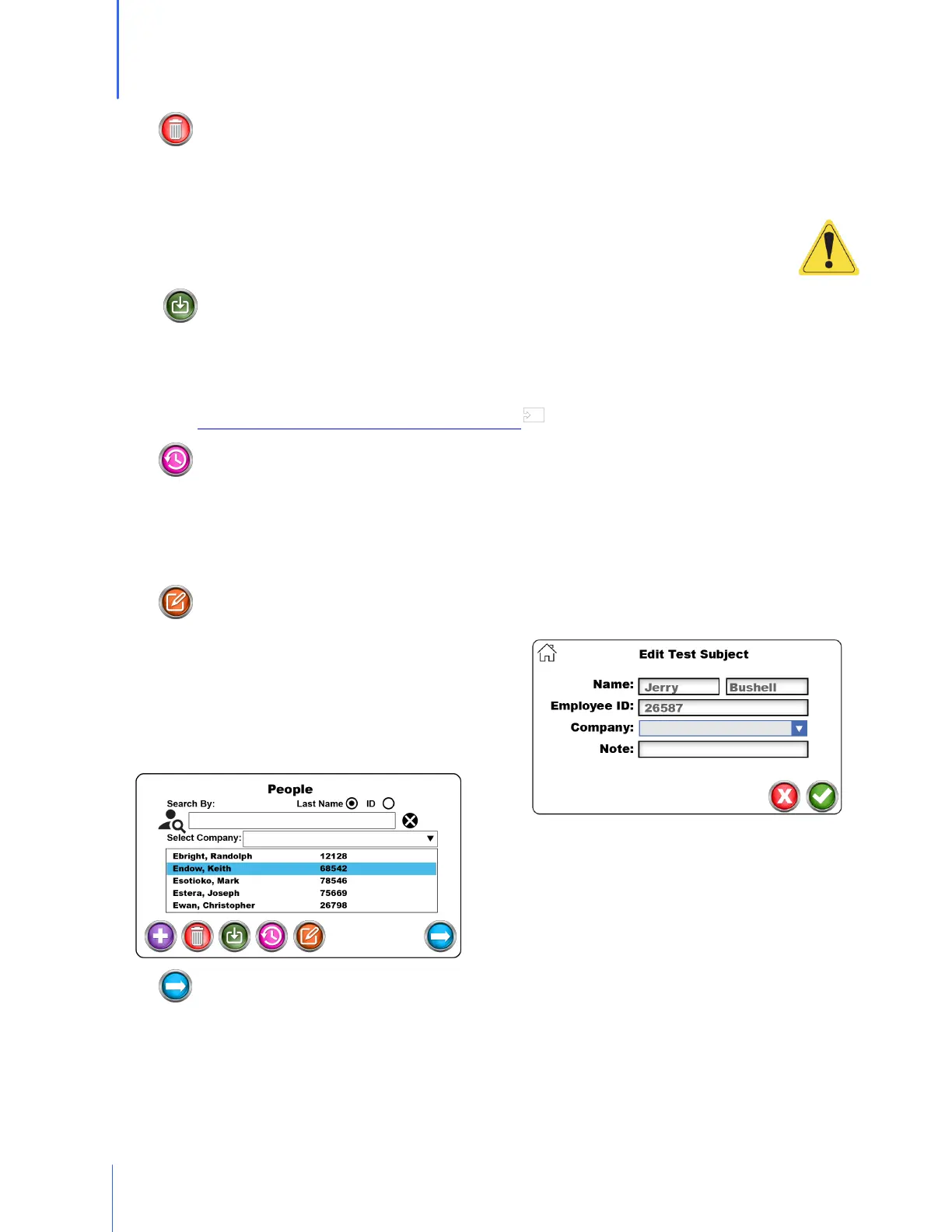
o When selecting a test subject and pressing on
the edit button, there will be an opportunity
to change the saved information for this
particular person.
o This includes Name, ID, Company, and Notes.
H. Next
o When a test subject is selected, the Next button will move to the test screen
o To return to the main screen, press on the Home button on the upper left side of the
screen.
67


 To Next Page