20 Model 5380 PFPD Operator’s Manual
Rev. 3.1
Menu Features
This section describes the menu features available in WinPulse.
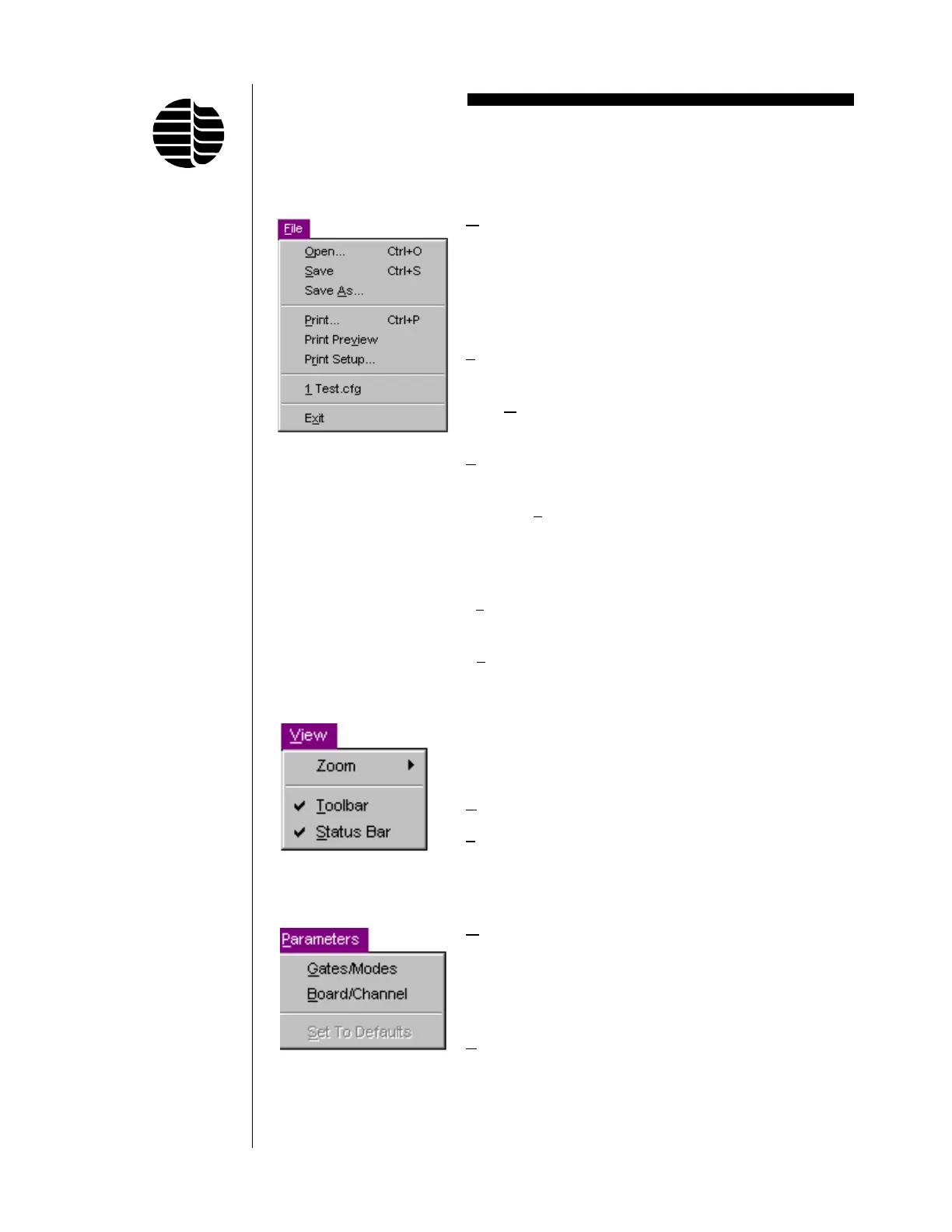
File Menu
Open Opens an existing configuration file
(*.cfg). A dialog box will appear
asking “Save New PFPD Parameters
to EEPROM?” Selecting this will
update the EEPROM with the new
parameters.
Save Saves the current configuration into
the last opened configuration file.
Save
As Saves the current configuration into a
new configuration file.
Print Prints the current data to a file or
printer.
Print Pre
view Allows the operator to preview the
data that will be printed to the file or
printer before executing the print
command.
P
rint Setup Allows the operator to set up the
printer.
E
xit Exits WinPulse.
View Menu
Zoom Modifies view of raw chemilumines-
cence data to selected scaling (100%
or 200%) or resets to Previous View.
Toolbar Hides or shows the toolbar.
Status Bar Hides or shows the status bar.
Parameters Menu
Gates/Modes Accesses the Gate Parameters
screen, which is used to set gate
values and identify gate mode labels.
For more information, see “Gate
Parameters Screen” in this chapter.
Board/Channel Accesses the Board/Channel Param-
eters screen, which is used to set
board/channel parameters. For more
information, see “Board/Channel
Parameters Screen” in this chapter.



 To Next Page