22 Model 5380 PFPD Operator’s Manual
Rev. 3.1
Secondary WinPulse Screens
This section describes the contents of the three secondary screens in WinPulse.
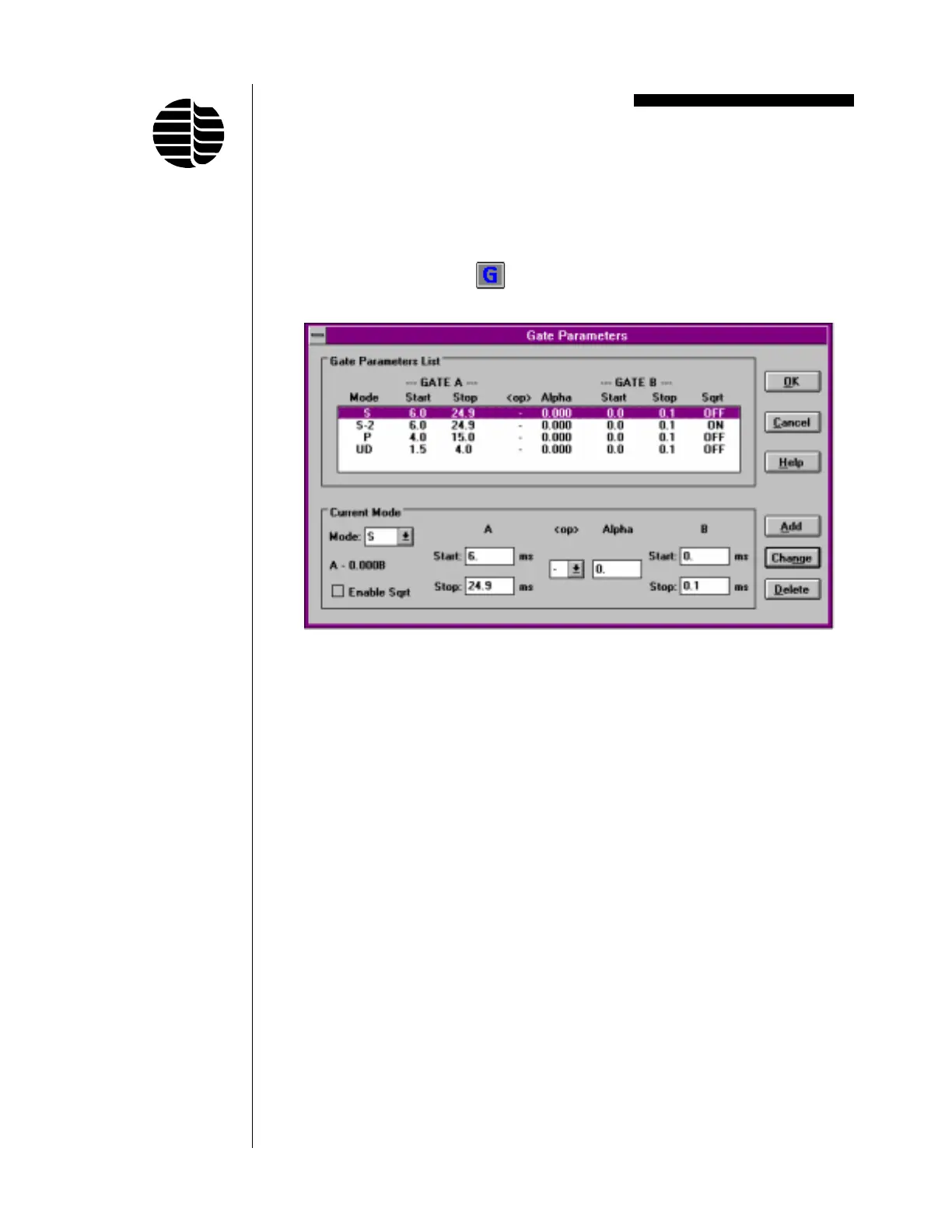
Gate Parameters Screen
To access the Gate Parameters screen, go to the Parameters menu and click on
Gates/Mode or click on the
button located on the toolbar. See Figure 3.2.
The Gate Parameters screen is used to select gate mode identification labels and
set gate values.
The Gate Parameters List shows the current gate parameters assigned to each
specified mode. To modify a mode, click on the line to be modified in the Gate
Parameters List and change the desired parameters. The function of each field in
the Current Mode box is as follows:
Mode Modifies a current mode or adds a mode. Gate mode identifi-
cation labels are selected from a list by clicking on the down
arrow next to the Mode field. Scroll down through the list until
the desired mode (element) is located and then click on that
mode. Up to 5 variations of each mode can be specified, each
with a different label extension (e.g. S, S-2, S-3, S-4, and S-5)
and each with a different set of gate parameters, operator, and/
or alpha value. The list of available modes also includes
operator defined modes (UD1 through UD5). These modes can
be selected for analytes other than those included in the list.
Figure 3.2. Gate Parameters Screen



 To Next Page