26 Model 5380 PFPD Operator’s Manual
Rev. 3.1
Cancel Undoes the current entry, including any changes made by the
Apply button, and replaces them with the last saved entries.
Clicking Cancel exits the screen without applying any
changes.
Apply Transfers all board/channel parameters to the Detector Con-
troller. These changes will only be saved if the screen is exited
by clicking on Ok.
Help Activates the Help screen.
Timed Events Screen
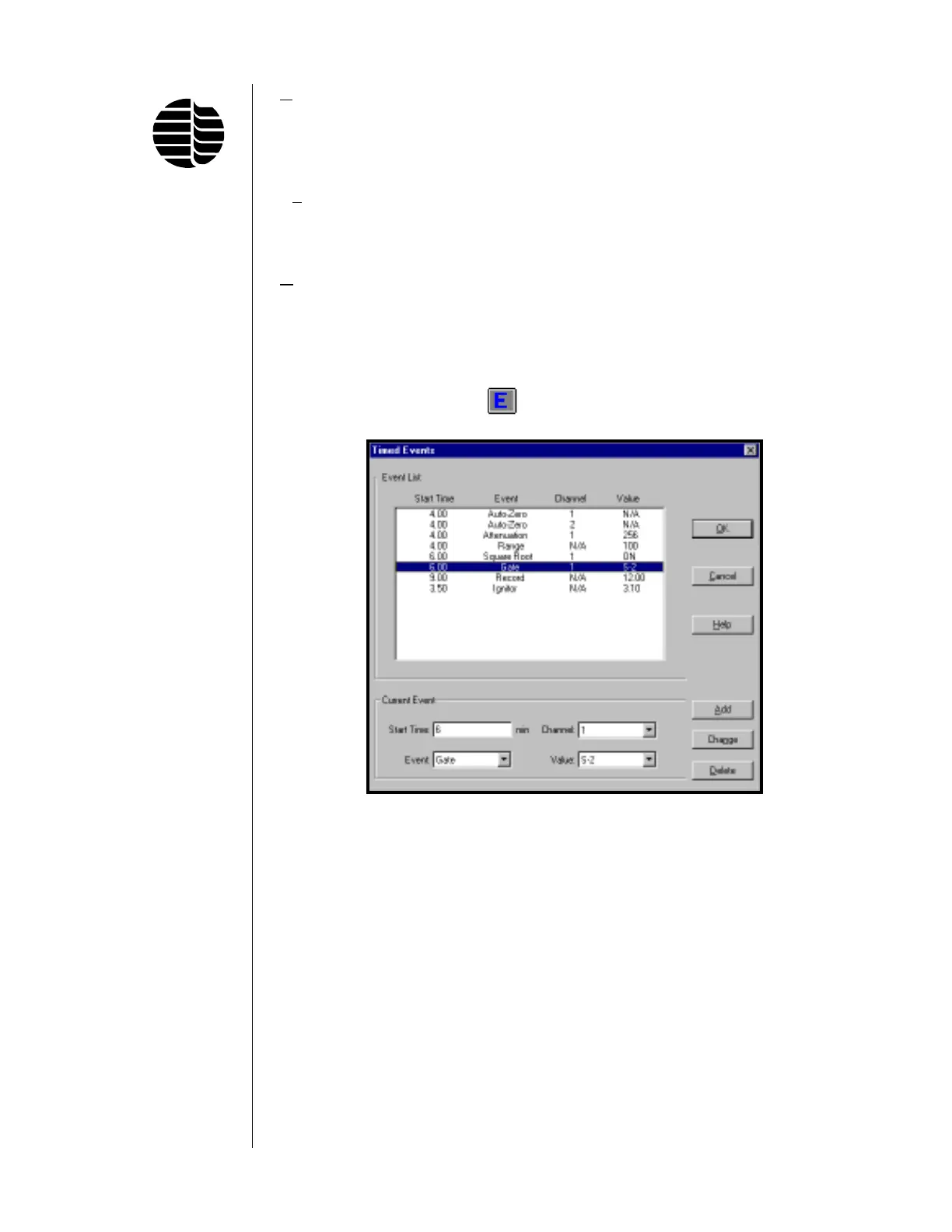
To access the Timed Events screen, go to the Events menu and click on Set
Timed Events or click on the
button located on the toolbar. See Figure 3.4.
Timed events are initiated through the Detector Controller’s remote start, which is
activated by a contact closure supplied either by the GC or an external remote start
switch. The Event List shows the current timed events. The value of any current
timed event parameter can be modified by clicking on the line in which the param-
eter to be modified occurs and then changing the value of the desired parameter in
the appropriate field shown in the lower Current Event box. The function of each
field in this box is as follows:
Start Time Time in minutes from the start of the analytical run for starting the
associated event. The time must be greater than or equal to 0.01
minute.
Figure 3.4. Timed Events Screen



 To Next Page