- 13 -
Paper Jams
4
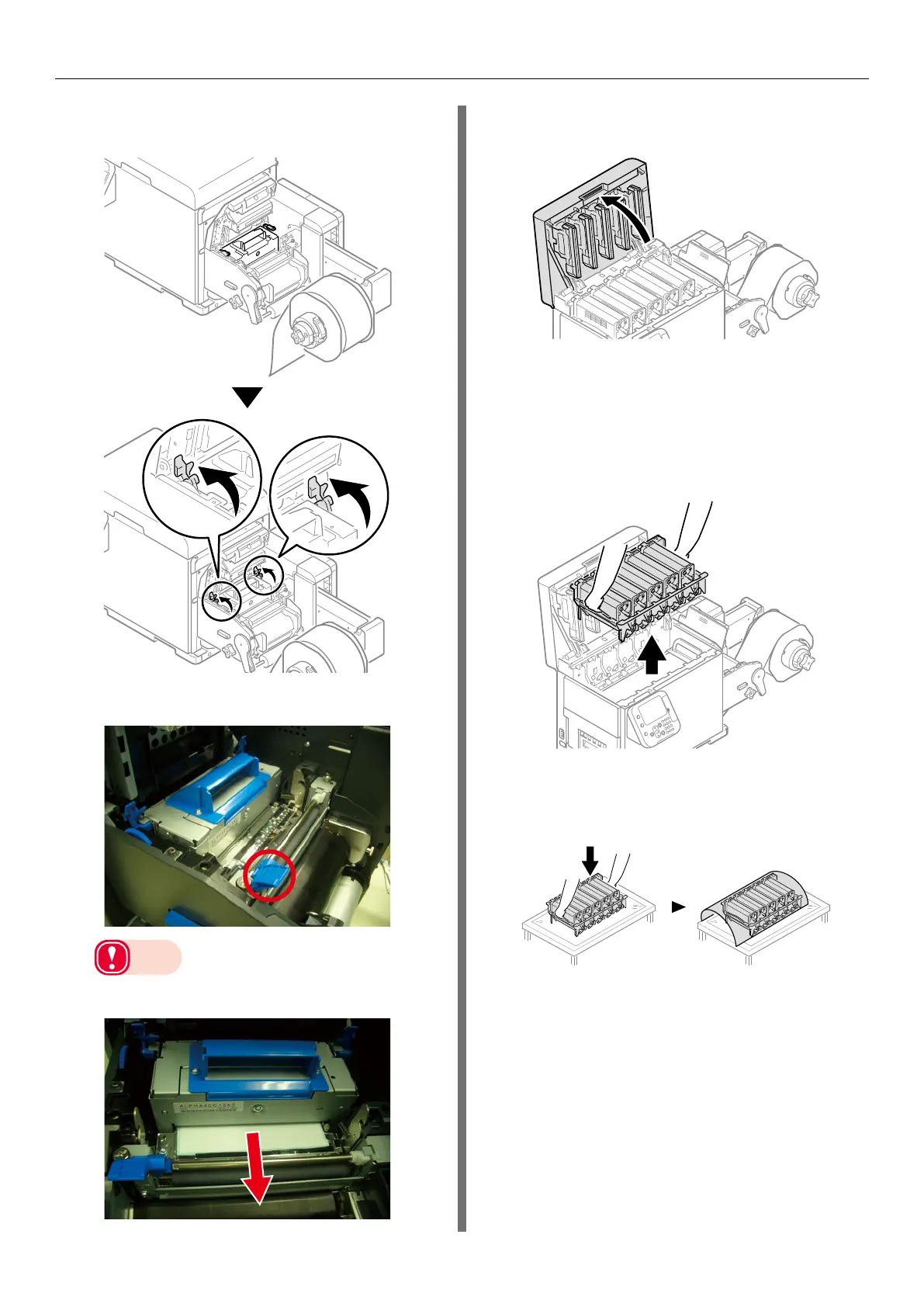
Raise the cutter unit lock levers at both
ends of the cutter unit.
5
Raise the F0 roller release lever.
Note
z
If any paper is left in the printer, do not forcefully
remove it.
NG
6
Grasp the top cover open lever and
open the top cover.
7
Prepare some newspaper or something
to spread on a flat surface on which to
place the print cartridge set, as well as
some paper so it is not exposed to light.
8
Remove the print cartridge set.
9
Place the removed print cartridge, and
cover it with paper so it is not exposed
to light.
10
Prepare some newspaper or something
to spread on a flat surface on which to
place the belt unit.



 To Next Page