pro920WT User’s Guide> 120
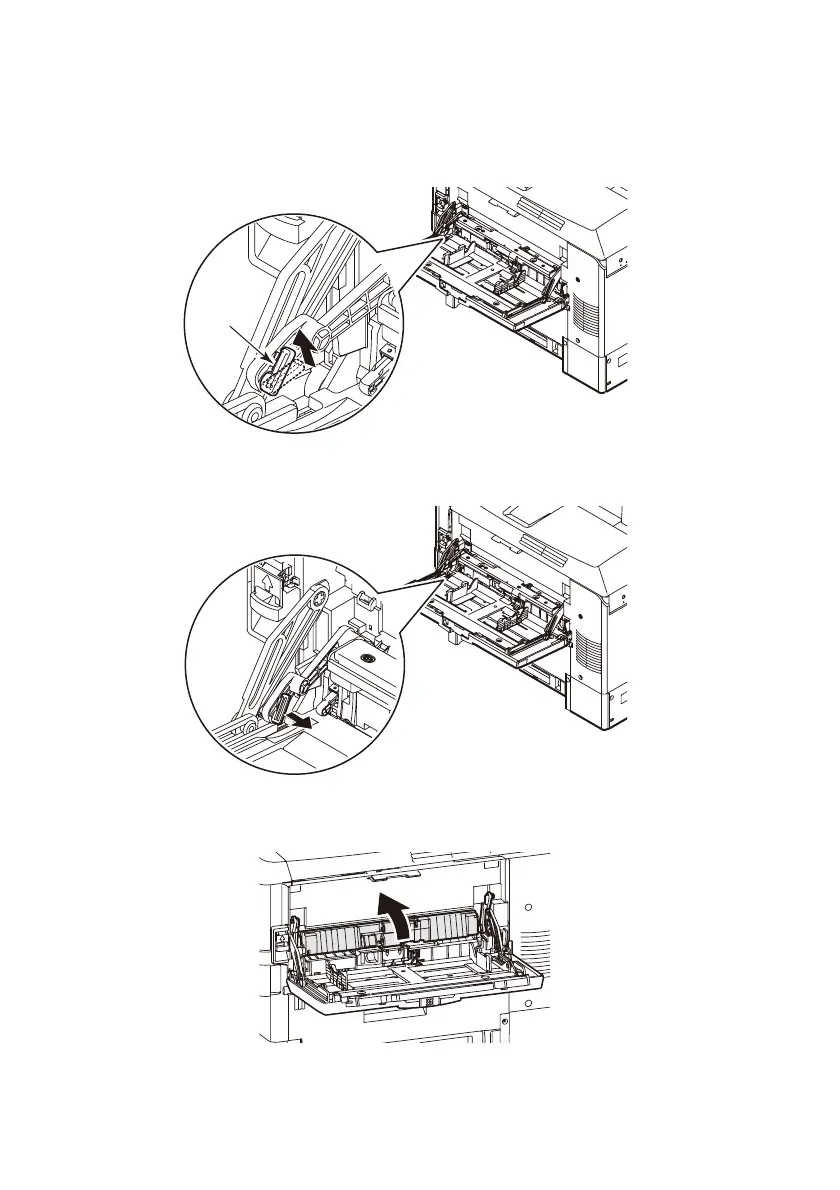
5. On the left side of the multi-purpose tray, move the lever (5)
located on the connecting part between the printer and
multi-purpose tray to the position shown.
6. Lift the multi-purpose tray slightly with the left hand, and
push the lever inward and release it with the right hand.
7. Move the released part to the printer side.
The cover lifts and the paper feed rollers appear.
5








 To Next Page