pro920WT User’s Guide> 122
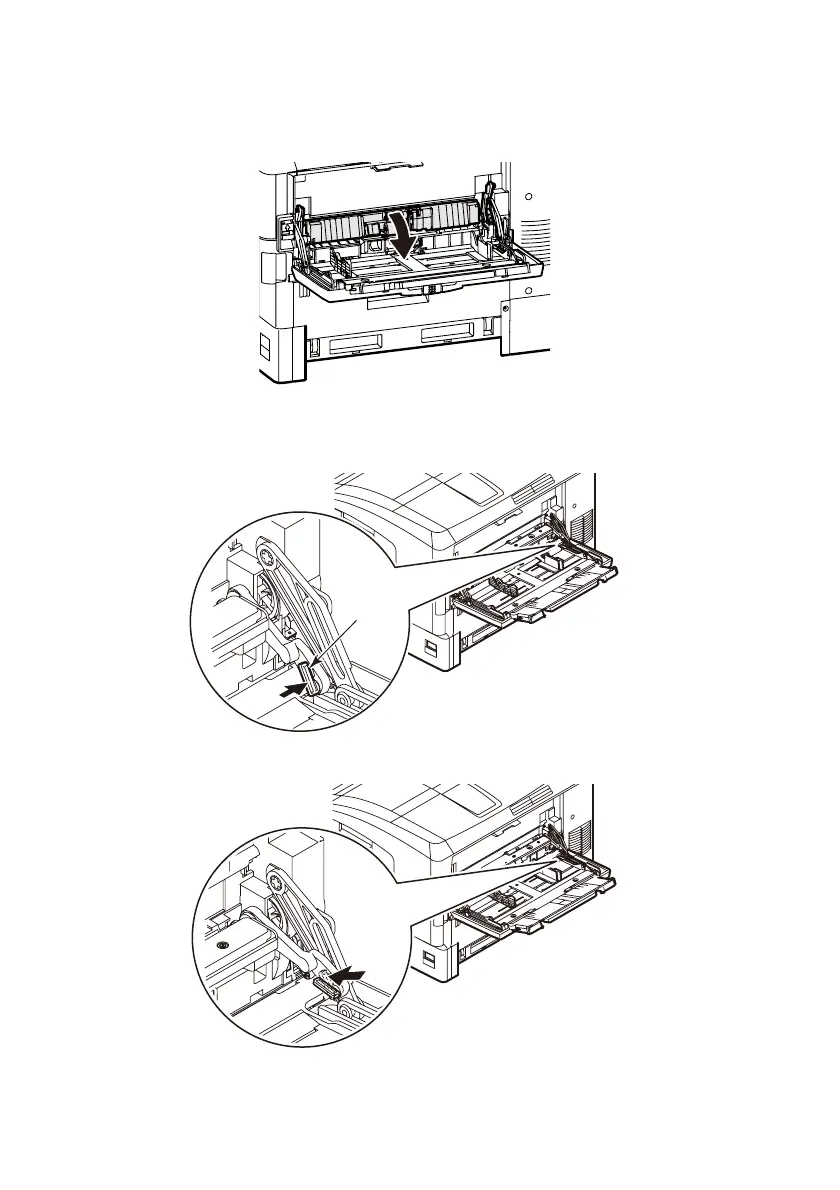
11. Holding the connecting parts between the printer and multi-
purpose tray with both hands, lower the cover.
12. Lift the right side of the multi-purpose tray slightly, and fit
the protrusion of the lever (6) as shown.
13. Move the lever to the position shown.
6








 To Next Page