pro920WT User’s Guide> 55
Mac OS X
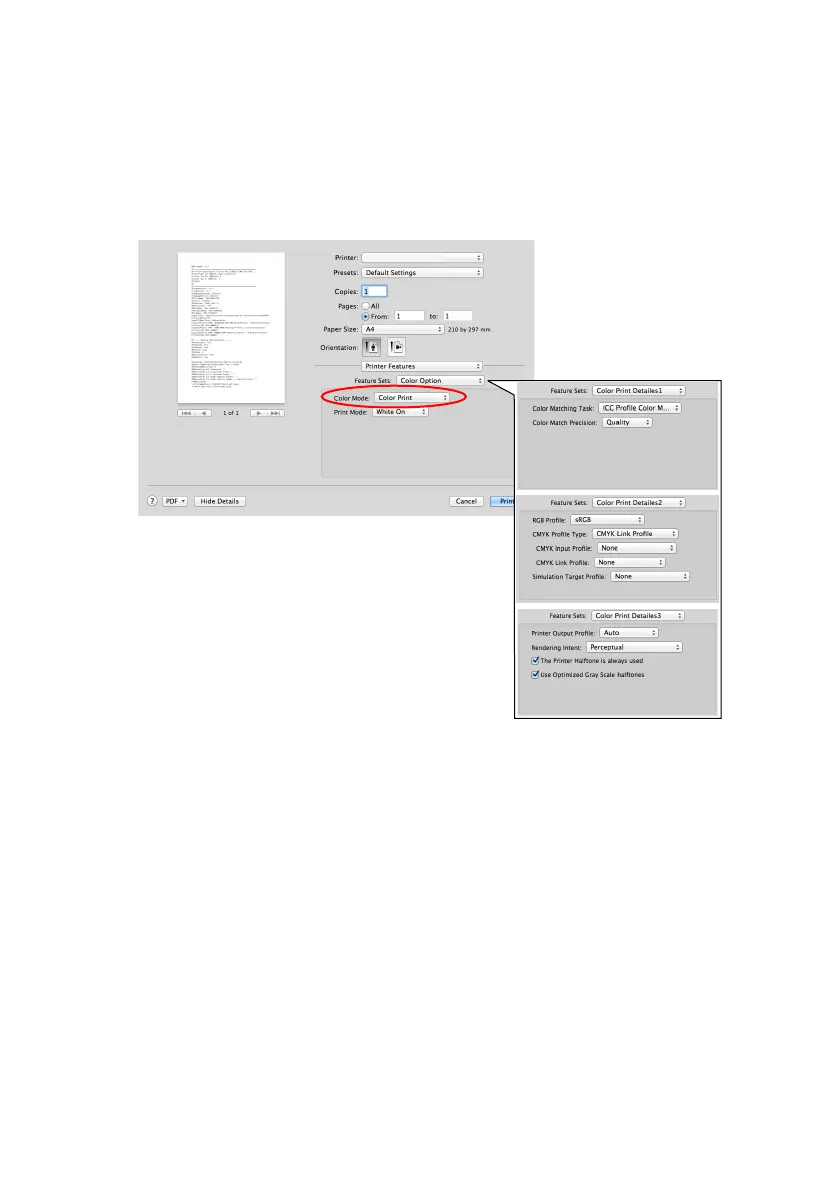
1. On the print dialog box, select the Printer Features panel.
2. From the Feature Sets menu, select Color Option.
3. From Color Mode, select Color Print.
Color Print Details 1-3 panel
This screen is normally not used.
Your printer performs color matching by using an ICC profile.
However, you cannot specify input and output profiles by
downloading a specific ICC profile, as your printer uses a special link
profile which considers the use of white toner.
Use the built-in color matching function of your application when you
need to specify an input profile for color matching.
This screen is normally not used.








 To Next Page