pro920WT User’s Guide> 89
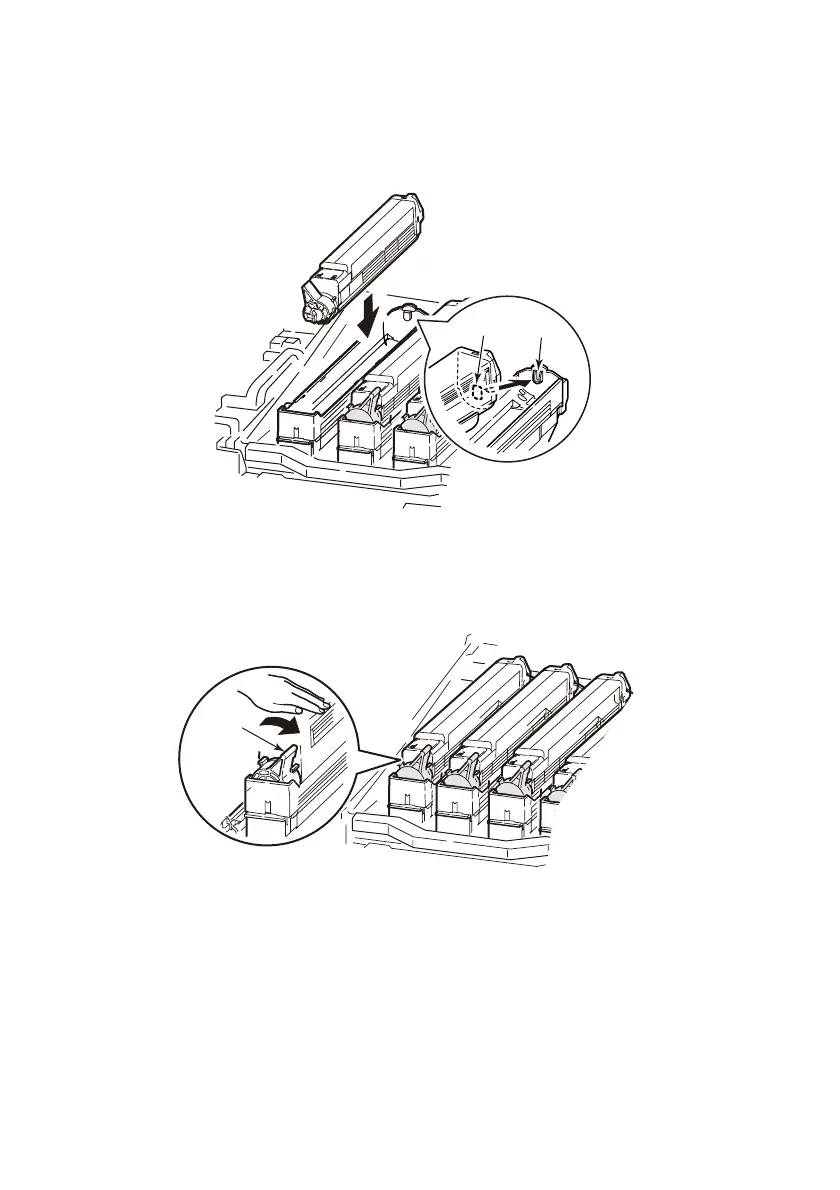
10. Holding the toner cartridge with the tape face down, match
the hole (5) of the toner cartridge on the protrusion (6) of
the image drum and carefully lower it on the image drum.
11. Pressing gently down the toner cartridge to ensure that it is
firmly seated, lock it by turning the blue lock lever (7) to the
direction of the arrow until it stops.
5
6
7








 To Next Page