MAESTRO SMART
E
D8
D1 D3
D4D2
D5
D6
D9
D7
D10
F
D9D2
D11
D6
D3 D13
D8 D15
D14D7D4
D1
D16
D10
D17
D18
D12
US-ENG- 17
US-ENGLISH
DISPLAY
D1 Fan speed or automatic operating mode
indicator (AUTO)
D2 Heating mode
D3 Cooling mode
D4 Dehumidicationonlymode
D5 Air change activation
(not available in this model)
D6 Sleep mode operation
D7 Automatic operation
D8 First operating program
D9 Second operating program
D10 Temperature indicator or time indicator
(Hours/minutes)
D11 Desired temperature/clock/programming
D12 Fan speed
D13 Transmission of the command in progress
D14 Program switching off time setting
D15 Clock/program setting
D16 Program switching on time setting
D17 Lowbatterynotication
D18 Minutes timer
3.3.3 - UNIT START UP (g.34)
To operate the unit using the remote control it will be necessary to turn on the main switch on the electrical
power supply line or by inserting the unit’s electrical plug into the appropriate wall outlet.
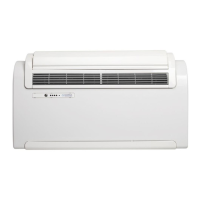
• Theunitisequippedwithapowerswitch(10)locatedbelowthelowersafetyguard(9).
• Torunthispowerbuttonmustbein“I”position.
• Atthispointtheunitcanbeoperatedbytheremotecontrol.Inordertotransmitcommandstotheunit,
point the front of the remote control toward the unit’s control panel.
• Theunitemitsabeepwhenitreceivesacommand.
• Theremoterequiresdirectlineofsightwiththeunit’sreceiverwithamaximumdistancebetweenthem
being 26 feet (8 m).







 To Next Page