8
8-125
Default Setting (System Menu)
Folder (FTP) Address
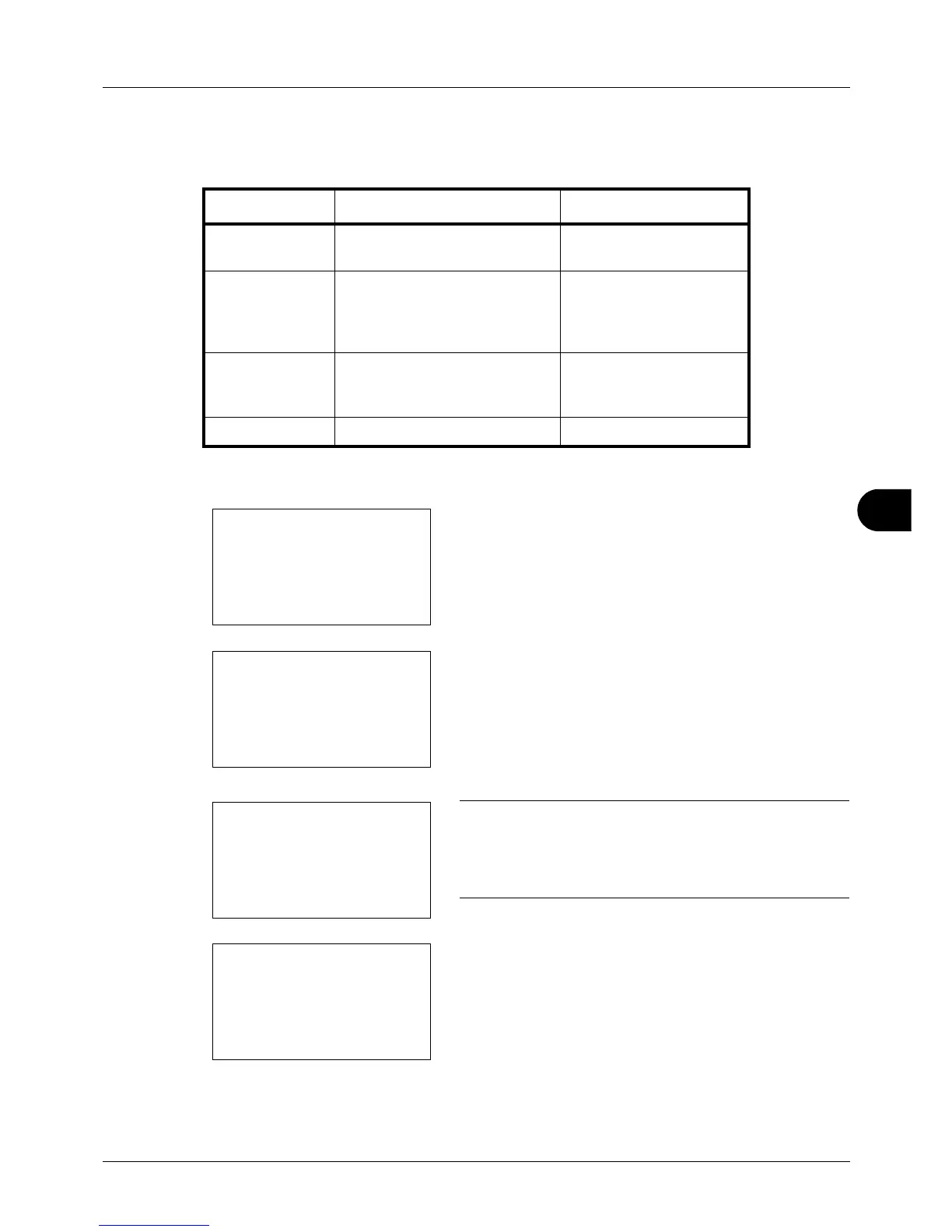
The table below explains the items to be entered.
1 Press the or key to display Folder(SMB) or
Folder(FTP).
2 Press [Edit] (the Right Select key). An entry screen
app
ears.
3 Enter the host name.
NOTE: Destination can be specified using the Address
Book or the One-touch keys. Refer to Specifying
Destination on page 3-25.
Enclose the IPv6 address in brackets [ ].
4 Press the OK key. Path appears.
5 Enter the path name.
Item Description Max. No. of Characters
Host Name*
* If you specify a port number other than the default (21), use the "Hostname: port
number" format. (E.g. FTPhostname: 140)
Host name or IP address of the
sending computer
64 chars
Path Path for the file to be stored
For example, "User\ScanData".
If no path is entered, the file is
stored in the home directory.
128 chars
Login User Name User name for folder access
For example,
abcdnet\james.smith
64 chars
Login Password Password for folder access 64 chars








 To Next Page