Preparation before Use
2-32
Changing Device Information
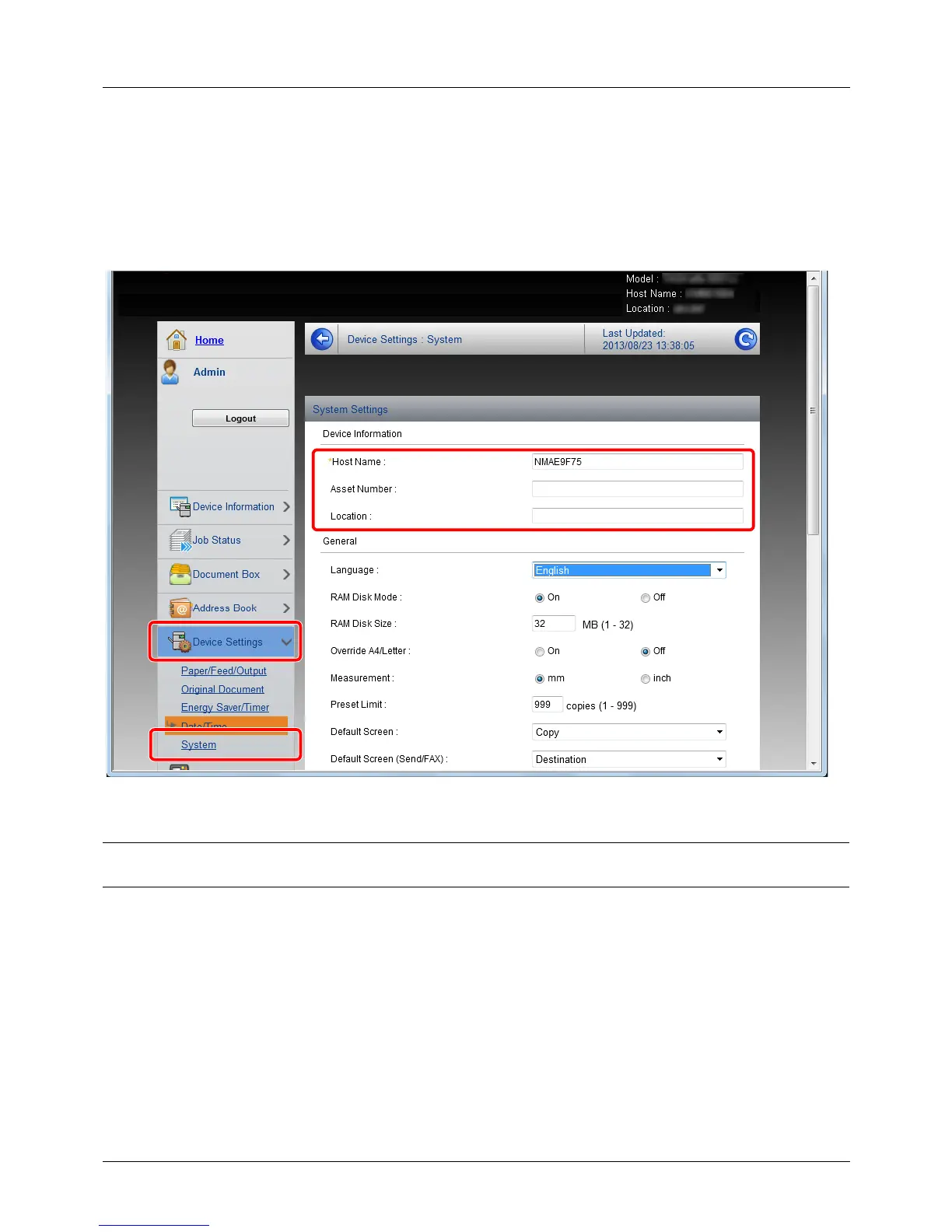
Change the device information of the machine.
1 Access Embedded Web Server RX by referring to Accessing Embedded Web Server RX on 2-30.
2 From the [Device Settings] menu, select [System].
3 Enter the device information, and then click [Submit].
IMPORTANT: After changing the setting, restart the network or turn the machine OFF and then ON. To restart the
network interface card, click [Reset] in the [Management Settings] menu, and then click [Restart Network] in “Restart”.








 To Next Page