2
Preparation before Use
2-39
1 Create a folder on the local disk (C).
NOTE: For example, create a folder with the name
"scannerdata" on the local disk (C).
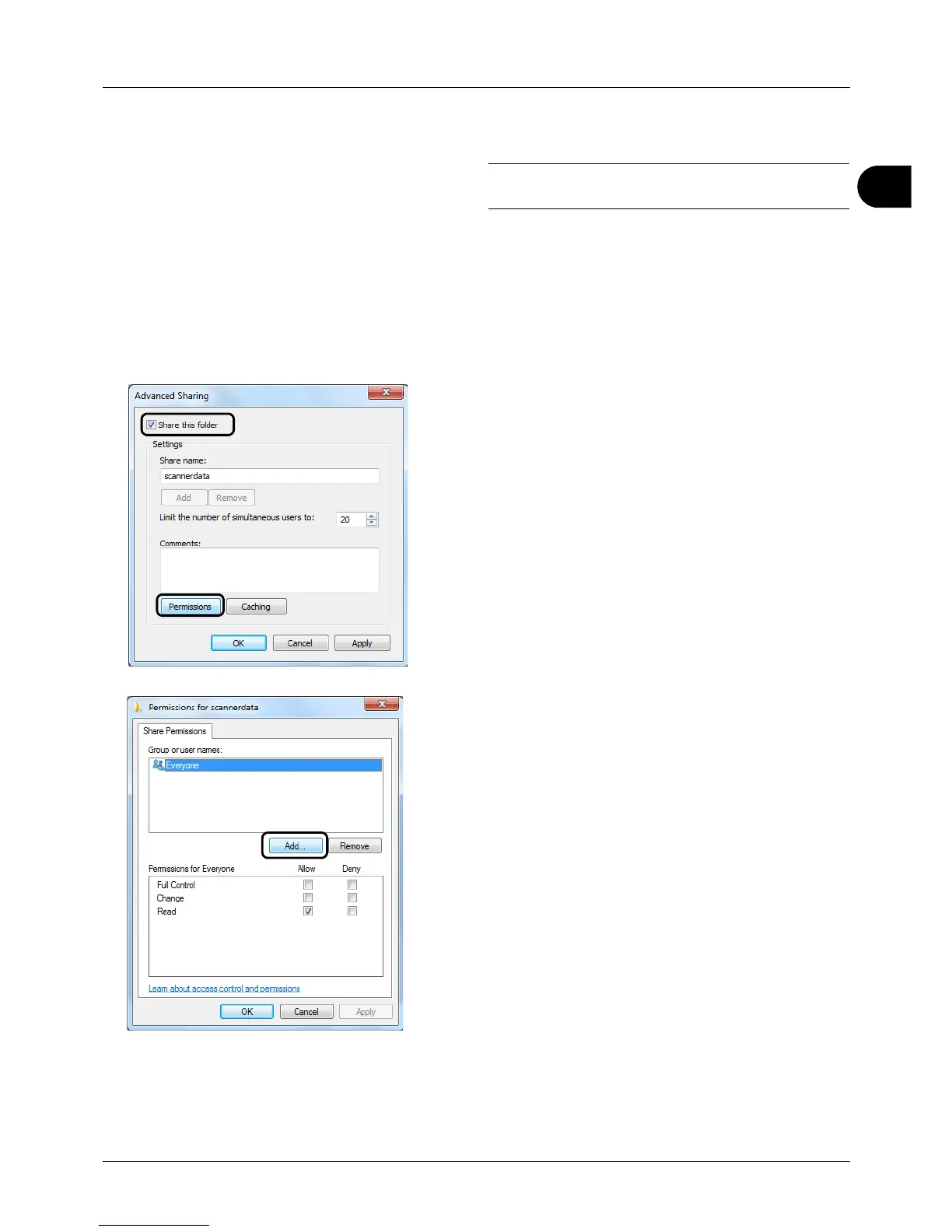
2 Right-click the scannerdata folder and click Share and
Ad
vanced sharing. Click the Advanced Sharing
button.
The scannerdata Properties dialog box appears.
In Windows XP, right-click the scannerdata folder and
select Sharing and Security... (or Sharing).
3 Select the Share this folder checkbox and click the
Permissions button.
The
Permissions for scannerdata dialog box appears.
In Windows XP, select Share this folder and click the
Permissions button.
4 Click the Add button.








 To Next Page