2
Preparation before Use
2-41
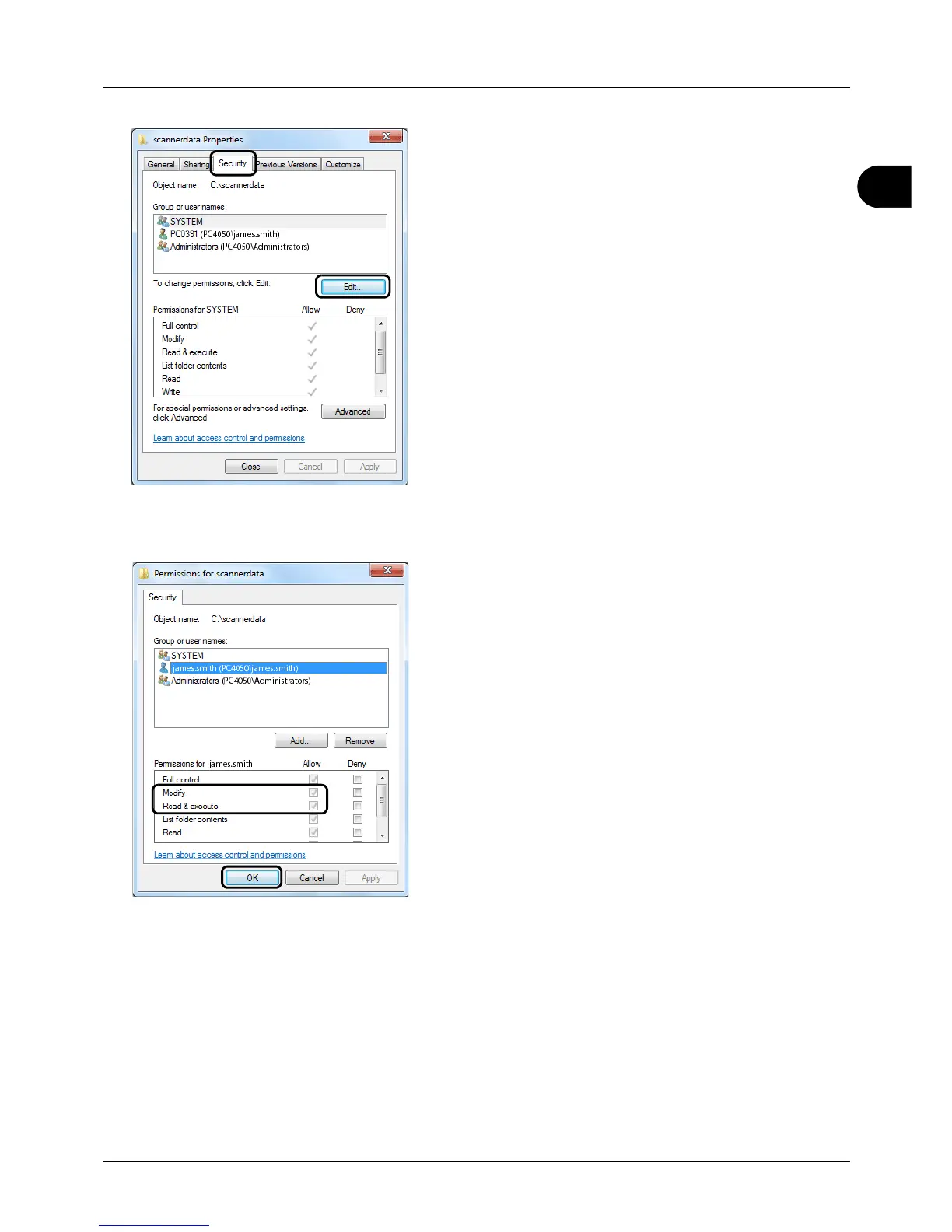
8 Click the Security tab and then click the Edit button.
In Windows XP, click the Security tab and then click the
Add button.
9 Proceed in the same way as in step 5 to add a user to
Gro
up or user names.
10 Select the added user, select the Modify and Read &
execute permissions, and then click the OK button.








 To Next Page