3-6
Preparation before Use > Loading Paper
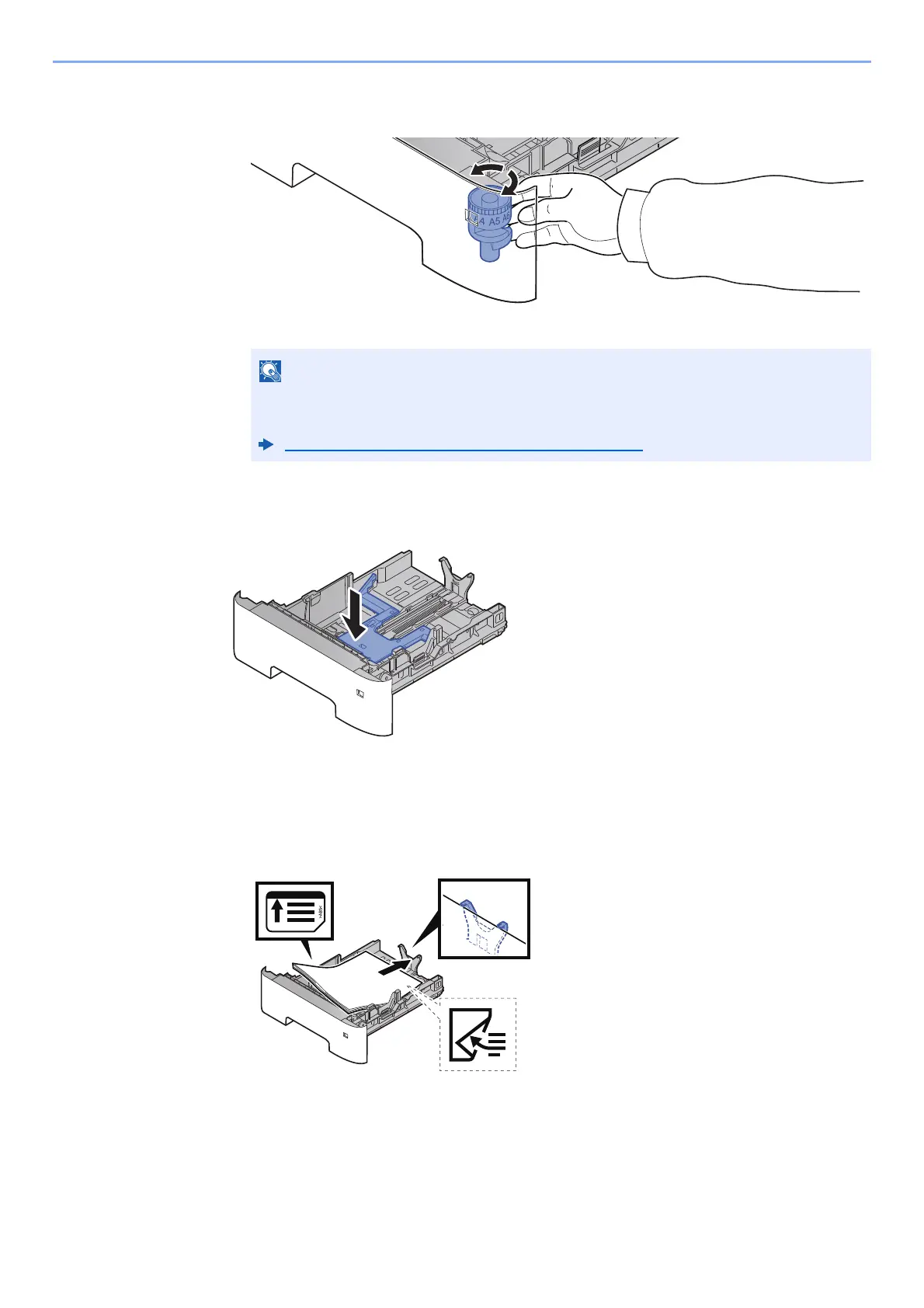
3 Turn the size dial so that the size of the paper you are going to use appears in the paper
size window.
3
Press the bottom plate down unti
l it locks. (d-COPIA 4513MF plus/
d-COPIA 4514MF plus)
4
Load paper.
1 Fan the paper, then tap it on a level surface to avoid paper jams or skewed printing.
2 Load the paper in the cassette.
When the size dial is set to "Other" the paper size must be set into the machine on the
operation panel.
Paper Size and Media Type for the Cassettes (page 3-15)











 To Next Page