5-19
Operation on the Machine > Sending
Basic Operation
1
Select [Send] on the Home screen.
2
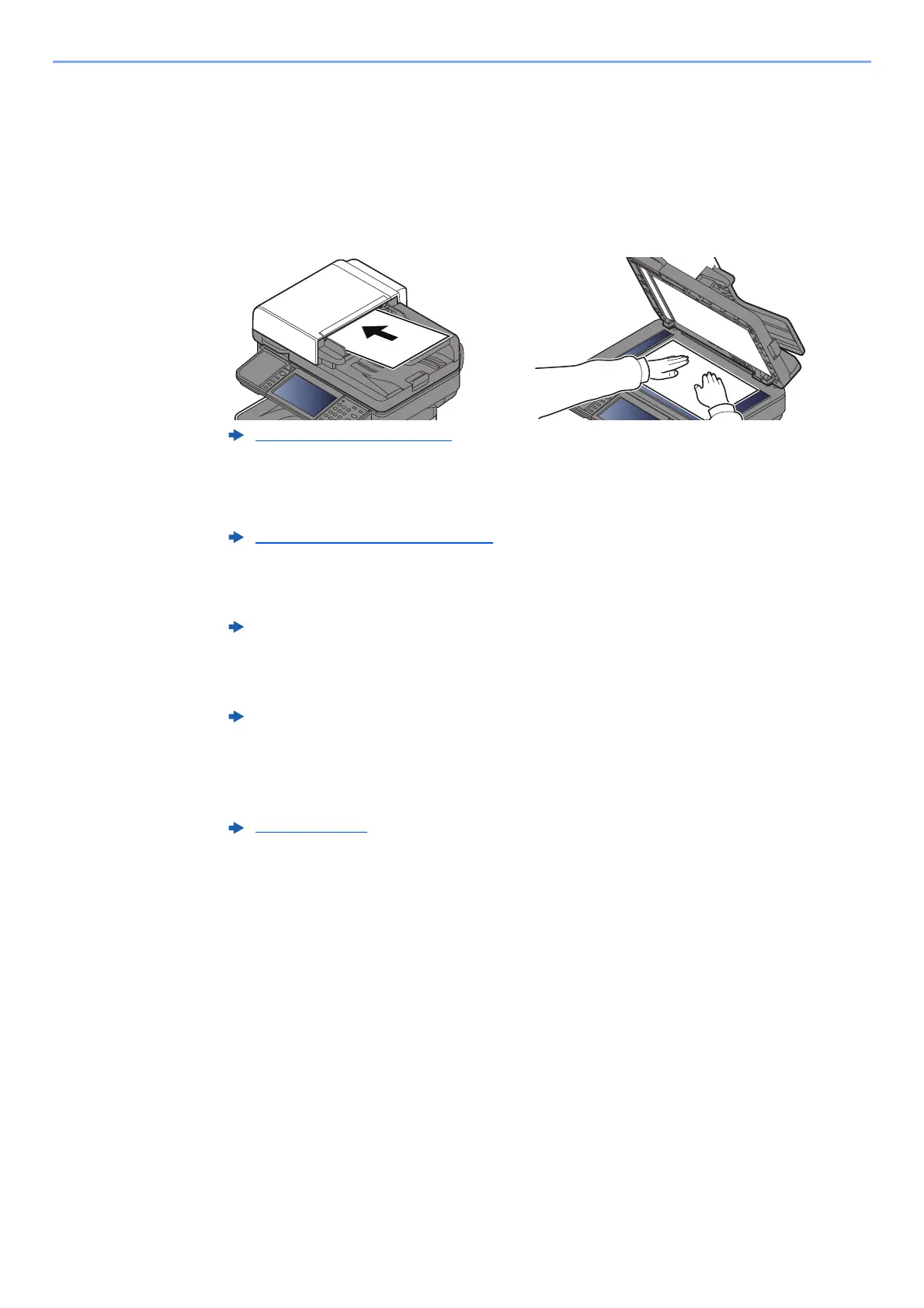
Place the originals.
Place the originals.
3
Specify the destination.
Select the destination to which to send an image.
Choosing a Destination from the External Address Book
For details on the External Address Book, refer to the following:
Choosing a Destination from the FAX
For more information on using the FAX, refer to the following:
4
Select the functions.
Select [Functions] to display other functions.
5
Press the [Start] key.
Sending starts.
Loading Originals (page 5-2)
Specifying Destination (page 5-20)
Embedded Web Server RX User Guide
FAX Operation Guide
Send (page 6-4)











 To Next Page